D, a
aTitleListEntry
4
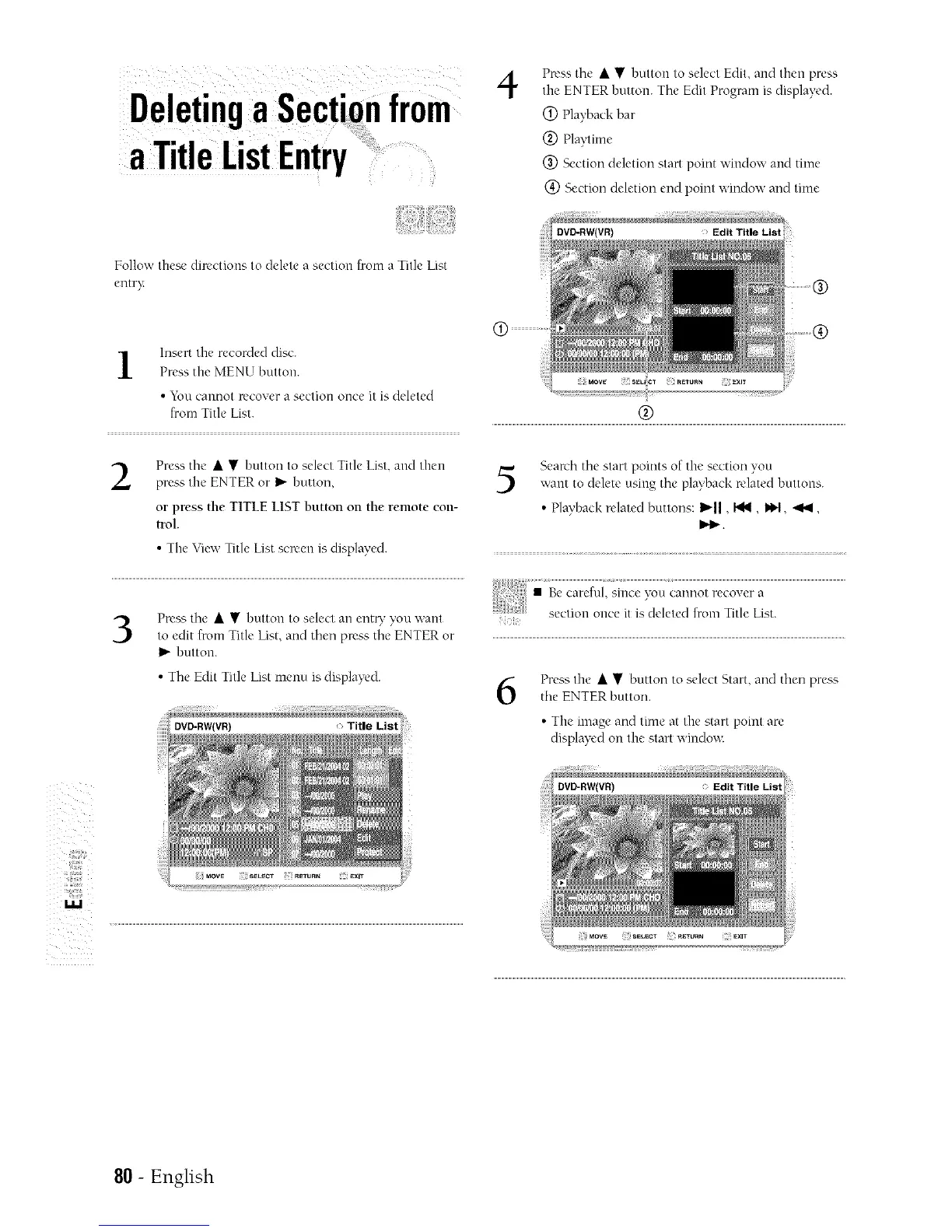
Press the • • button to select Edit, and then press
the ENTER button. The Edit Program is displayed.
Q) Playback bar
(_) Playtime
(_) Section deletion start point window and time
(_) Section deletion end point window and time
Follow these directions to delete a section from a Title List
entry
1
Insert the recorded disc.
Press the MENU button.
• You cannot recover a section once it is deleted
from Title List.
2
Press the • • button to select Title List, and then
press the ENTER or I_ button,
or press the TITLE LIST button on the remote con-
trol.
• The View Title List scR'en is displayed.
®
5
Search tile start points of the section you
want to delete using tile playback related buttons.
• Playback relatedbuttons:I_11,I_1, _1, ._1,
I_1_.
3
PR'SS the • • button to select all entq" you want
to edit from Title List, and then press tile ENTER or
I_ button.
• Tile Edit Title List menu is displayed.
Title List
6
Press the • • button to select Start, and then press
the ENTER button.
• The image and time at the start point arc
displayed on the start window.
i:
80 - English



 To Next Page