1.PREPARATION
Preparation 2 - Loading Paper 21
1 PREPARATION
Loading paper on the bypass tray
The contents of the original(s) are rotated when copied on paper of the following sizes fed from the bypass tray.
A/B format: A3, A4-R, A5-R, B4, B5-R, FOLIO
LT format: LD, LG, LT-R, ST-R, COMP, 13"LG, 8.5"SQ
K format: 8K, 16K-R
For example, to copy an A5-size original, place the original on the original glass in A5 portrait orientation and paper on
the bypass tray in A5 landscape orientation (A5-R).
To enlarge an A4-size original to A3, place the original on the original glass in A4 portrait orientation and A3 paper on
the bypass tray.
The illustrations below are example of loading A4/LT size paper.
For the acceptable paper, see the following pages:
P.17 “Acceptable paper types”
1
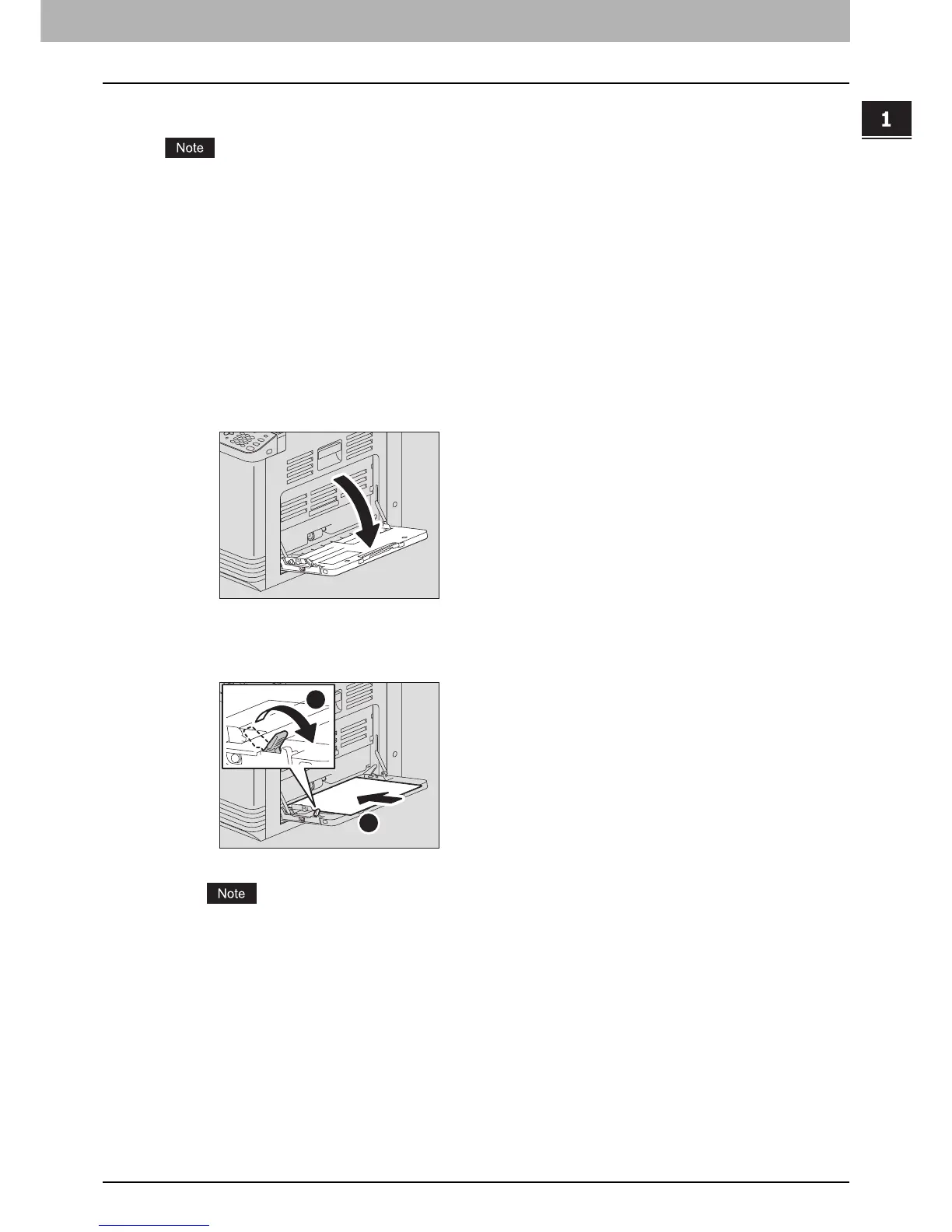
Open the bypass tray.
2
Pull the paper holding lever out, and then load paper face down and straight on the
bypass tray.
The printable side may be noted on its packaging.
1
2



 To Next Page
 Loading...




