4.25 Switch Board and Volume Board 4 Replacement Procedures
4.25 Switch Board and Volume Board
Removing the Switch Board and Volume Board
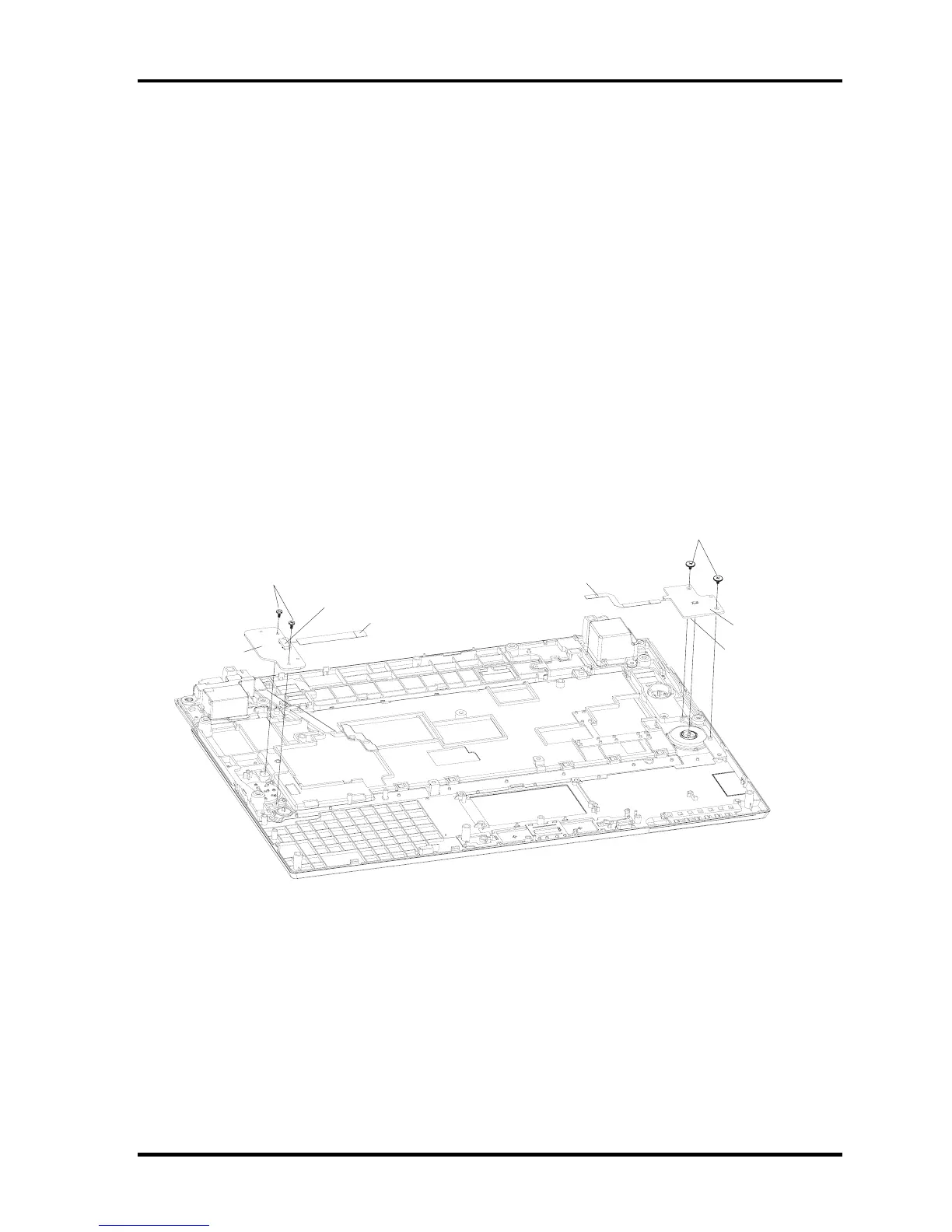
Remove the Switch Board and Volume Board according to the following procedures and
Figures 4-41
1. Remove two M2x3 black flat head screws.
2. Remove the switch board.
3. Disconnect the switch board flat cables from CN8000 on the switch board.
4. Remove two M2x2 black flat head screws.
5. Remove the volume board.
6. Disconnect the volume board flat cables from CN7000 on the volume board.
CN7000
CN8000
Switch board
Switch board flat cable
Volume board
Volume board flat cable
M2x3 black flat screw
M2x2 black flat head screw
Figure 4-41Rmoving the Switch Board and Volume Board
Qosmio F40/F45 Maintenance Manual 4-73



 To Next Page
 Loading...