379
3-5. Other interior features
3
Interior features
PRIUS +_OM_OM47821E_(EE)
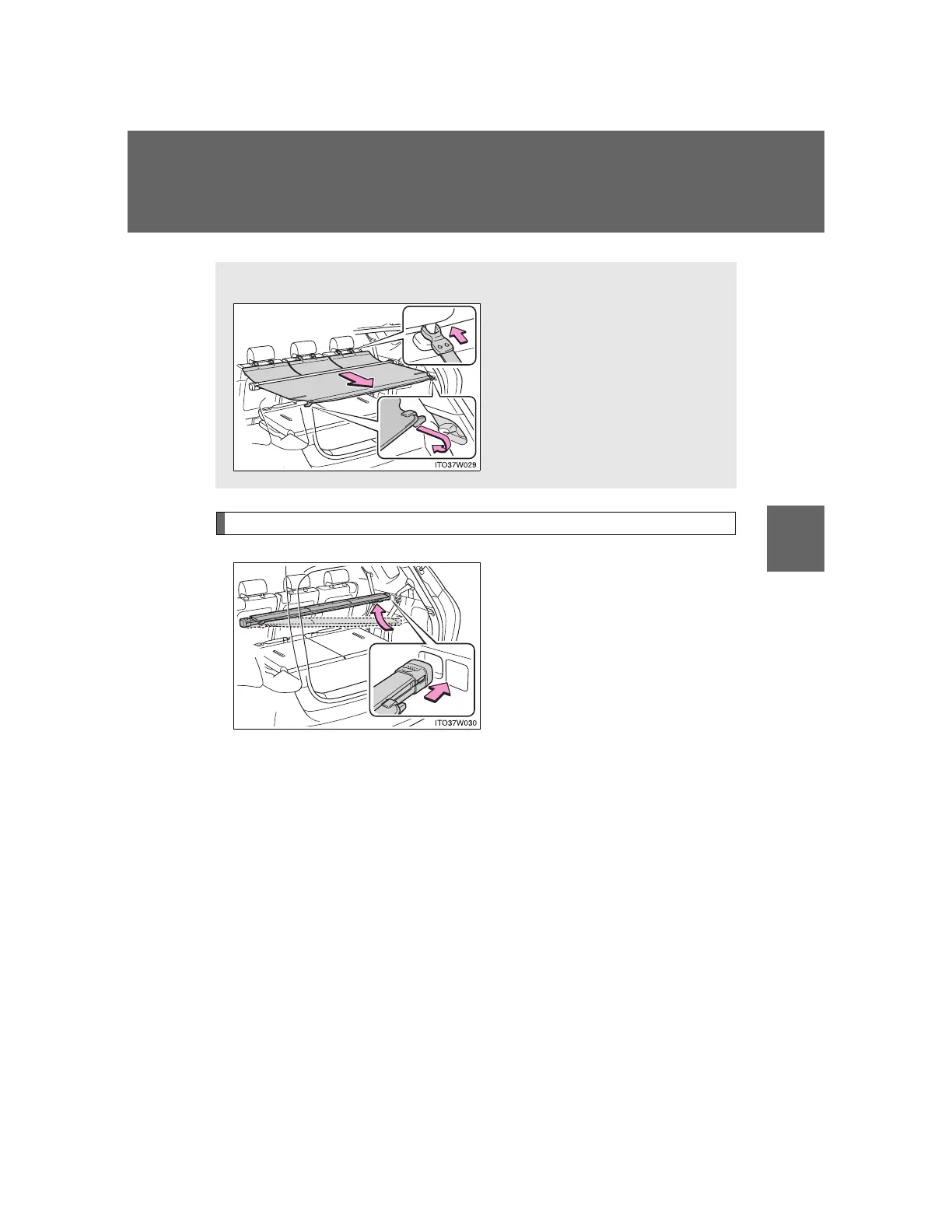
Installing the luggage cover
Set the holder of one side into
the installation position, then
install both holders from below
with the cover in its contracted
state.
Reverse the procedure to
remove.
Luggage cover (if equipped)
Pull out the luggage cover and
secure it to the hook brackets.
Attach the hooks to the head
restraints.












 To Next Page