AC1900 Wireless Dual Band Gigabit ADSL2+ Modem Router User Guide
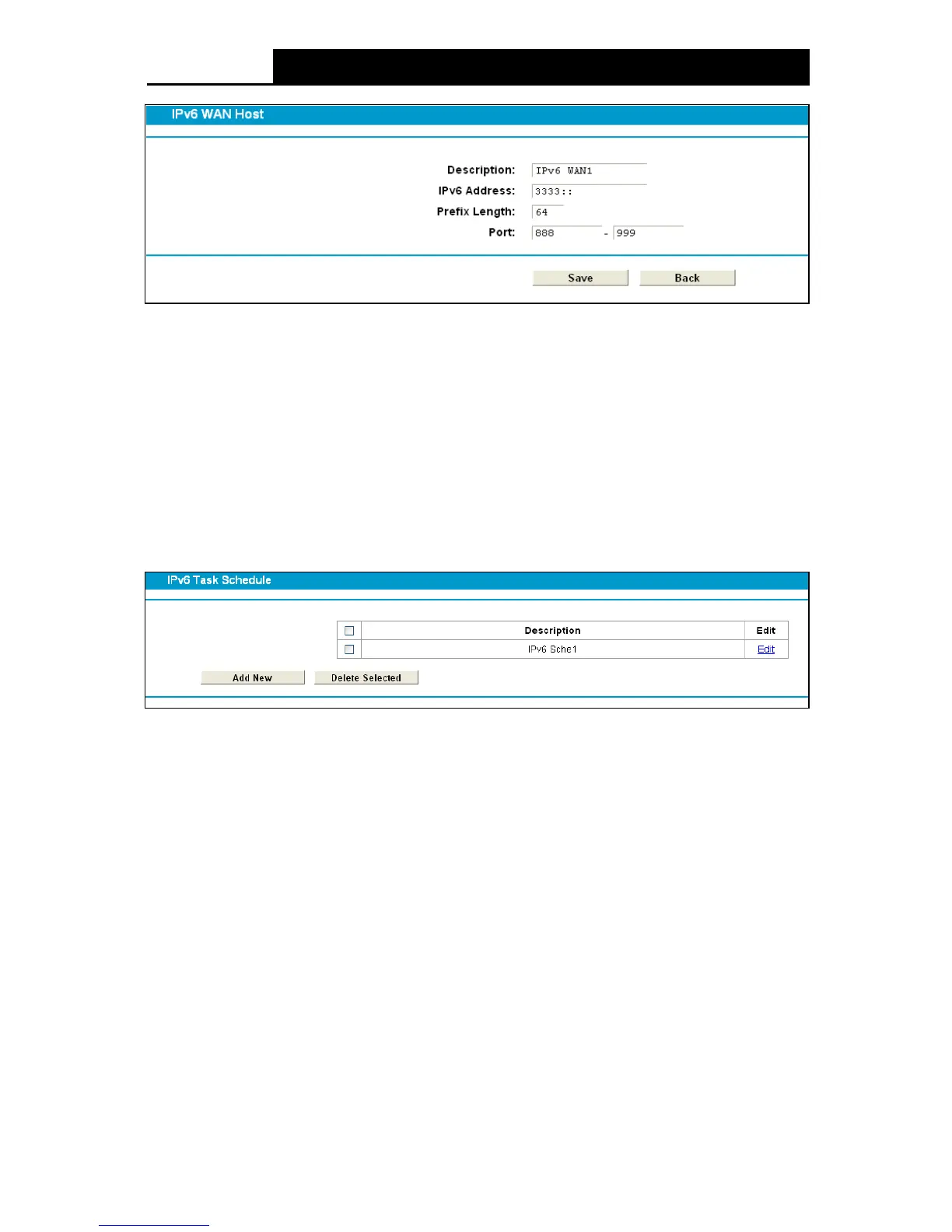
Figure 4-94
2. Create a unique description for the host (e.g. Host_1) in the Description field.
3. Enter an IPv6 address in the IPv6 Address field.
4. Enter the prefix length of the IPv6 address in the Prefix Length field.
5. Click the Save button to save the settings.
Click the Delete Selected button to delete the selected entries.
4.17.4 IPv6 Schedule
Choose menu “I Pv 6 Firewall”
“IPv 6 Schedule”, and then you can view and set a Schedule list
in the next screen as shown in Figure 4-95.
Figure 4-95
Description: Here displays the description of the schedule and this description is unique.
Edit: Here you can modify an existing schedule.
To add a new schedule, follow the steps below:
1. Click Add New button and you will see the screen as shown in Figure 4-96.
92











 To Next Page