AC1900 Wireless Dual Band Gigabit ADSL2+ Modem Router User Guide
4.8 Wireless 2.4GHz
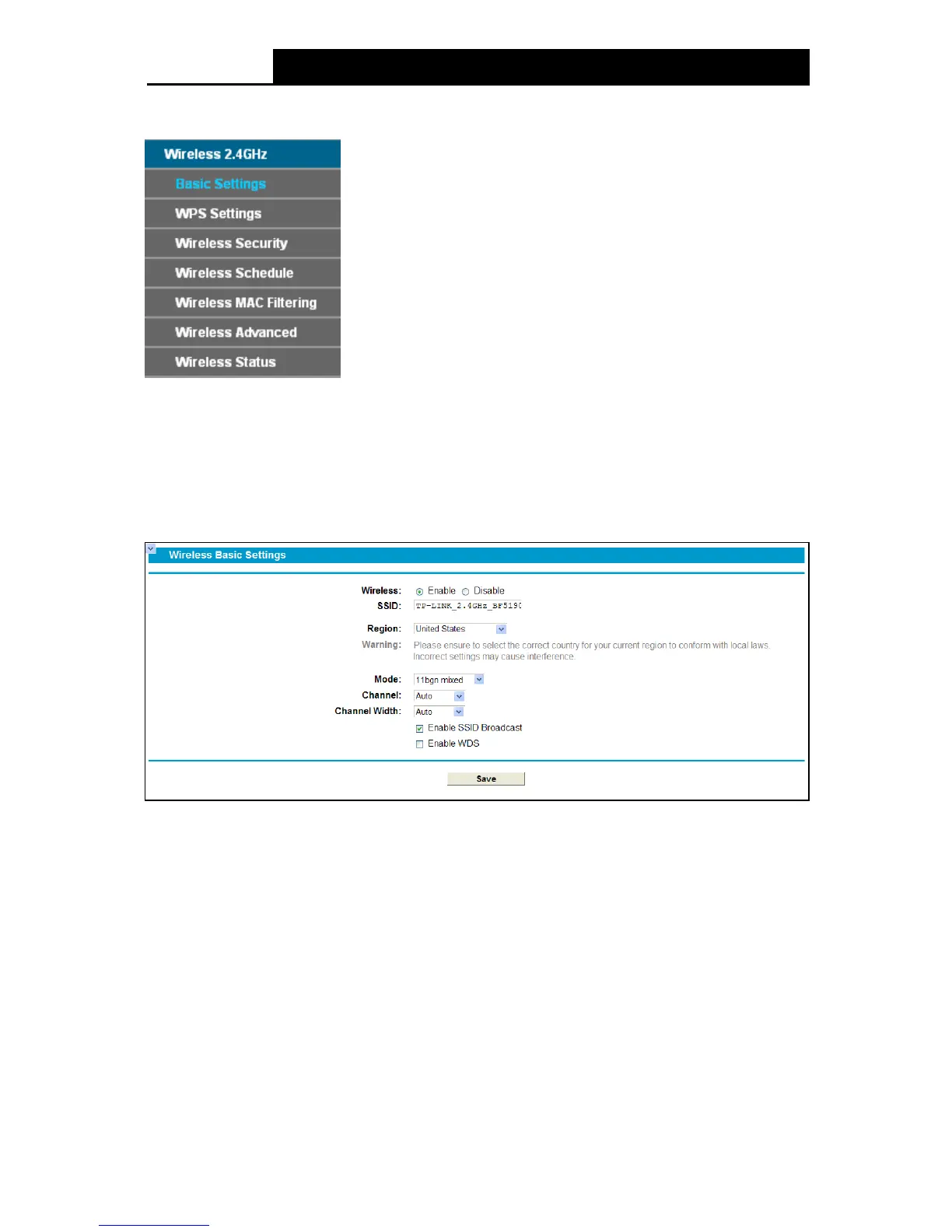
There are seven submenus under the Wireless 2.4 GHz menu: Basic Se tt ing s , WPS Se ttings,
Wireless Security, Wireless Schedule, Wire le ss MAC Filtering, Wireless Advanced and
Wireless Status. Click any of them, and you will be able to configure the corresponding function.
4.8.1 Basic Settings
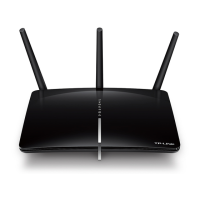
Choose menu “Wireless 2.4GHz”
“Basic Settings”, you can configure the basic settings for
the wireless network of 2.4GHz on this page.
Figure 4-31
SSID: Wireless network name. Enter a desired SSID which is case-sensitive and must not
exceed 32 characters. The default SSID is TP-LINK_2.4GHz_XXXXXX (xx is the last six
numbers of MAC address).
Region: Select your region from the drop-down list. This field specifies the region where the
wireless function of the modem router can be used. It may be illegal to use the wireless
function of the modem router in a region other than one of those specified in this field. If your
country or region is not listed, please contact your local government agency for assistance.
Note:
Limited by local law regulations, version for North America does not have region selection option.
Mode
: Select the desired mode.
11b only: Select if all of your wireless clients are 802.11b.
42












 To Next Page