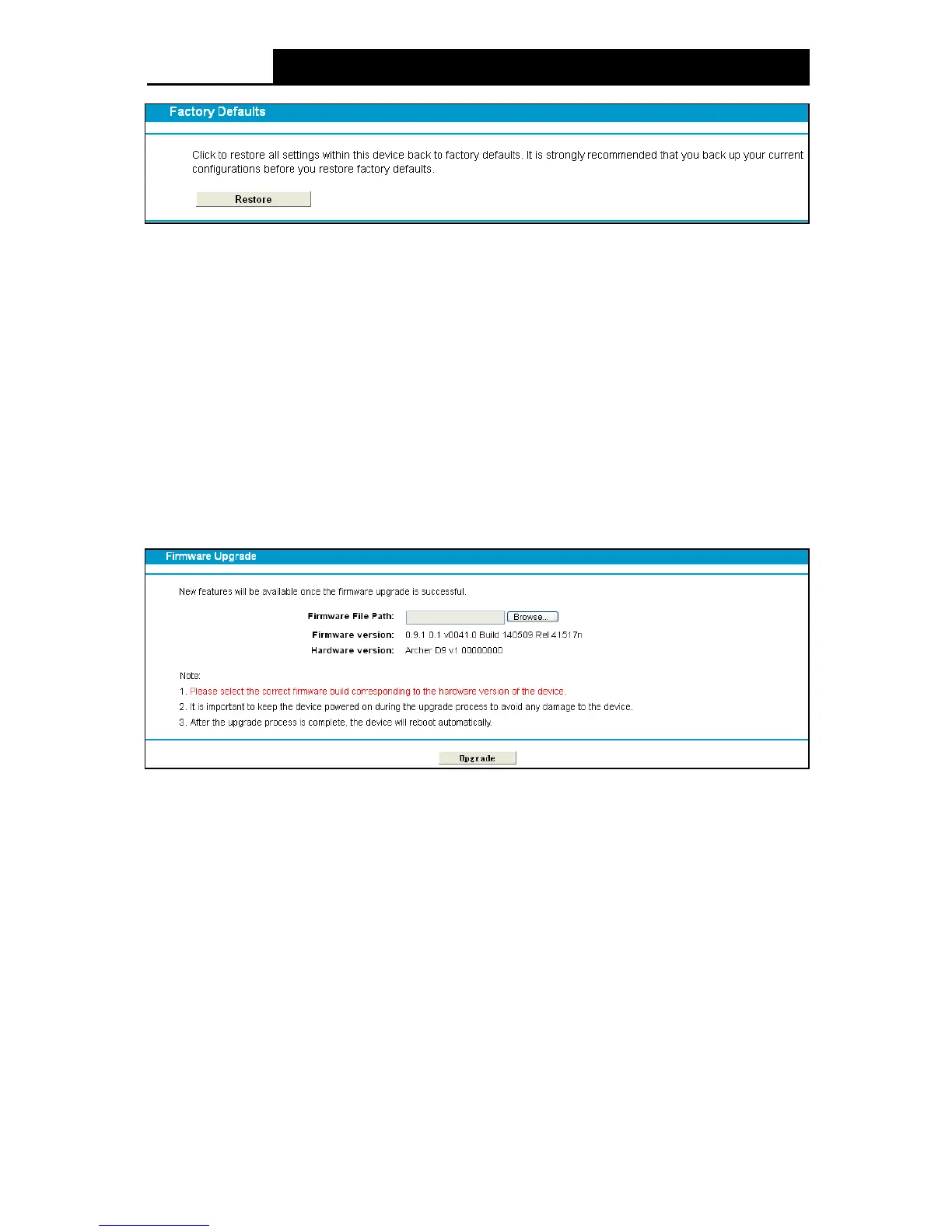
Figure 4-115
Click the Restore button to reset all configuration settings to their default values.
• The default User Name: admin
• The default Password: admin
• The default Subnet Mask: 255.255.255.0
Firmware Upgrade ”, and then you can update the latest
version of firmware for the modem router on the following screen.
Figure 4-116
Firmware Version: Displays the current firmware version.
Hardware Version: Displays the current hardware version. The hardware version of the
upgrade file must accord with the modem router’s current hardware version.
To upgrade the modem router's firmware, follow these instructions be low:
1) Download a most recent firmware upgrade file from our website: www.tp-link.com.
2) Click the Browse button to find the upgrade file on the computer.
3) Click the Upgrade button.
Note:
1) New firmware versions are posted at http://www.tp-link.com and can be downloaded for free.
There is no need to upgrade the firmware unless the new firmware has a new feature you
want to use.
106












 To Next Page