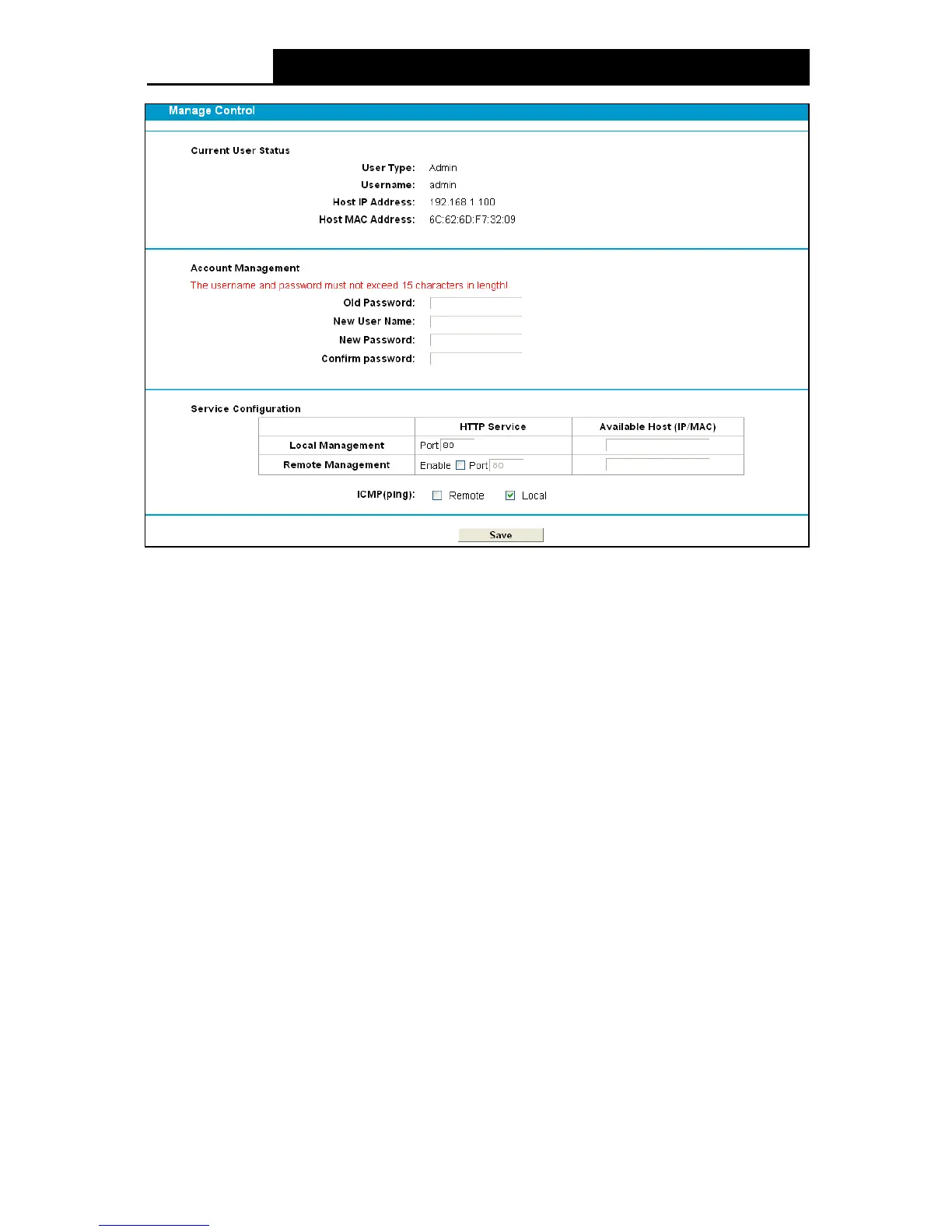
Figure 4-111
Current User Status: This box displays the information about User Type , Use r Na me , Ho st
IP Address and Host MAC Address.
Account Management: Here you can set the account user information about New User
Name and New Password.
Service Configuration: Here you can modify the port of the modem router’s web
management interface and limit the hosts which can log into this modem router’s web
management interface.
ICM P(ping): If you select Re mo te , PCs in public network can ping the WAN address of the
modem router. If you select Local, PCs in private network can ping the LAN address of the
modem router.
4.23.4 CWMP Settings
Choose “System Tools”
“CWM P Settings”, you can configure the CWMP function in the
screen.
The modem router offers CWMP feature. The function supports TR-069 protocol which collects
information, diagnoses the devices and configures the devices automatically via ACS
(Auto-Configuration Server).
103











 To Next Page