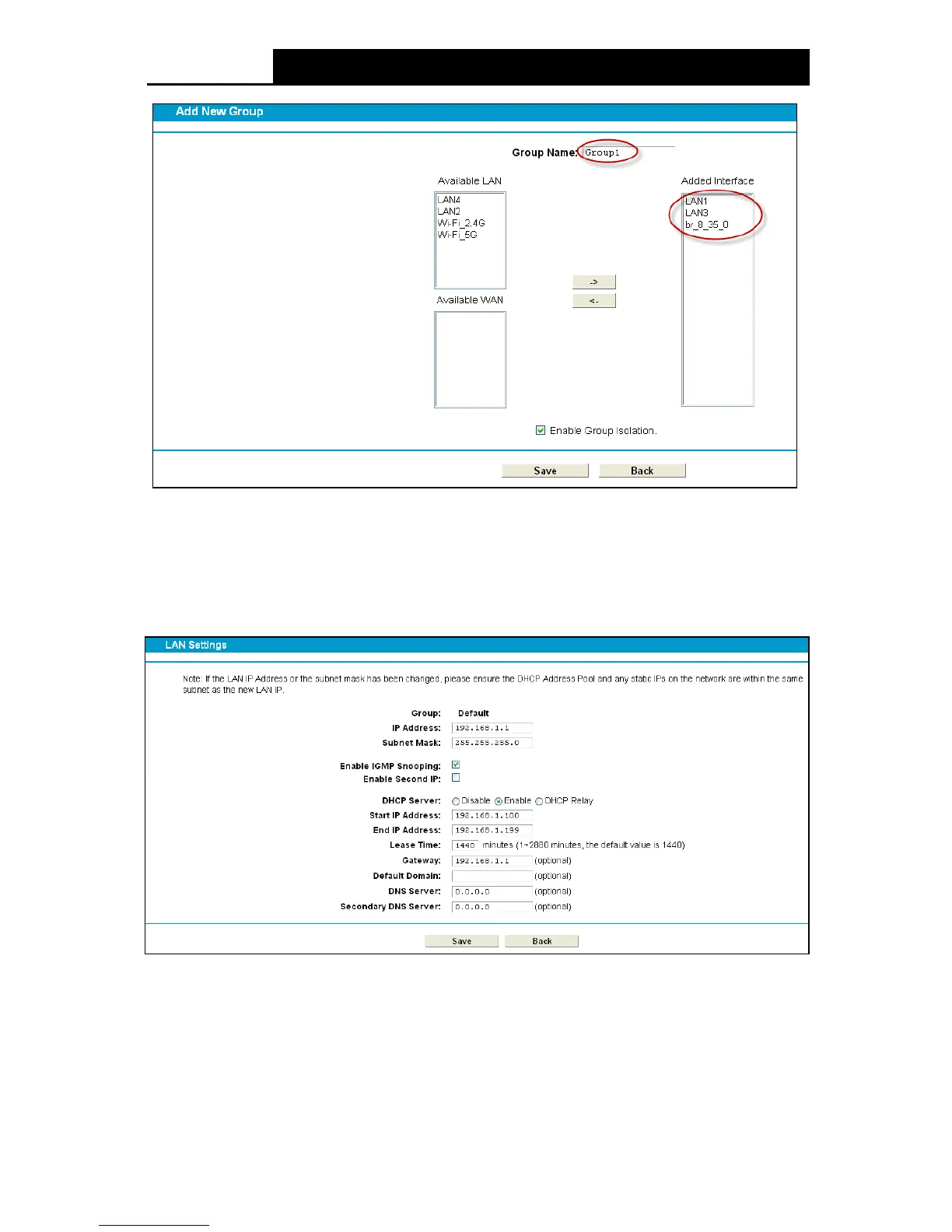
Figure 4-12
Click Sav e to make the entry effective immediately
4.5.3 LAN Settings
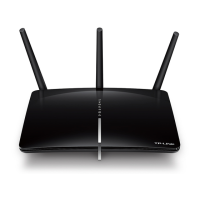
Choose “Networ k”“LAN Settings” menu, and you will see the LAN screen (shown in Figure
4-13). Please configure the parameters for LAN ports according to the descriptions below.
Figure 4-13
IP Address: You can configure the modem router’s IP Address and Subnet Mask for LAN
Interface.
• IP Address: Enter the modem router’s local IP Address, then you can access to the
Web-based Utility via the IP Address, the default value is 192.168.1.1.
• Subnet Mask: Enter the modem router’s Subnet Mask, the default value is 255.255.255.0.
29












 To Next Page