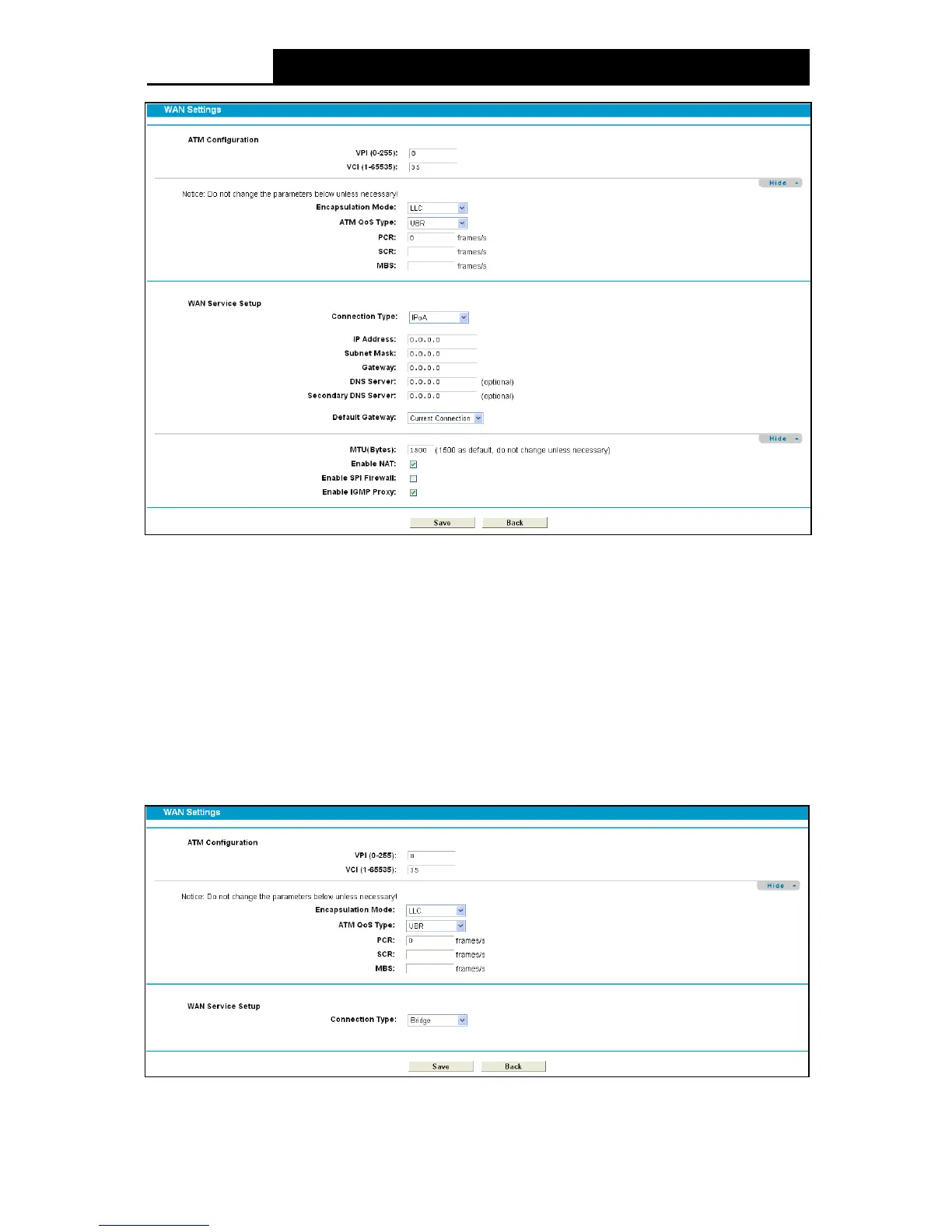
Figure 4-9
IP Address/Subnet Mask: Enter the IP Address and Subnet Mask provided by ISP.
DNS Se rv e r/Secondary DNS Server: Type in your preferred DNS server.
De fault Gate way: Select a WAN Interface from the drop-down list as the IPv4 default
gateway.
4.5.1.6 Bridge
If you select this type of connection, the modem router can be configured to act as a bridging
device between your LAN and your ISP. Bridges are devices that enable two or more networks to
communicate as if they are two segments of the same physical LAN.
Figure 4-10
27












 To Next Page