Step 2: The Wi-Fi Protected Setup LED flashes for two minutes during the Wi-Fi Protected
Setup process.
Step 3: When the WPS LED is on, the client device has successfully connected to the modem
router.
Step 4: Refer back to your client device or its documentation for further instructions.
Note:
1 The WPS LED on the modem router will light green for five minutes if the device has been
successfully added to the network.
2 The WPS function cannot be configured if the Wireless Function of the modem router is
disabled. Please make sure the Wireless Function is enabled before configuring the WPS.
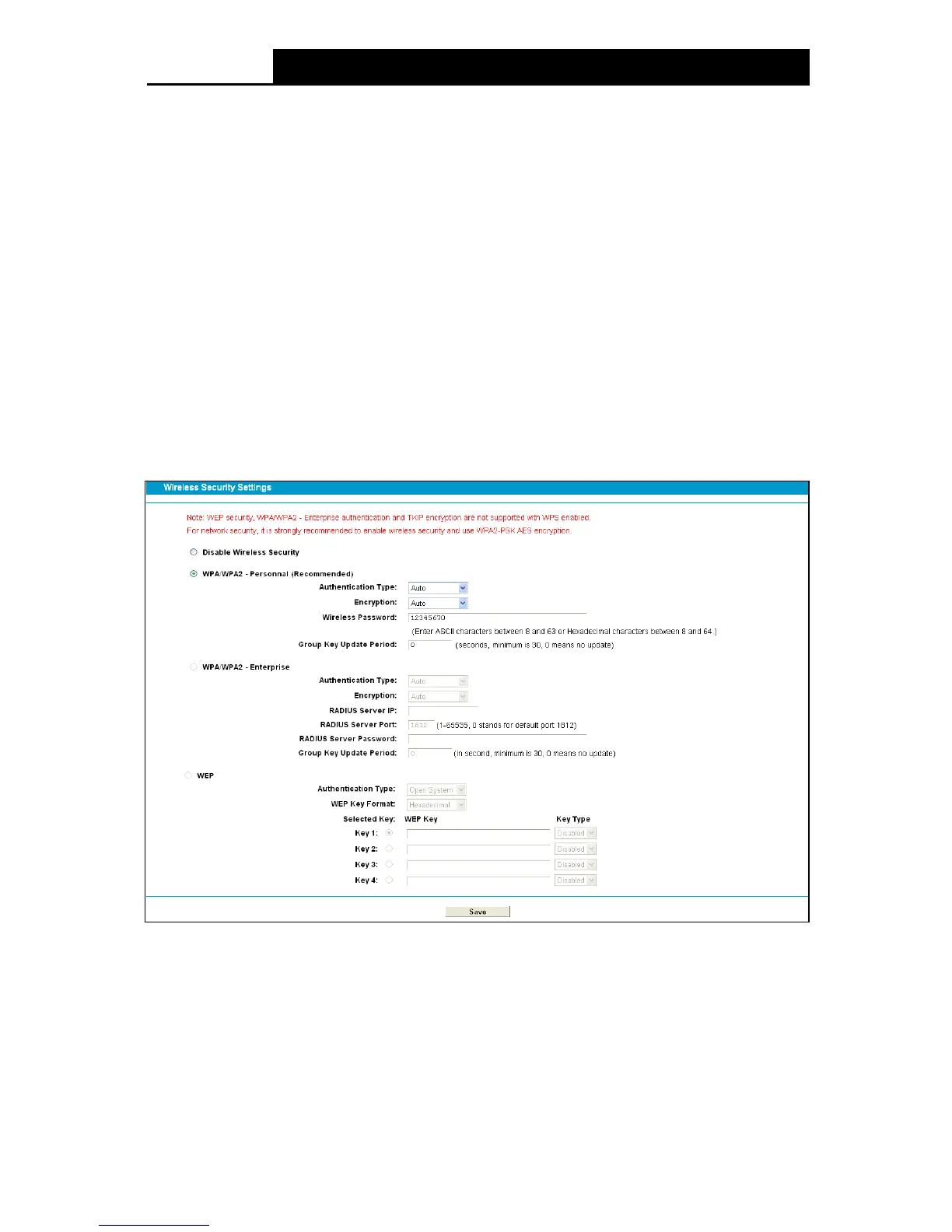
4.8.3 Wireless Security
Choose menu “Wire le ss 2.4GHz”” Wire le ss Se cu r it y”, you can configure the security settings
of your wireless network.
There are three wireless security modes supported by the modem router: WPA/WPA2 – Personal,
WPA/WPA2 – Enterprise, WEP (Wired Equivalent Privacy).
Figure 4-35
Disable Wireless Se c ur it y: If you do not want to use wireless security, check this radio
button. But it’s strongly recommended to choose one of the below modes to ensure security.
WP A/WP A2-Personal: It’s the WPA/WPA2 authentication type based on pre-shared
passphrase. It is chosen by default.
• Authentication Type : You can choose the type for the WPA/WPA2-Personal security on
the drop-down list. The default setting is Auto, which can select WPA-PSK
or WP A2-PSK
as authentication type automatically based on the wireless station's capability and request.
46











 To Next Page