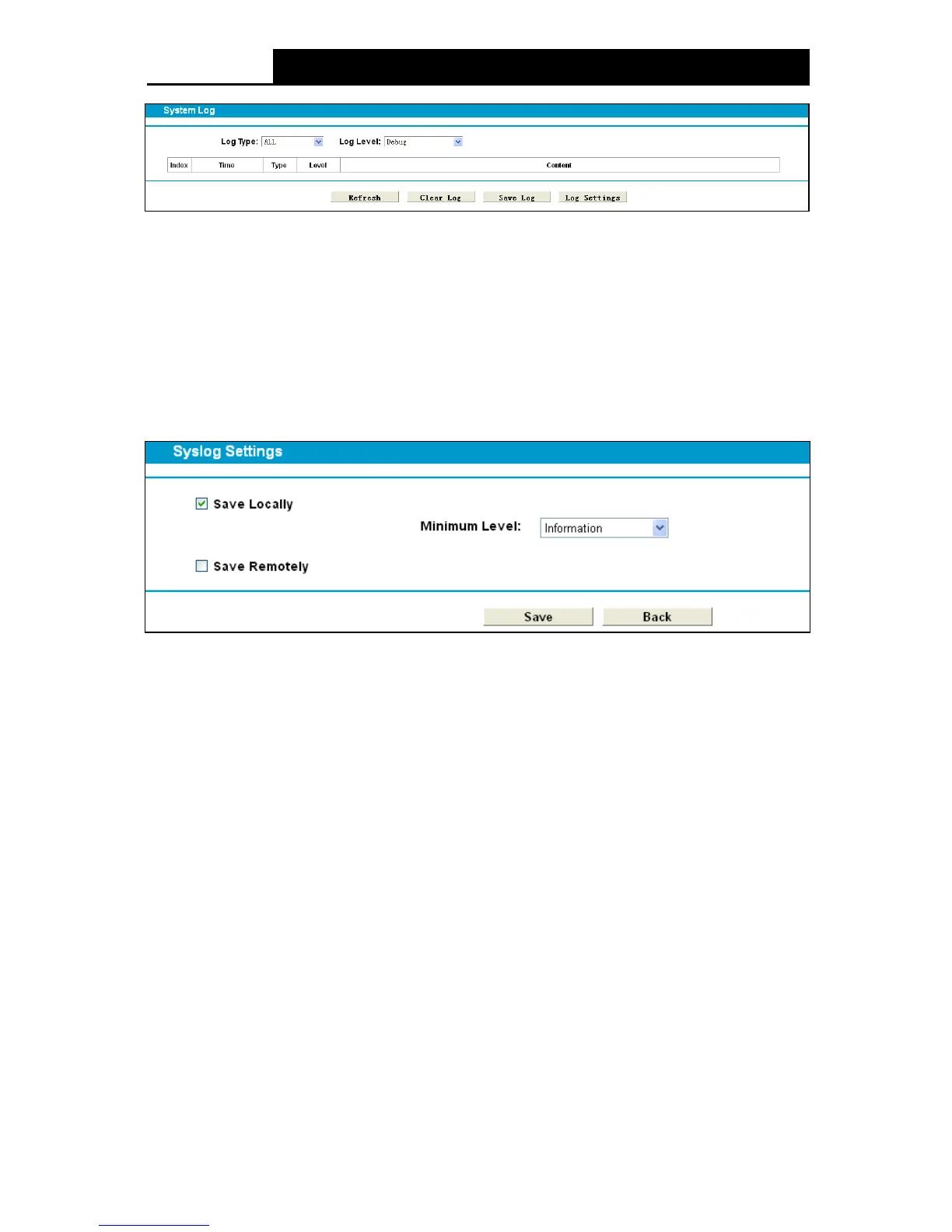
Figure 4-108
Log Type: Select the log type to be displayed.
Log Le vel: Select the log level to be displayed.
Refresh: Refresh the page to show the latest log list.
Cle ar Log: All the logs will be deleted from the modem router permanently, not just from the
page.
Save Log: Click to save all the logs in a txt file.
Log Settings: Click to set the logs in the screen (shown in Figure 4-109).
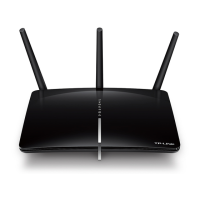
Figure 4-109
Save Locally: If Save Locally is selected, events will be recorded in the local memory.
Minimum Level: Select the Minimum level in the drop-down list, and then all logged events
above or equal to the selected level will be displayed.
Save Remotely: If Save Re mote ly is selected, events will be sent to the specified IP address
and UDP port of the remote system log server.
Click the Save button to save your settings.
4.23.2 Time Settings
Choose menu “System Tools”











 To Next Page