4) Select Obtain an IP address automatically and Obtain DNS server address automatically.
Then click OK.
For Windows 8
1) Move your mouse to the lower right corner and you will see Search
icon in the
Popups.
Go to “
-> Apps”. Type Control Panel in the search box and press Enter, then you will go
to Control Panel.
2) Click “View network status and tasks > Change adapter settings”.
3) Right-click “Ethernet” and then select Properties.
4) Double-click Internet Protocol Version 4 (TCP/IPv4). Select Obtain an IP address
automatically, choose Obtain DNS server address automatically and then click OK.
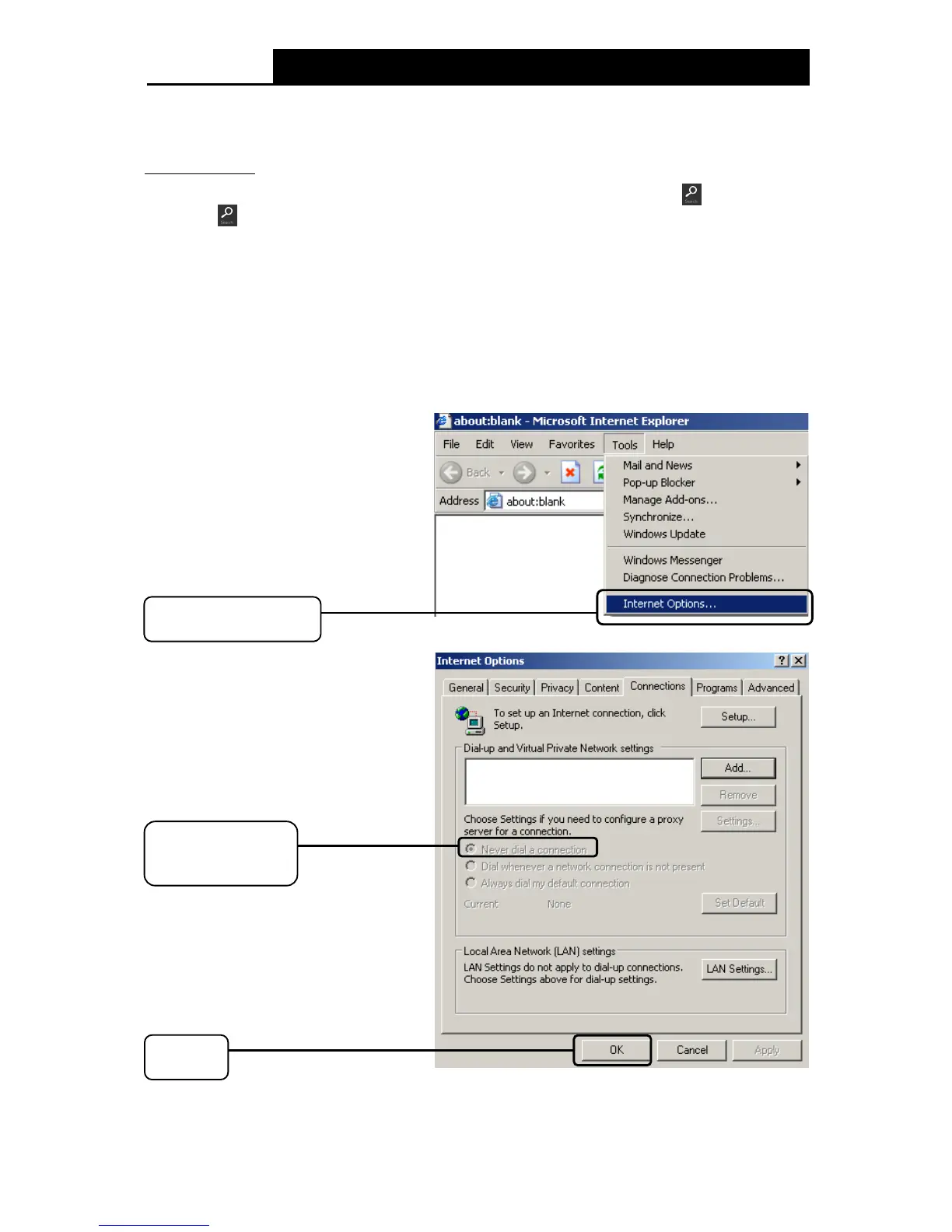
2. Configure your IE browser











 To Next Page