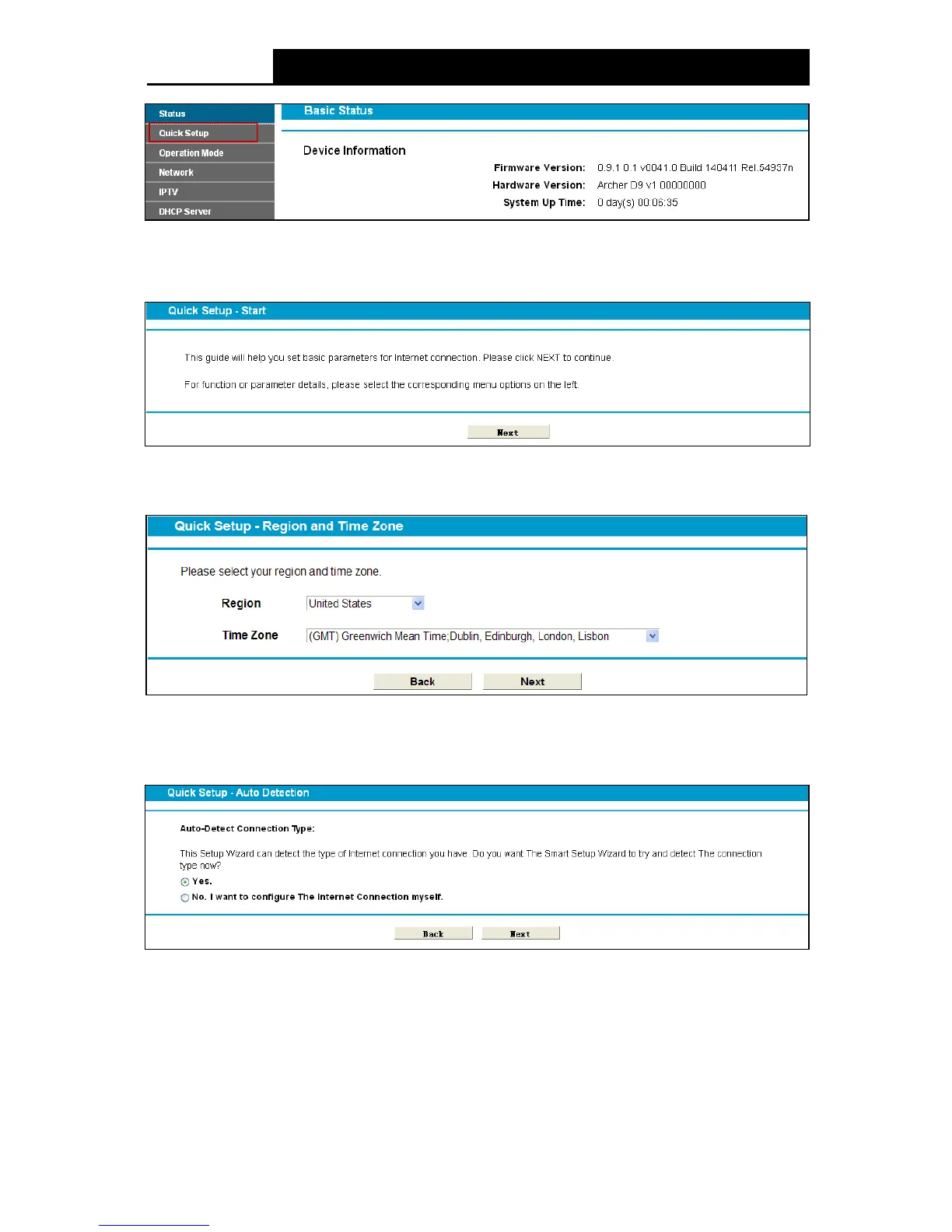
Figure 3-3
Step 3. The Quick Setup page will appear for you to quickly configure your modem router. Click
Next to continue.
Figure 3-4
Step 4. Select the Region and the Time Zone from the drop-down list, and then click Next.
Figure 3-5
Step 5. Select Yes to auto detect your connection type and then click Ne xt. It will take about two
minutes, please wait.
Figure 3-6
Step 6. Configure parameters for WAN connection. Here we take PPPoE as an example. Enter
username and password provided by your ISP and click Next to continue.
12











 To Next Page