Encompass 4 Reader System Guide
TransCore Proprietary.
4-36
Caution
TransCore does not recommend using a screwdriver or other tool to short the RF cable center
conductor to the outer ground of the cable. This grounding method can damage the center pin
or the threads of the connector.
TransCore strongly advises using adequate Earth Ground for this voltage discharge procedure
in accordance with the National Electric Code for the locale where the the Encompass 4 Reader
is installed.
Use these instructions to connect the Encompass 4 Reader and external antenna.
Connect the Reader and Antenna
1. Ensure the reader is turned o and unplugged.
2. Connect one end of the RF interface cable to the antenna.
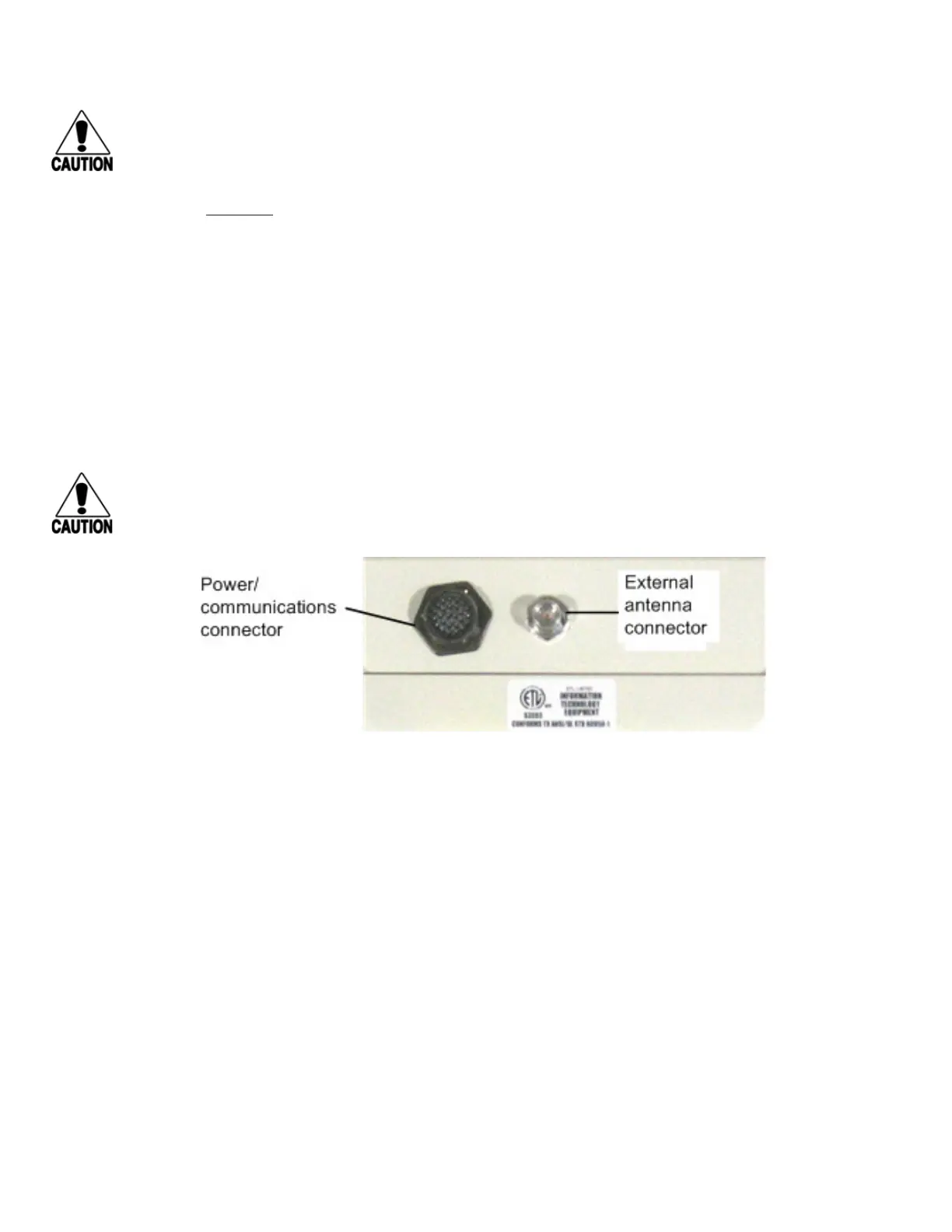
3. Connect the other end of the RF interface cable to the antenna connector on the back of the
Encompass 4 Reader. Refer to Figure 27.
Caution
If using an external antenna, connect the antenna before applying power to the Encompass 4
Reader to avoid damage to the reader.
Connecting the AC Power Supply
To connect the Encompass 4 Reader to a low-voltage AC power supply
1. Connect the Encompass 4 power wires from the cable to the transformer using the color coding as
described in Table 8. To see the alternate wire (15-pair) assignments for connection to a low-voltage
AC power supply, refer to “Table 51 AC Transformer Connections for Alternate Wire 15-Pair Cable” on
page C–3.
Figure 27 Back of Encompass 4 Reader Showing Antenna Connector



 To Next Page