Encompass 4 Reader System Guide
TransCore Proprietary.
4-50
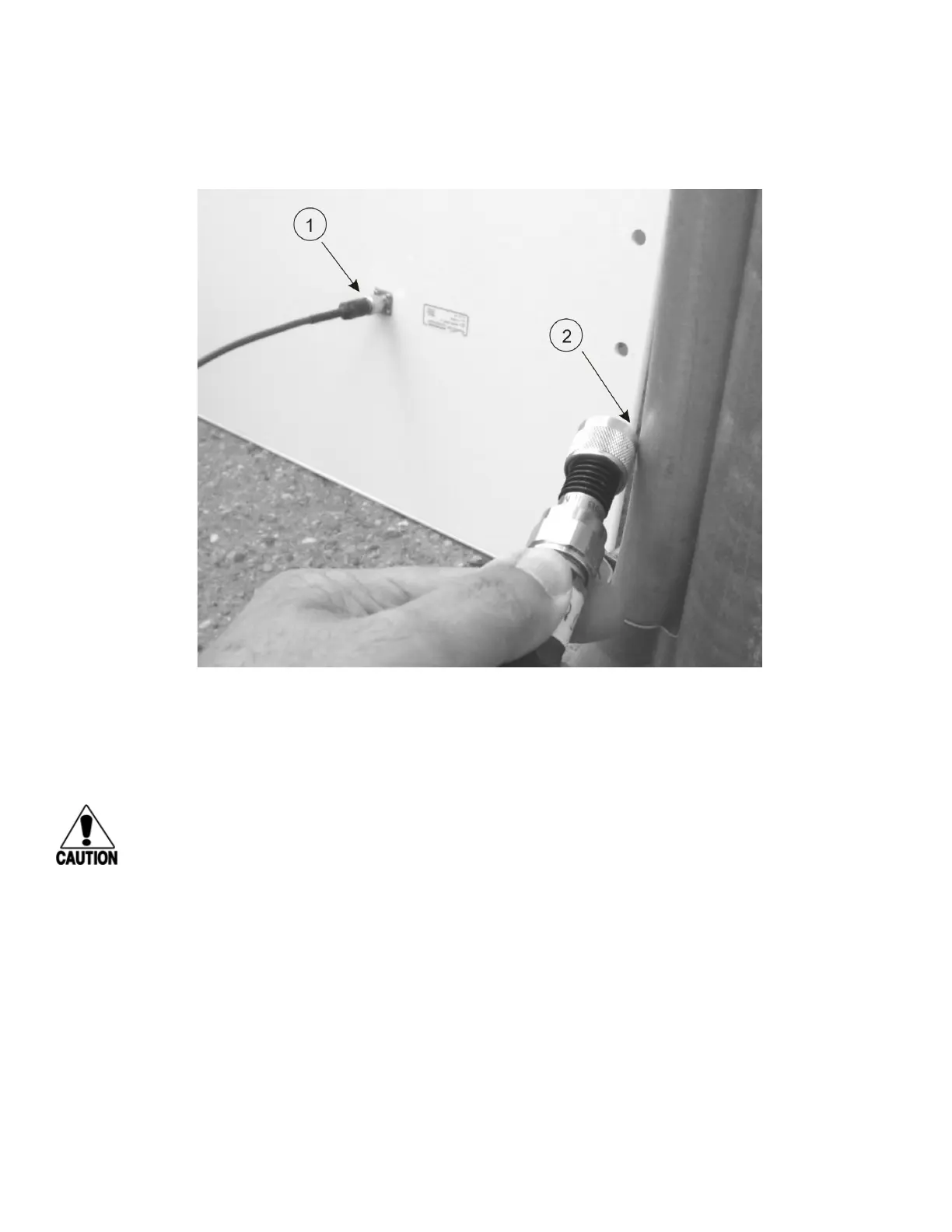
2. Connect the RF cable to the antenna (see item 1 in Figure 41)
3. Short the outer metal case of the load or attenuator to Earth Ground for approximately 10 seconds
(item 2 in Figure 41). In this example, the installer is using the electrical conduit for Earth Ground.
4. Remove the load or attenuator from the RF cable and connect cable to reader.
Once the antenna is discharged and properly connected to the reader, the reader circuitry provides a
DC path to keep any further charge from building up in the antenna.
Caution
TransCore does not recommend using a screwdriver or other tool to short the RF cable center
conductor to the outer ground of the cable. This grounding method can damage the center pin
or the threads of the connector.
TransCore strongly advises using adequate Earth Ground for this voltage discharge procedure
in accordance with the National Electric Code for the locale where the Encompass 4 Reader is
installed.
Mounting the Antenna Curb-Side
Some site designs, for example those with curb-side antennas, require that the antenna be mounted on a
round pole. The pole must be a minimum of 2 inches (5 cm) in diameter and should extend approximately
8 feet (2.4 m) above the pavement level. The pole must be installed according to local building codes.
Note: Do not use an AA3152 Universal Toll Antenna for side-fire application.
Figure 41 Short Load to Earth Ground



 To Next Page