© Copyright 2013 TRENDnet. All Rights Reserved.
TRENDnet User’s Guide
TEW-810DR
44
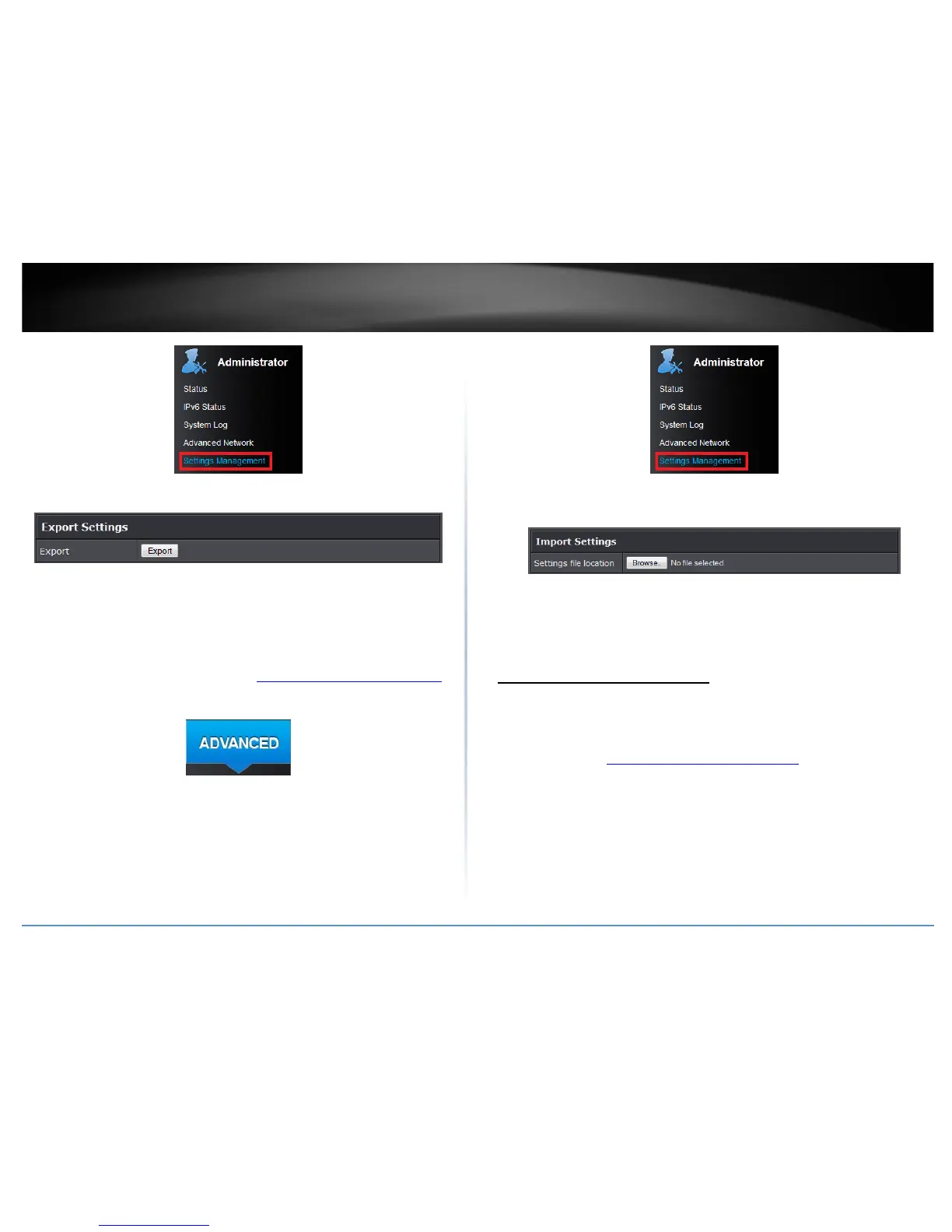
4. Under Export Settings section, click Export.
5. Depending on your web browser settings, you may be prompted to save a file (specify
the location) or the file may be downloaded automatically to the web browser
settings default download folder. (Default Filename: .cfg)
To restore your router configuration:
1. Log into your router management page (see “Access your router management page
”
on page 15).
2. Click on the Advanced tab.
3. Click on the Administrator section and click on Settings Management.
4. Under Import Settings, next to Settings file location, depending on your web
browser, click on Browse or Choose File.
5. A separate file navigation window should open.
6. Select the router configuration file to restore and click Import. (Default Filename:
.cfg). If prompted, click Yes or OK. Wait for the router to restore settings.
Upgrade your router firmware
Advanced > Setup > Upload Firmware
TRENDnet may periodically release firmware upgrades that may add features or fix
problems associated with your TRENDnet router model and version. To check if there is
a firmware upgrade available for your device, please check your TRENDnet model and
version using the link. http://www.trendnet.com/downloads/
In addition, it is also important to verify if the latest firmware version is newer than the
one your router is currently running. To identify the firmware that is currently loaded on
your router, log in to the router, click on the Administrator section and then on the
Status. The firmware used by the router is listed at the top of this page. If there is a
newer version available, also review the release notes to check if there were any new
features you may want or if any problems were fixed that you may have been
experiencing.
1. If a firmware upgrade is available, download the firmware to your computer.










 To Next Page