© Copyright 2013 TRENDnet. All Rights Reserved.
TRENDnet User’s Guide
TEW-810DR
6
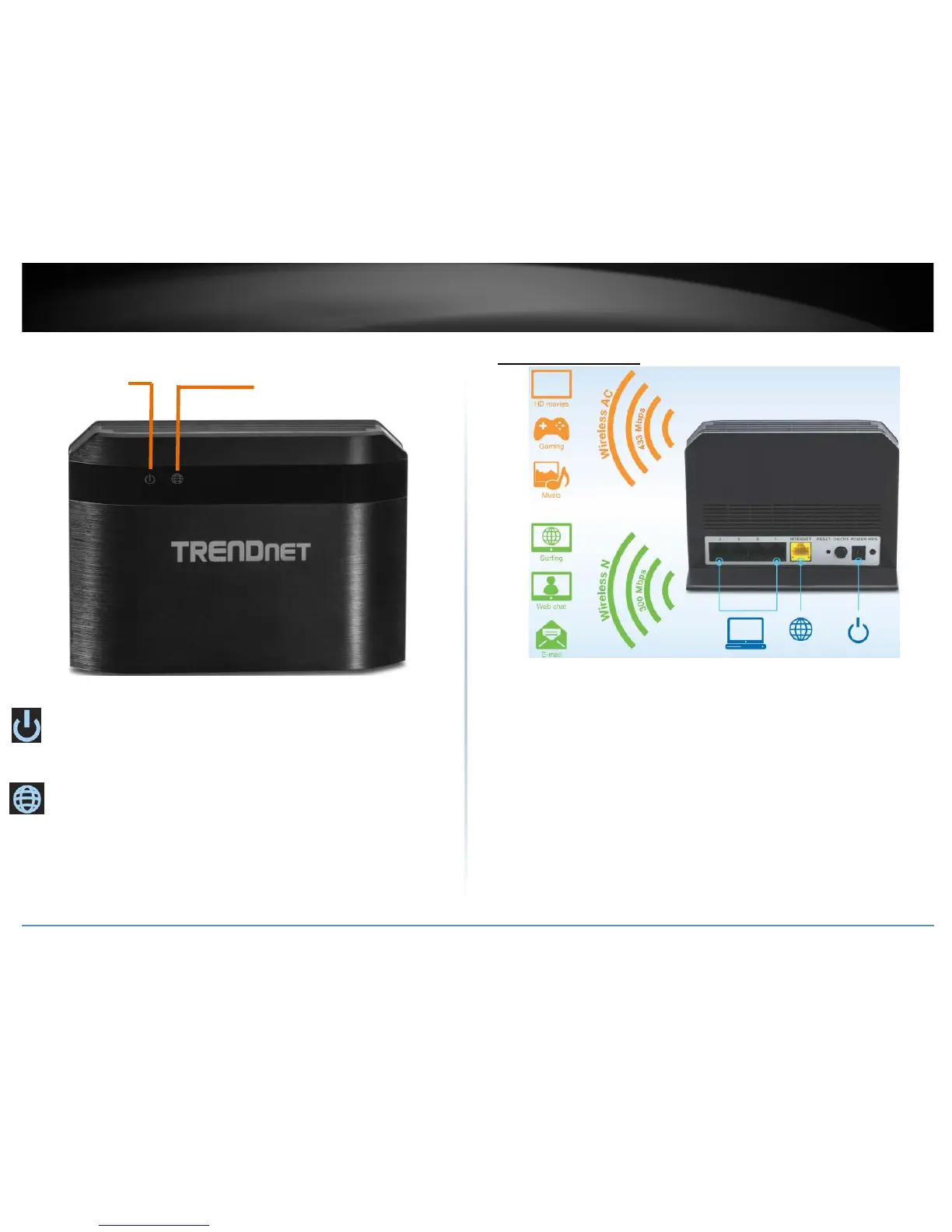
Front View
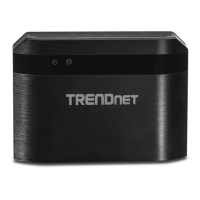
Power/WPS LED: The indicator is solid green when your router is powered on.
Otherwise if this LED indicator is off, there is no power to your router. The
indicator will also blink when WPS is activated. The LED will stop blinking and
remain solid green automatically once WPS process is completed.
Internet Port (Link/Activity) LED – This LED indicator is solid green when your
router Gigabit Internet port is physically connected to the modem network or
Ethernet port with a network or Ethernet cable (modem turned on). The LED
indicator will be blinking green while data is transmitted or received through the
Gigabit Internet port of your router.
Application Diagram
The router is installed near the modem (typically supplied by your ISP “Internet Service Provider”)
and physically connected to it from the router’s Internet port to the modem’s network port which
connects to the Internet. 2.4GHz wireless signals from the router are broadcasted to wireless
clients such as laptops (with wireless capability) and the less congested 5GHz wireless signals from
the router are broadcasted to other wireless client devices such as TVs, game consoles, or media
bridges thereby providing Internet access for all wireless client devices.
Internet LED










 To Next Page