6-15
TOPAZ
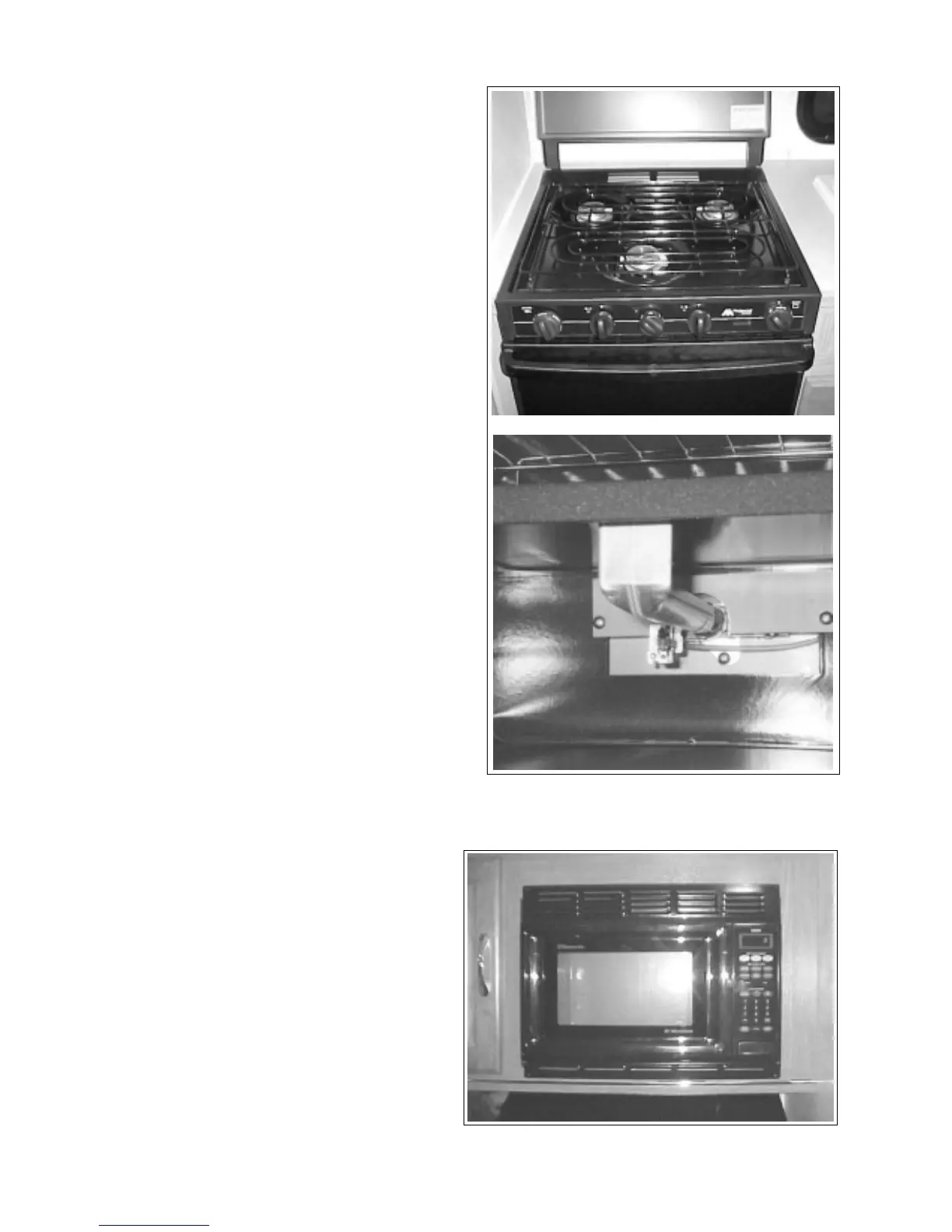
6.13 STOVE
6.14 MICROWAVE (OPTIONAL)
Refer to the manual in the information package for
operating details on the microwave.
Fig. 6-18 MICROWAVE
6.13.1 LIGHTING OVEN PILOT
1. Make sure all range and oven valves are in the
off position.
2. Press and turn the oven control knob to the
pilot on position. This opens the gas flow to the
oven pilot.
IMPORTANT
If the oven has not been used for
some time it may take a few minutes
for the gas to reach the pilot.
3. Open the oven door and light oven pilot. You
will notice a small flame at the oven element.
Fig. 6-17 OVEN PILOT LIGHT
Knob
Pilot Light
6.13.2
OPERATING OVEN CONTROL
To adjust the oven temperature, push in the knob
and turn it counterclockwise to the desired tempera-
ture setting. There may be a delay of 45 seconds
before the burner is ignited. This is normal. To
keep the oven temperature at the set temperature,
the burner will cycle on and off.
6.13.3
SHUT DOWN INSTRUCTIONS
When finished using the oven, turn the oven control
knob back to pilot on. The pilot light will remain on
and the oven can be used at any time by simply
adjusting the temperature setting.
Tturn the oven control knob to off and turn off the
main gas supply for traveling or when the unit is not
in use for any length of time.



 To Next Page