Page 43 of 63 Pages
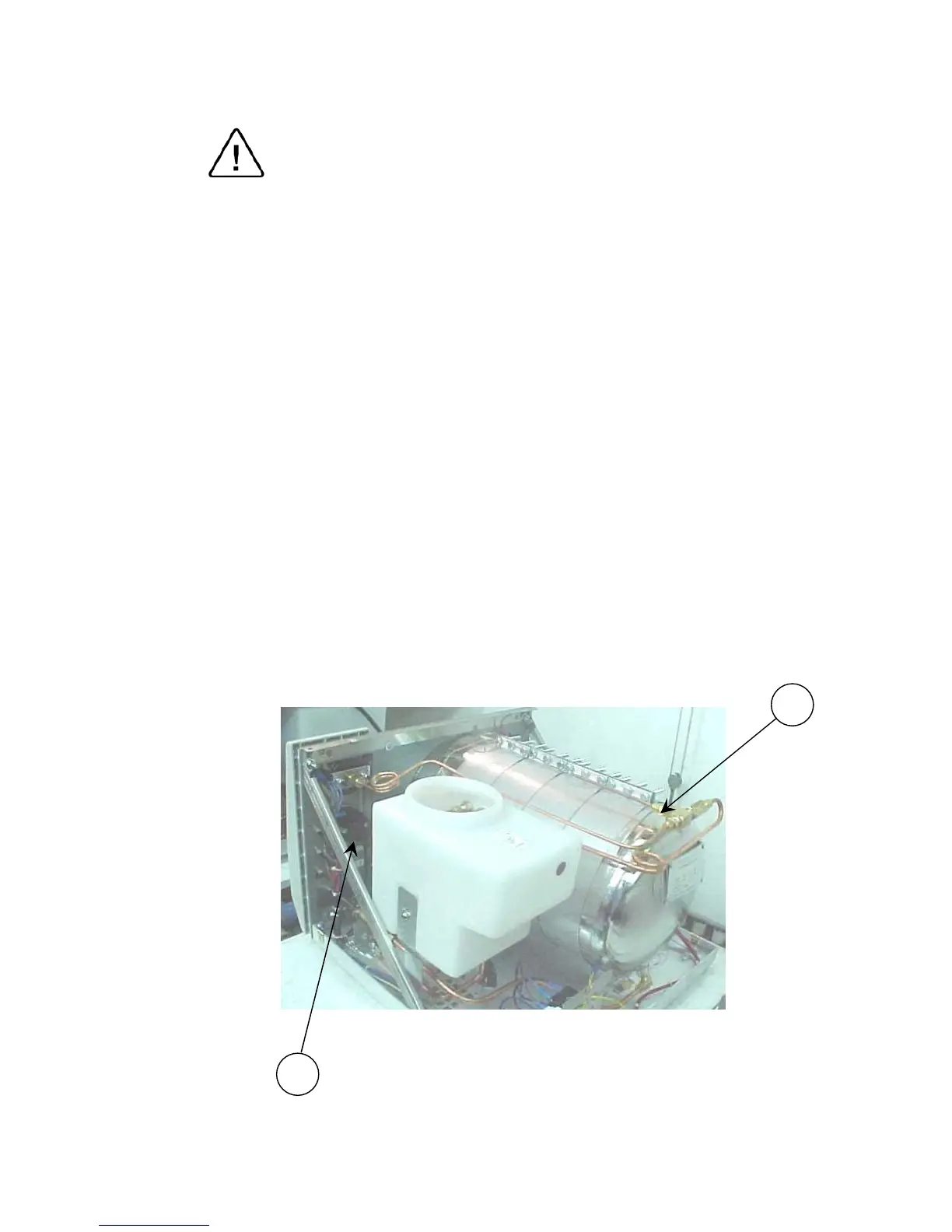
11.14 Replacing the pressure switch B10
Caution:
Before starting, be sure that the electric cord is disconnected from the
power source and that there is no pressure in the autoclave chamber.
1. Remove the autoclave cover (see para. 11.2 “Dismantling the Outer
Covers of the Autoclave”).
2. Unscrew the nut (1) connecting the pressure pipe (the pipe
connecting the pressure switch to the chamber).
3. Remove the isolating cover.
4. Remove the pressure switch knob.
5. Unscrew the 2 screws connecting the pressure switch to the panel
(located under the pressure switch knob).
6. Unscrew the nuts connecting the wires to the pressure switch (2).
7. Remove the pressure switch and replace it with a new one.
8. Reconnect the electrical wires.
9. Reassemble the pressure switch to the panel.
10. Reassemble the knob and the pressure pipe.
11. Re-assemble the isolating and the autoclave cover.
12. Test and calibrate the pressure switch.
13. Test all the autoclave cycles and verify it operates correctly.
1
2



 To Next Page