Page 46 of 63 Pages
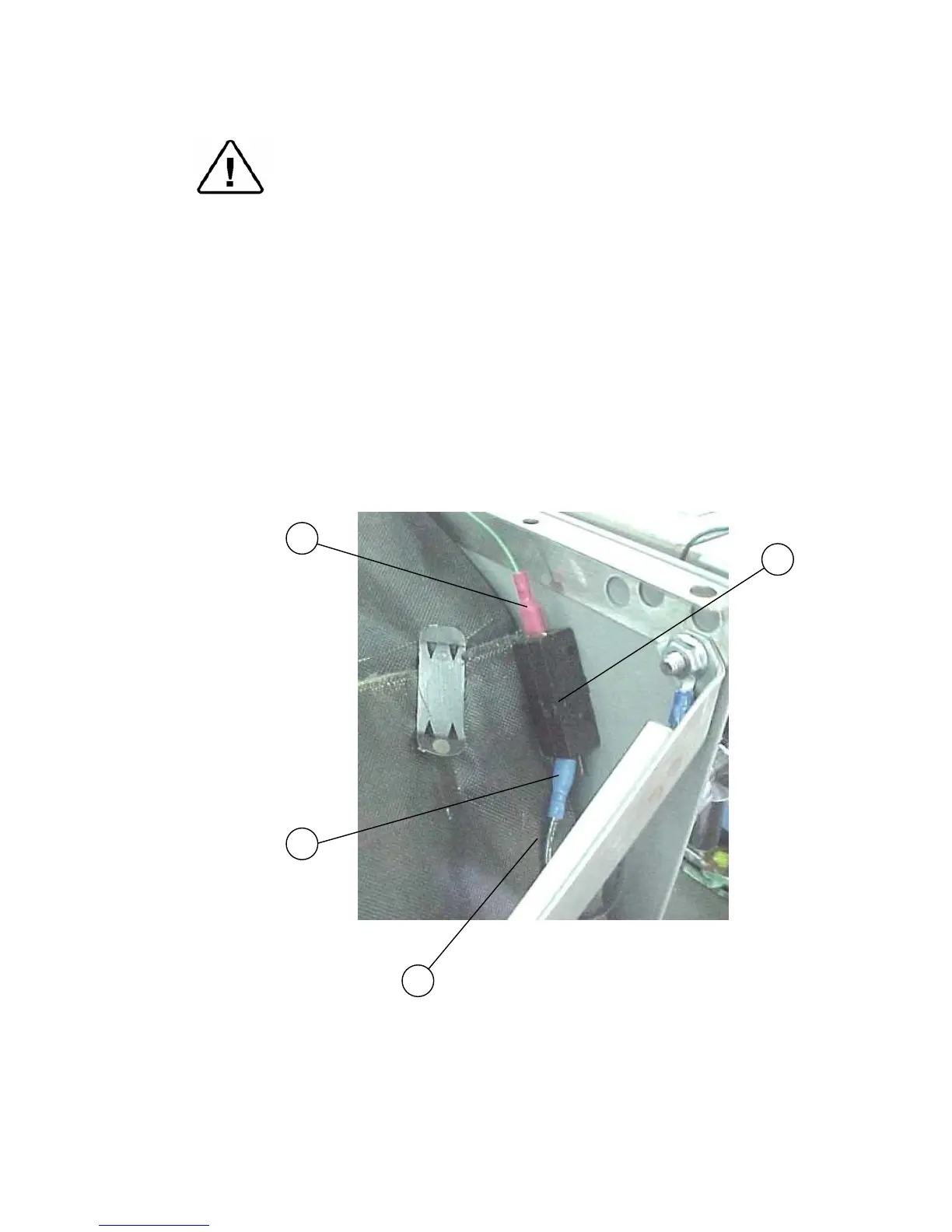
11.17 Replacing the Door Switch
Caution!
Before starting, disconnect the instrument from the power source and
ensure that there is no pressure in the autoclave.
Allow the autoclave to cool before removing outer covers.
1. Remove the autoclave cover (see para. 11.2 “Dismantling the
Outer Covers of the Autoclave”).
2. Disconnect the wires (1), (2) from the door switch (3).
3. Remove the microswitch and replace it with a new one.
4. Reconnect the wires the microswitch. Verify that the wire is placed
on the isolating cover (4) and does not touch the chamber.
5. Reassemble the door cover.
6. Test the connection with an ohmmeter. In “open” position the
ohmmeter shows disconnection and in “close” position the
ohmmeter shows connection.
3
2
1
4



 To Next Page