MAN205-0195042EN Rev. A Aug. 2011
Page 137 of 137 pages
MODEM CONNECTION
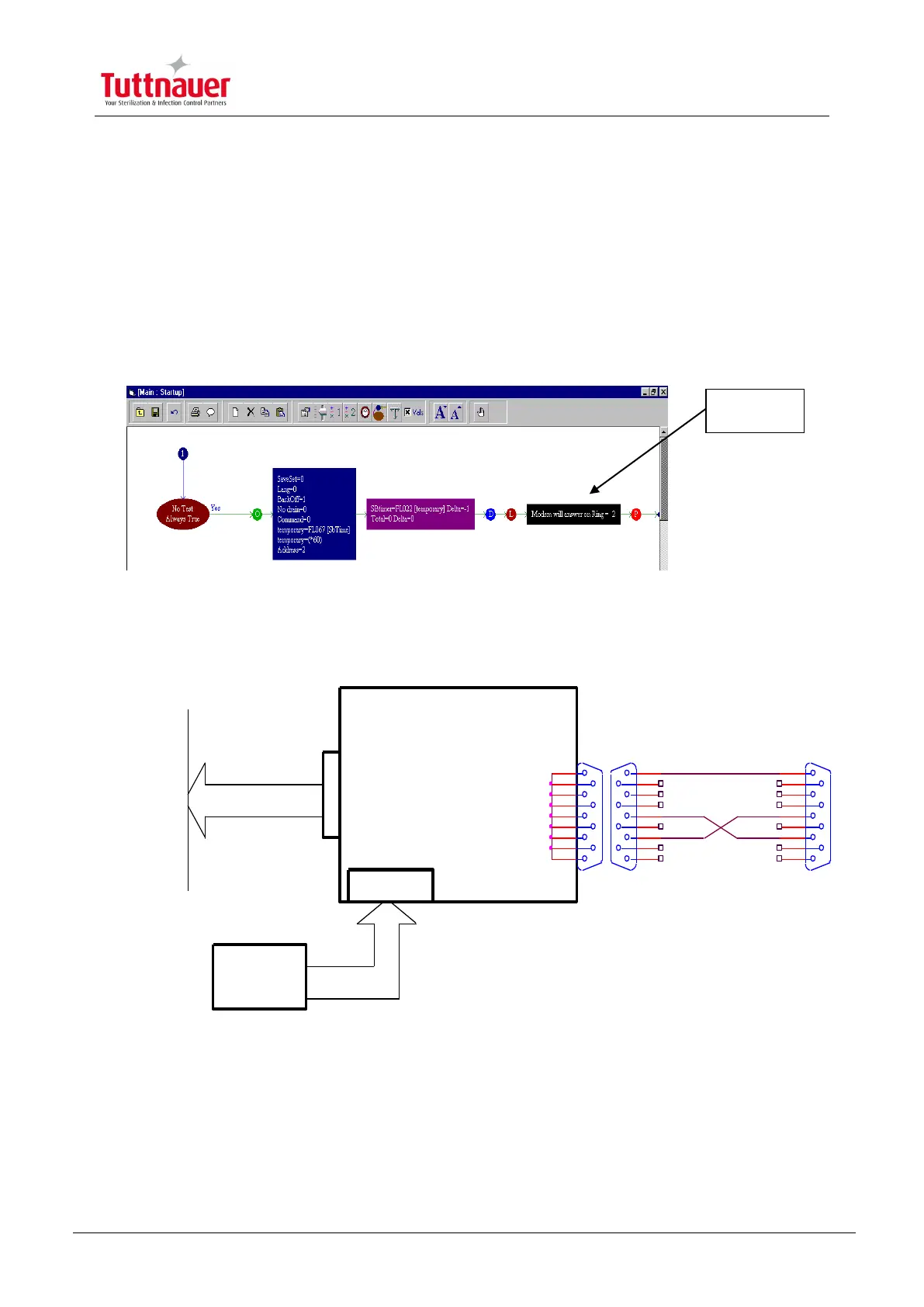
1. Make sure, that the downloading program includes the Modem Auto
answer command determination. (Main>>Startup>>First Row)
2. Connect RS232 to Modem Converter according the following diagram:
3. Check the Jumpers State according RS232 communication.
4. Turn ON the modem.
5. Turn ON the autoclave.
6. The system is ready to be connected by modem.
A
Comunication Port
D-Type-9 Female
5
9
4
8
3
7
2
6
1
Telephone
Socket
V90/56K MODEM
PS
0700002 1
Modem Conection to The Autoclave
1 1Thursday, July 13, 2000
Title
Size Document Number Rev
Date: Sheet of
To the Autoclave Comunication Port
D-Type-9 Male
5
9
4
8
3
7
2
6
1
CAT Technologies
Modem
Connection
D-Type-9 Male
5
9
4
8
3
7
2
6
1
To the phone Line
9 VDC Inlet



 To Previous Page