http://www.tyan.com
95
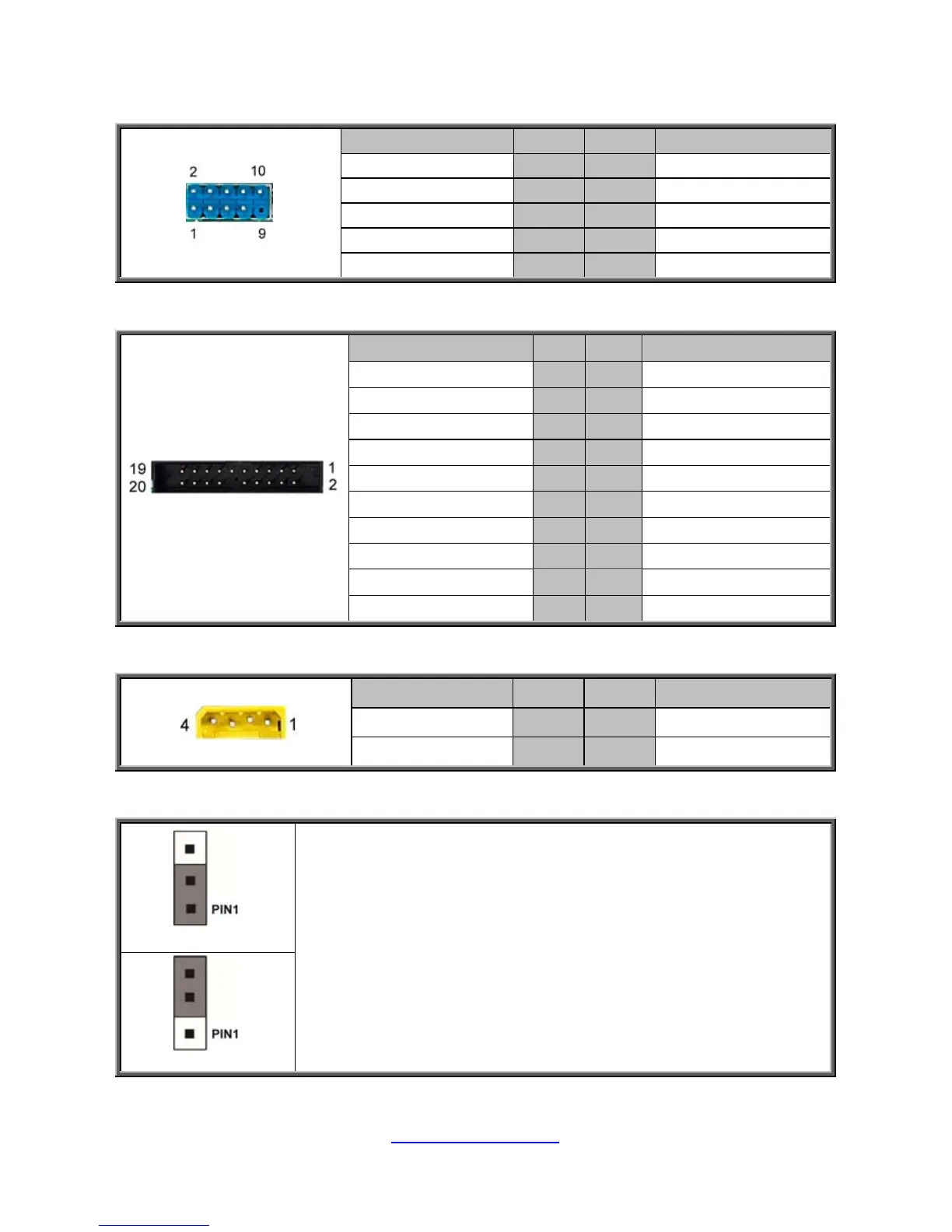
J39: USB Front Panel Header (blue)
Signal Pin Pin Signal
USB 5V Power 1 2 USB 5V Power
USB Data- 3 4 USB Data-
USB Data+ 5 6 USB Data+
GND 7 8 GND
KEY 9 10
NC
J35: Front Fan Connector (Reserved for Barebone Fan Board)
Signal Pin Pin Signal
Tachometer input1 1 2 Tachometer input6
Tachometer input2 3 4 Tachometer input7
Tachometer input3 5 6 Tachometer input8
Tachometer input4 7 8 Tachometer input9
Tachometer input5 9 10 Tachometer input10
GND 11 12 KEY
PWM output2 13 14 PWM output1
Tachometer input11 15 16 SMB DATA
Tachometer input12 17 18 SMB CLK
3.3V Standby 19 20 PWM output3
J31: IPMB Connector
Signal Pin Pin Signal
SMB_SDA2 1 2 GND
SMB_SCL2 3 4 NC
JP5: Clear CMOS Jumper
Normal (Default)
You can reset the CMOS settings by using this jumper. This can be
useful if you have forgotten your system/setup password, or need to
clear the system BIOS setting.
1. Power off system and disconnect power connectors from the
motherboard.
2. Remove the jumper from Pin_1 and Pin_2 (Default setting).
3. Move the jumper cap to close Pin_2 and Pin_3 for several seconds
to Clear CMOS.
4. Put jumper cap back to Pin_1 and Pin_2 (Default setting).
5. Reconnect power connectors to the motherboard and power on
system.
Clear CMOS


 To Next Page