53
http://www.tyan.com
2.2.1 Installing the Server in a Rack
Follow these instructions to mount the TYAN FT83-B7119 into an industry standard
19" rack.
NOTE: Before mounting the TYAN FT83-B7119 in a rack, ensure that all internal
components have been installed and that the unit has been fully tested. However, to
make the installation easier, we suggest that you remove all HDD trays before you
insert the chassis into the rack.
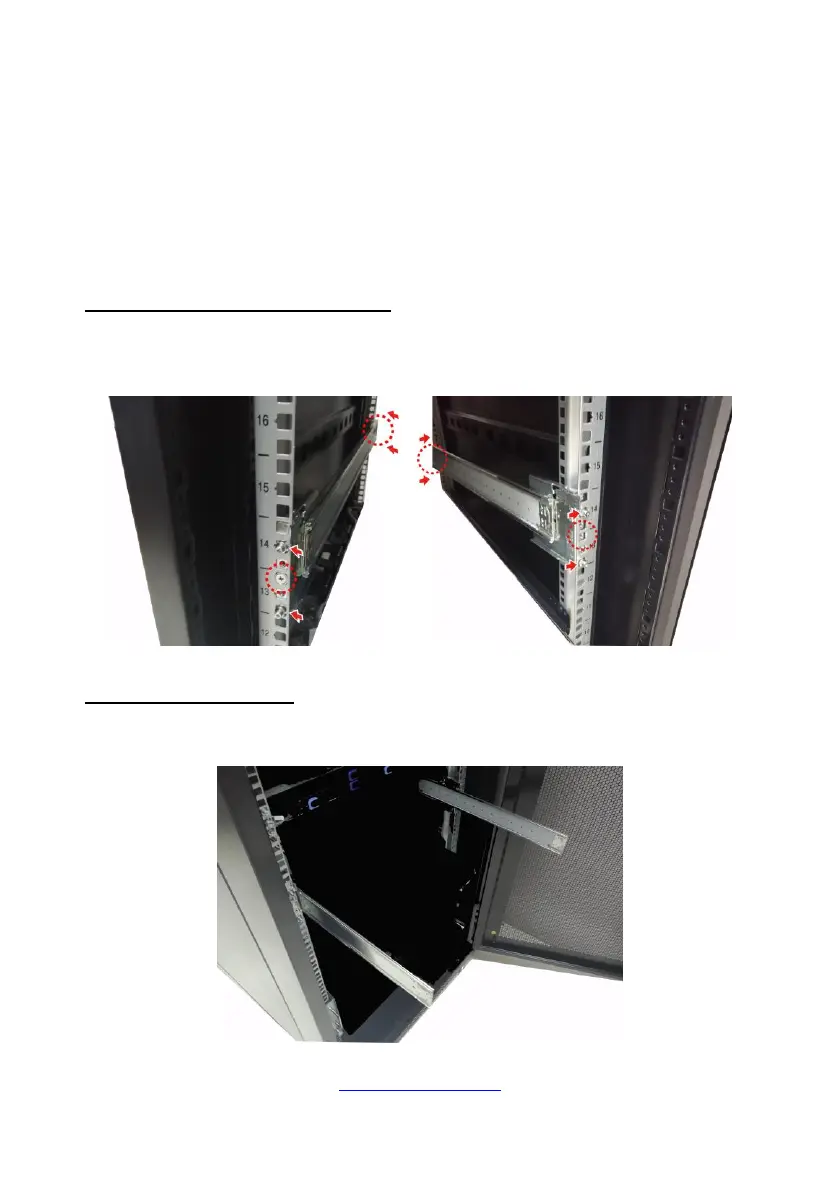
Installing the Outer Rails to the Unit
Secure the outer rails to the rack, fix the screws to the rack to make them stuck to
both sides of the rack.
ack Mounting the Server
1. Pull out the outer rail to the full length.



 To Next Page