37
http://www.tyan.com
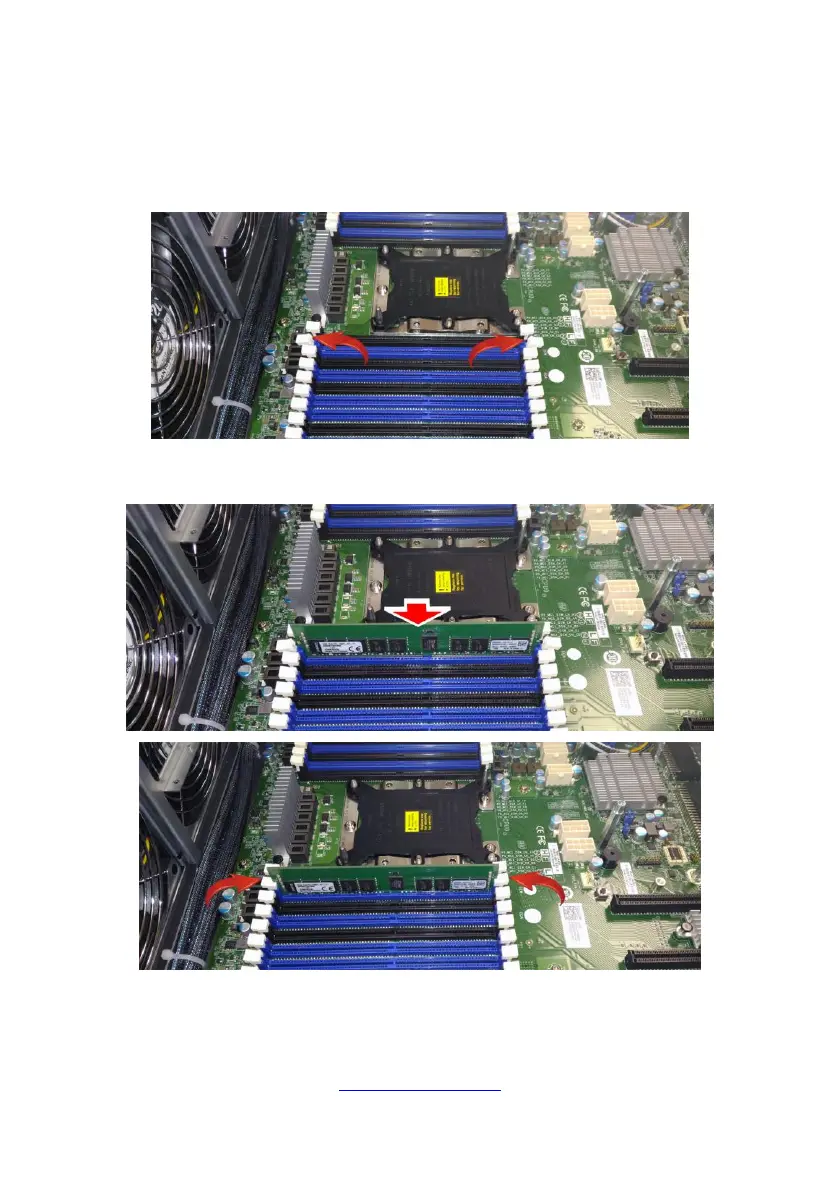
2.1.3 Installing the Memory
Follow these instructions to install the memory modules onto the motherboard.
1. Press the memory slot locking levers in the direction of the arrows as shown in
the following illustration.
2. Align the memory module with the slot. When inserted properly, the memory
slot locking levers lock automatically onto the indentations at the ends of the module.



 To Next Page