64
http://www.tyan.com
3.8 Replacing the HDD Backplane Board
Follow these instructions to replace the M1297T65-BP12E-12 HDD Backplane
Board.
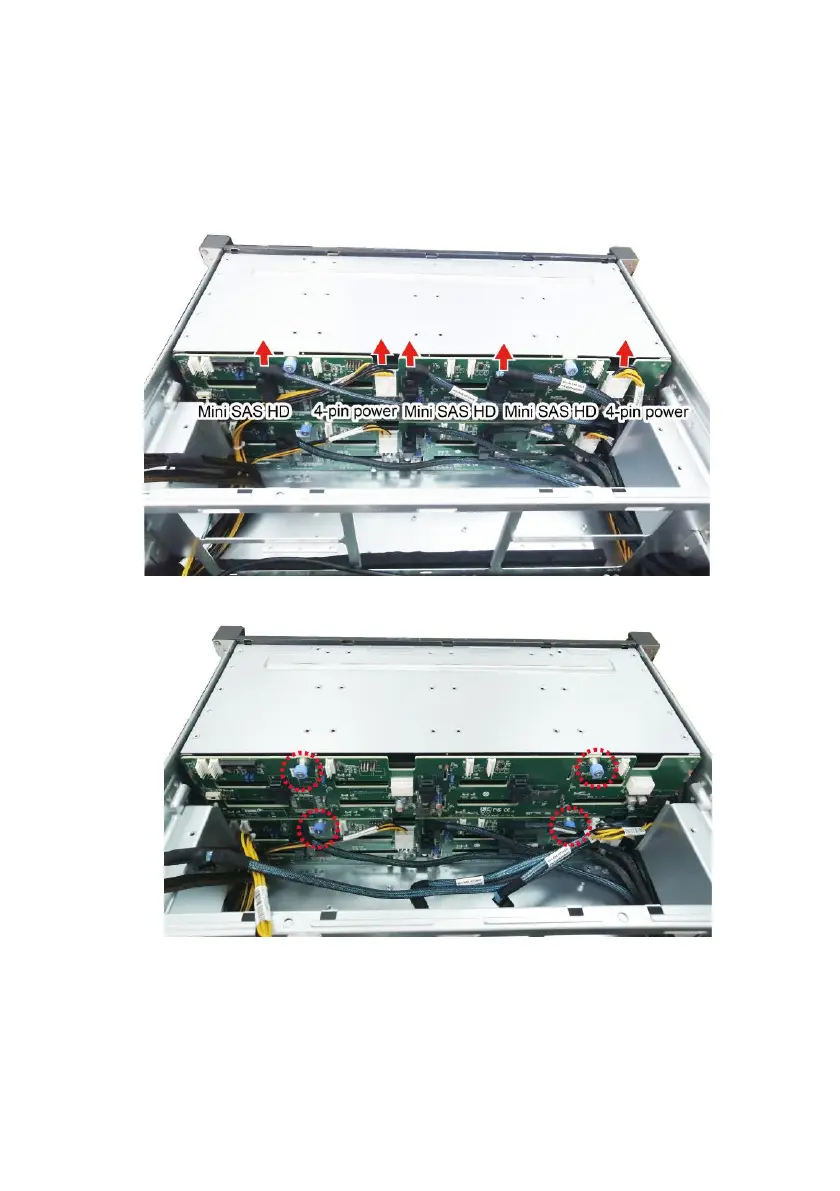
1. Disconnect all cables connected to the HDD BP Board.
2. Unscrew the HDD BP Board from the chassis.
3. Take out the HDD BP Board to replace with a new one. Follow the
procedures described earlier in reverse order to reinstall the HDD BP Board
and HDD cage.



 To Next Page