C4. Preparing a 3D model
SD
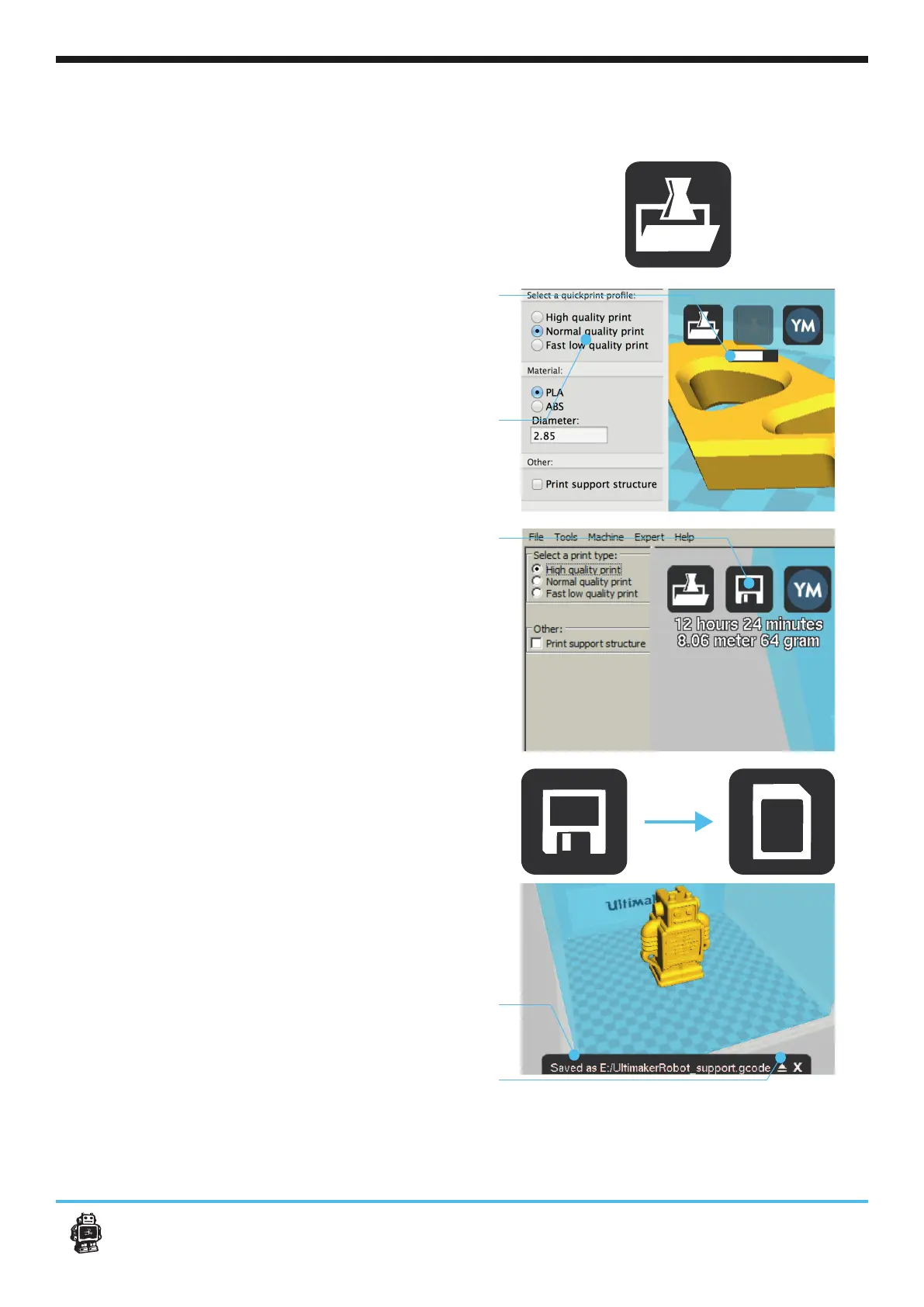
1.
YouMagine.com are in the STL format. Let’s start
by clicking the Load button in Cura.
2.
might notice the progress bar.
Cura will automatically start making the 3D mo-
del print ready for you.
3.
select a print type.
4.
When the 3D model is prepared, the
option to save the prepared model in a
directory.
Underneath the button Cura gives you an
indication about your print on
- Estimated print time
- The weight of your 3D print
5. After you insert the included SD-card into
your computer, Cura changes the
toolpath Button into the Toolpath to SD Button.
6. Just after you choose the Toolpath to SD
button the progress bar will run again, but now
7.
8.Before taking out the SD-card make sure you
always choose the safely eject
button in Cura.
19C4. Preparing a 3D model












 To Next Page