B2.
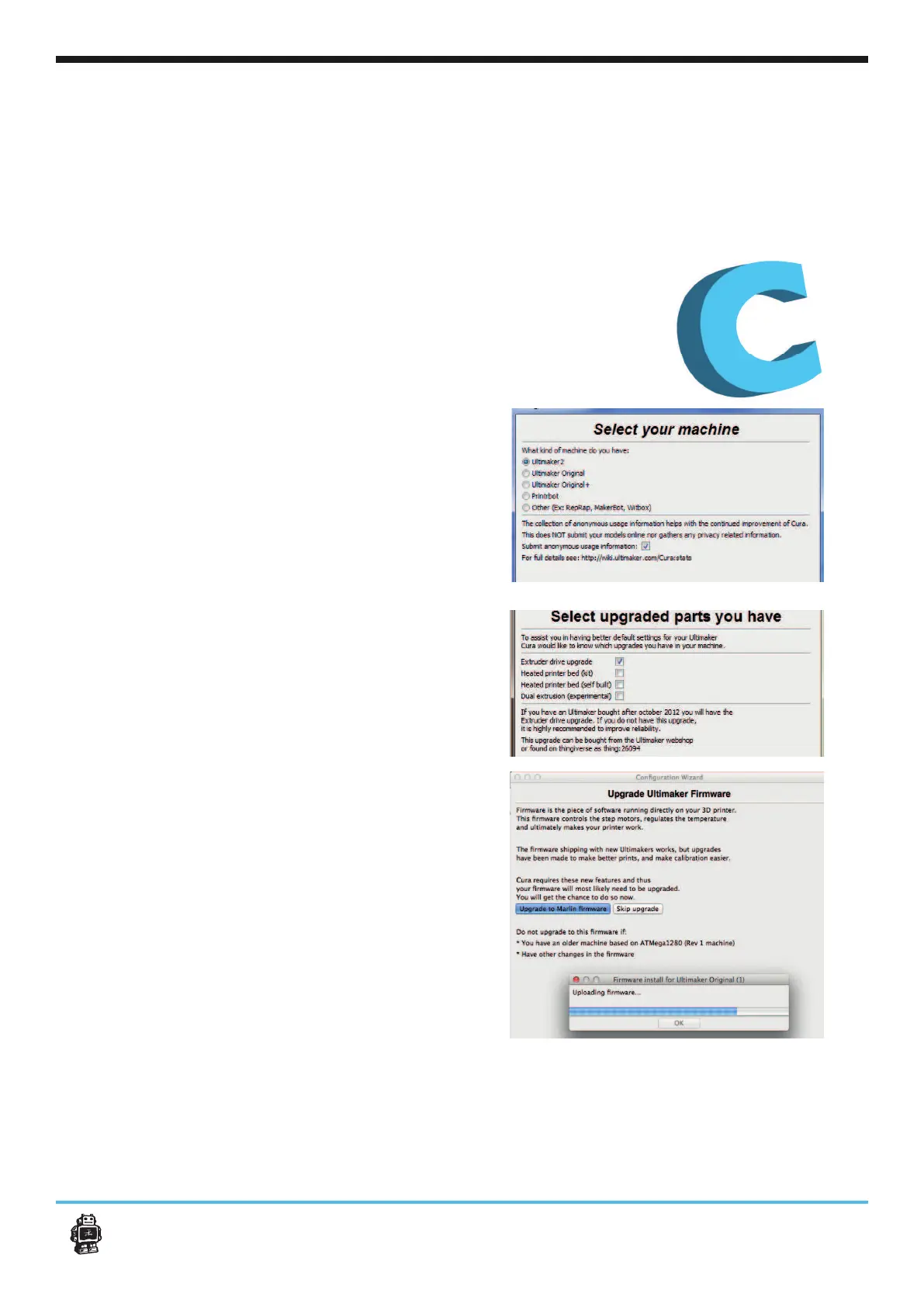
2. Leave the if you
have a new Ultimaker Original. If not, make sure
you check the date of purchase of your
Ultimaker. Any of the other checkboxes can be
[Next>] button.
3. First Plugin the USB cabel then press the
button to make
your Ultimaker. This should take about a maxi-
the [Next>] button.
1.
Ultimaker Original as your printer. Also dese-
lect the check box if you do not agree with us
Cura 13.02 or newer can collect user statistics. These sta-
tistics are gathered to improve next version of Cura and
possibly provide more features for Ultimaker and RepRap
users The collected information includes profi le settings
and machine types.
It does NOT collect usernames, models or any privacy
sensitive information. Currently these stats are only
collected and there is nothing done with it yet. We want
to make these stats quite open for everyone to use as well
as the option to share this information or not.
Ultimaker Original. After you switch on your Ultimaker Original, lets install
Cura and make your 3D printer print ready.
9
First use of your Ultimaker Original












 To Next Page