10 First use of your Ultimaker Original
4.
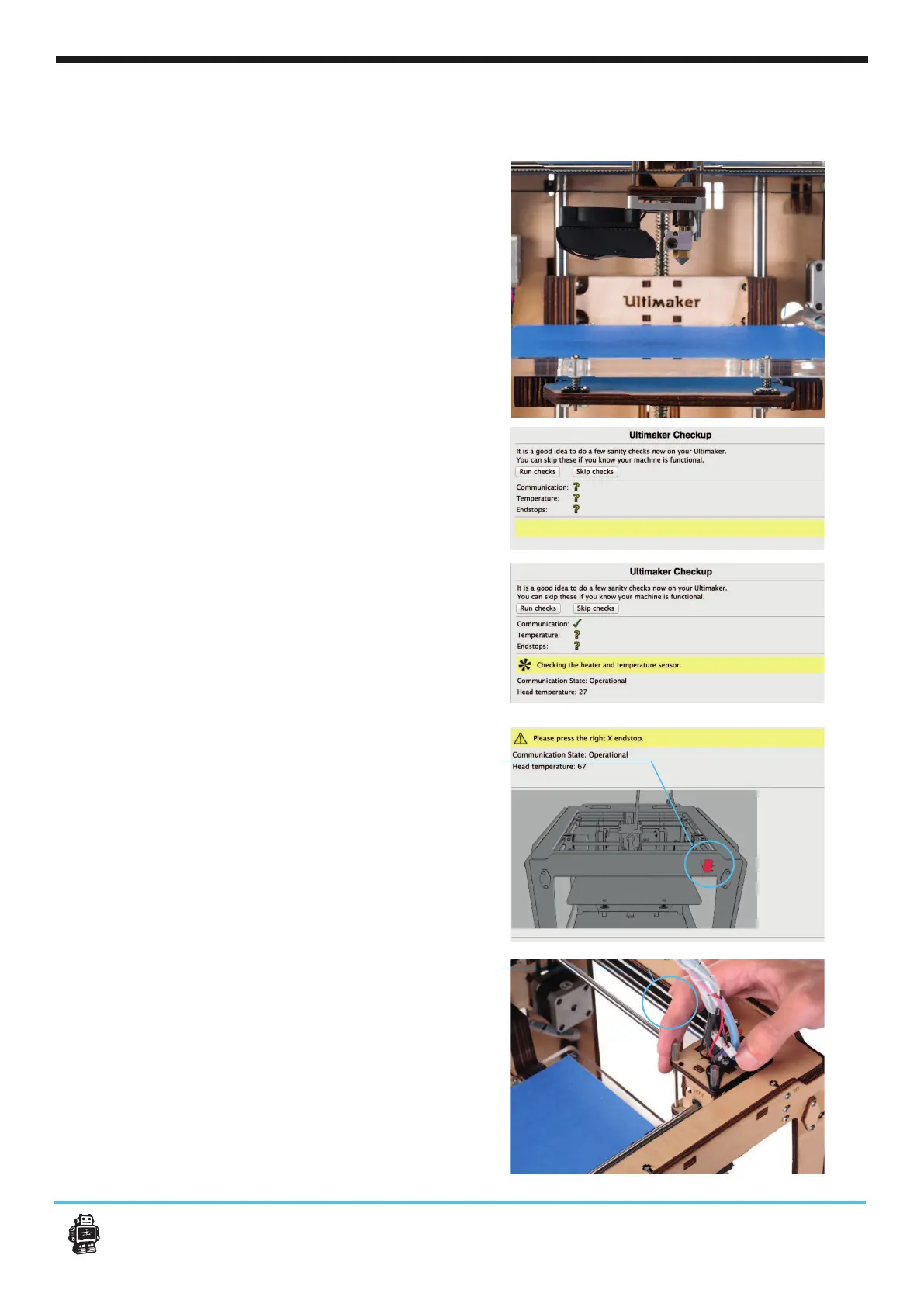
do some check ups on your Ultimaker Original.
Make sure before doing these checks you have:
- Connected the usb cable
- The printhead is in the middle of the frame [1]
- The build plate has some distance from the
[2]
NOTE: with the Heated bed the build plate might
5. Please select the [Run Checks] function.
Now Cura connects with the electronics and
tests some of the internal communication.
Cura will also perform a temperature check to
see if it functions correctly
6.
will check your end stops. End-stops determine
Make sure that you move the printhead in the
direction of every indicated end stop.
7. check on the
right front switch (x axis) gently move the print
head in this direction till you here a click and
Cura gives you the next command.
[1]
[2]
NOTE: -
ker Original+












 To Next Page