11 First use of your Ultimaker Original
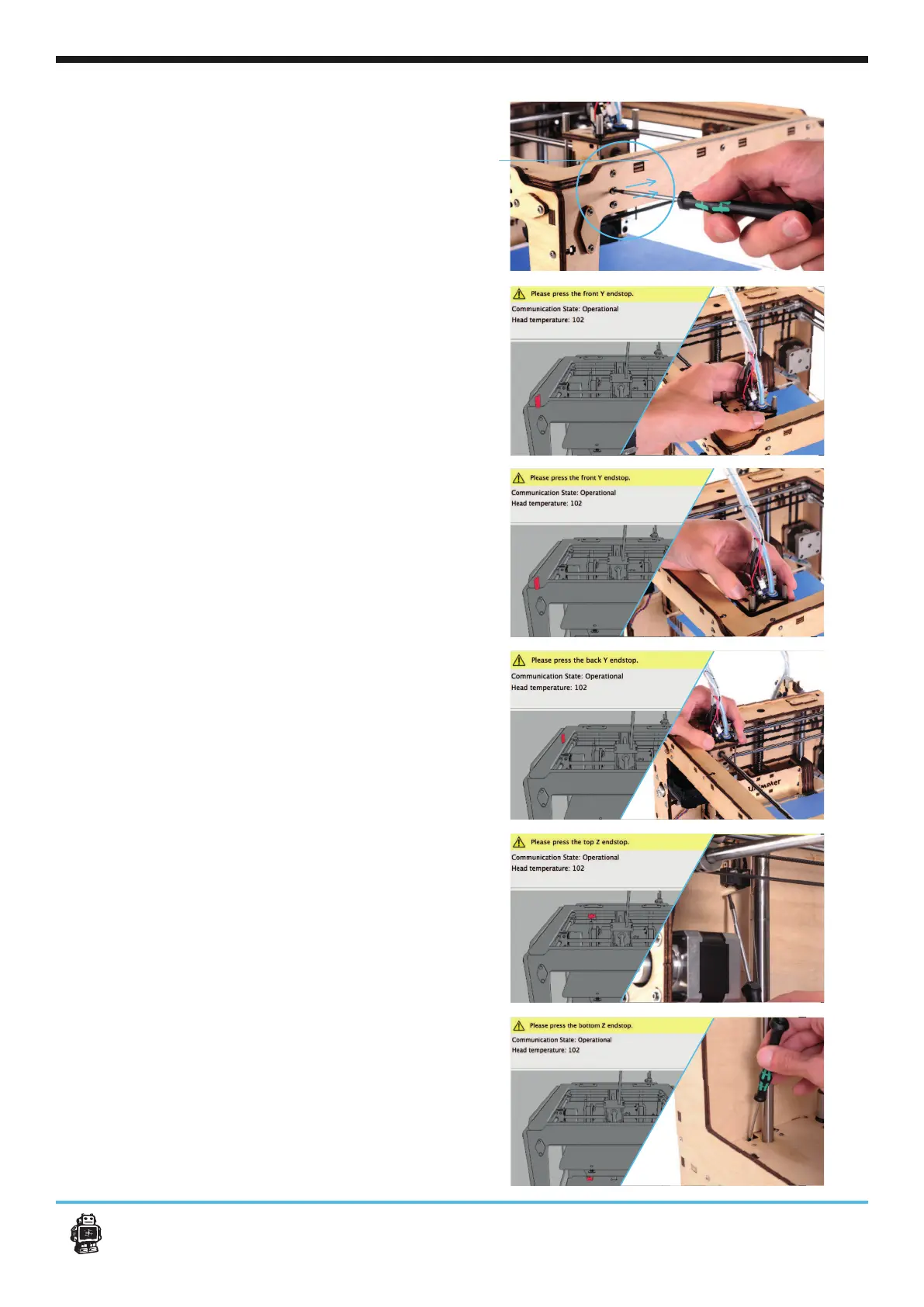
8. If the printhead can’t touch the end stop,
don’t force it. Unscrew the end stop with the hex
screwdriver and move it a bit inwards the frame,
as indicated on the image.
9. Move the printhead to the left corner untill
you hear a click.
10. Now do the same with side front Y endstop.
11. Now do the same with side back Y endstop.
12. Next step is to click the top Z-end stop,
rotate the build plate screw or click it with your
13. When Cura asks you to click the bottom
Z-endstop, use the hex screw driver to touch
and click it.












 To Next Page