Getting Started
Urovo Technology Co., Ltd. Tle:400 888 6989 Fax:+86 755 86186290 Website:www.urovo.com
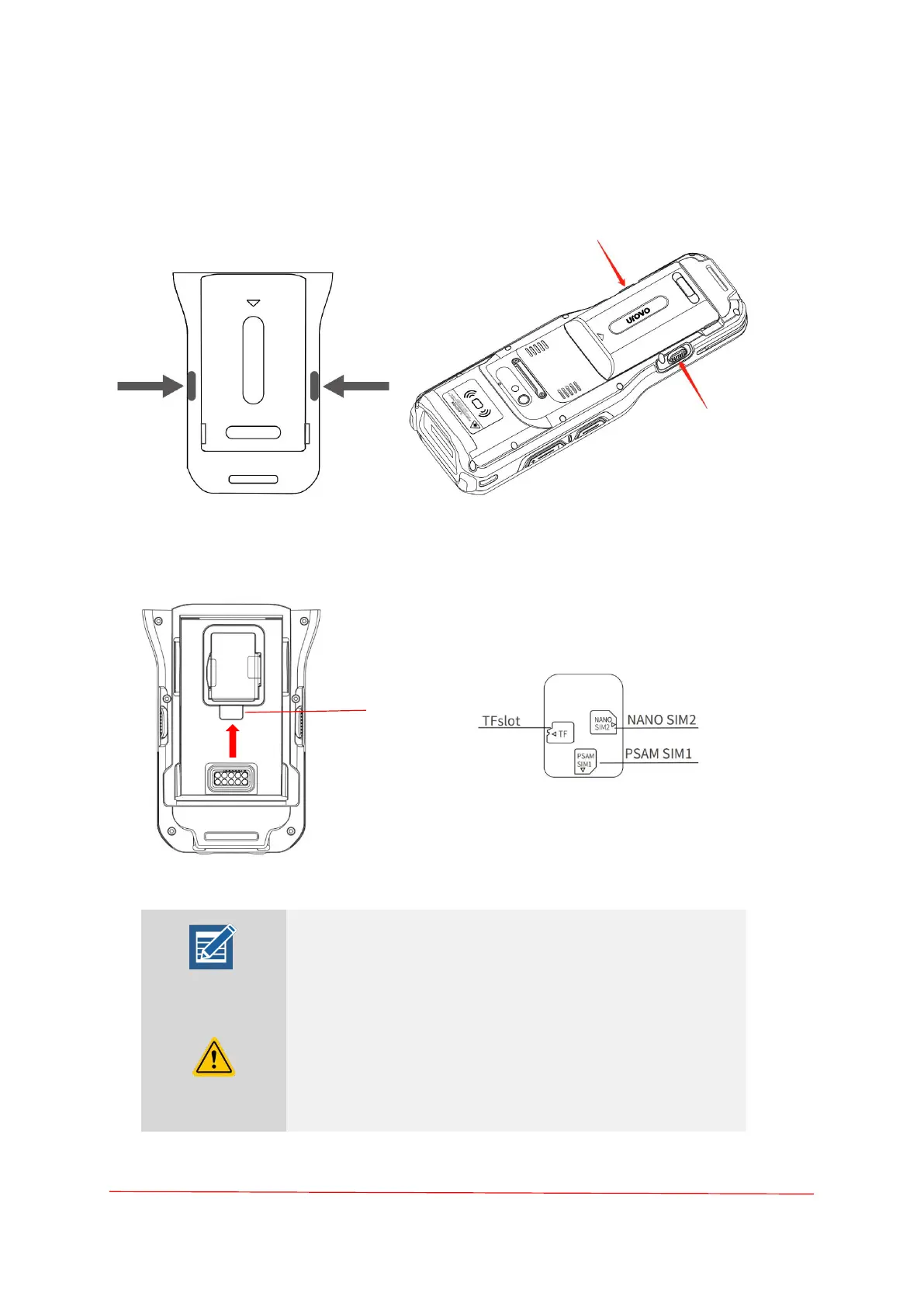
Installing SD/SIM Card
1. Press the buttons on both sides to remove the battery.
2. Take card out(as shown).
Insert the SIM card /TF card into the corresponding slot in the correct direction as shown in
the figure.
Note: 1. SIM1 support PSAM or Mini SIM cards;
2. SIM 2 support Nano SIM cards
Attention: Use proper electrostatic discharge (ESD) precautions
to avoid damaging the SIM card. Proper ESD precautions
include, but not limited to, working on an ESD mat and ensuring
that the user is properly grounded.



 To Next Page