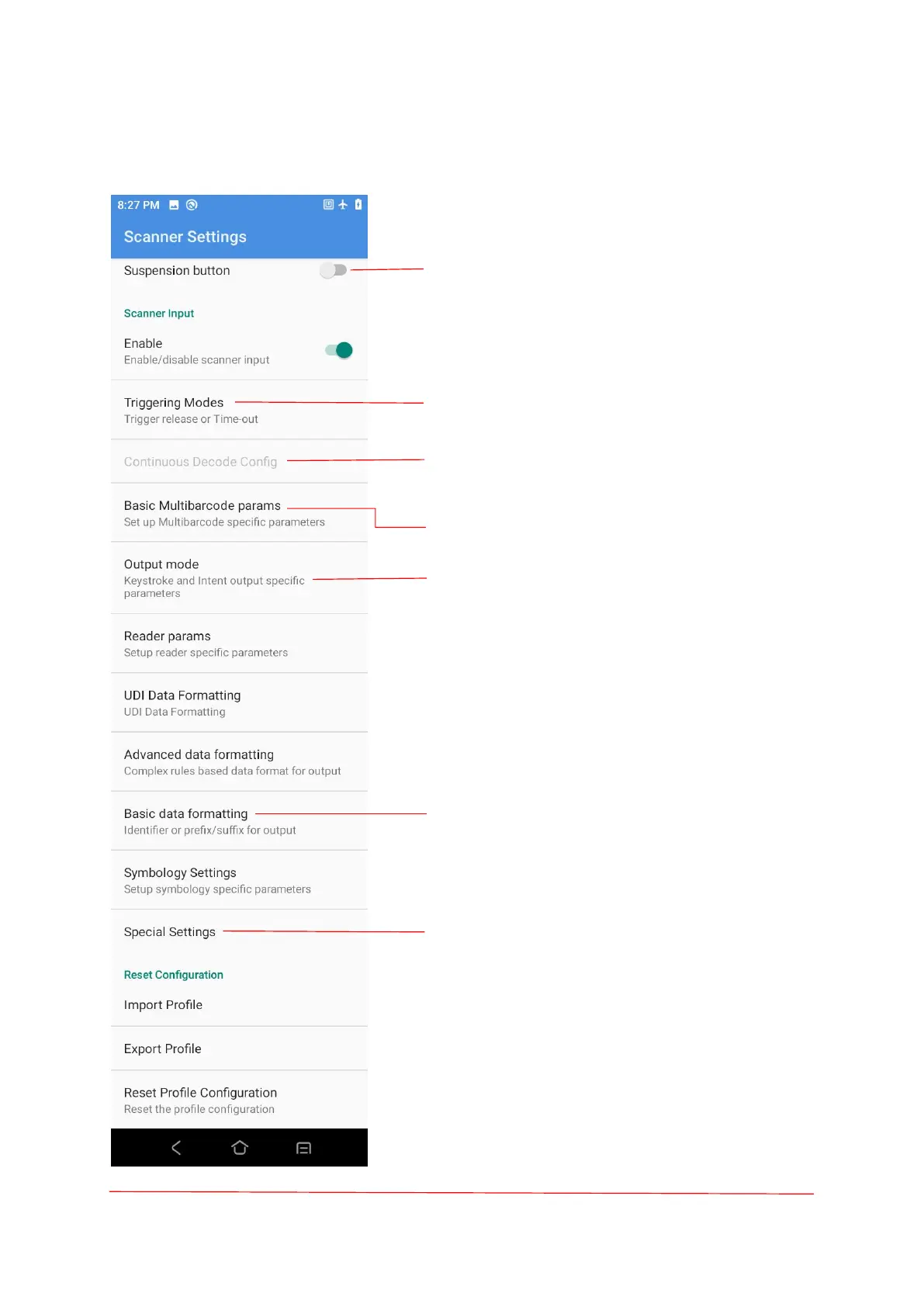
Suspension button: Open the virtual key
scanning tool on the desktop--USCAN, which is
available for dragging at will and touching
tosimulate the key scanning function.
Decode or Time-out, KeyDown start, Again
KeyDown stop, Trigger release or Time-out.
To enable this configuration, select "KeyDown
start, Again KeyDown stop" in "Triggering
Modes".
Set up Multibarcode specific parameters.
Output mode: Intent output, Keystroke output,
Keystroke and Intent output.
Upon access of bar codes, the system may be
available for additional functions: Formatting,
Prefix, Suffix, Formatting, Substitute, Delete
Non-printing Control Character, App Identifier, or
Code Id Type.
Characters delay, Key event delay.



 To Next Page