Using The Device
Urovo Technology Co., Ltd. Tle:400 888 6989 Fax:+86 755 86186290 Website:www.urovo.com
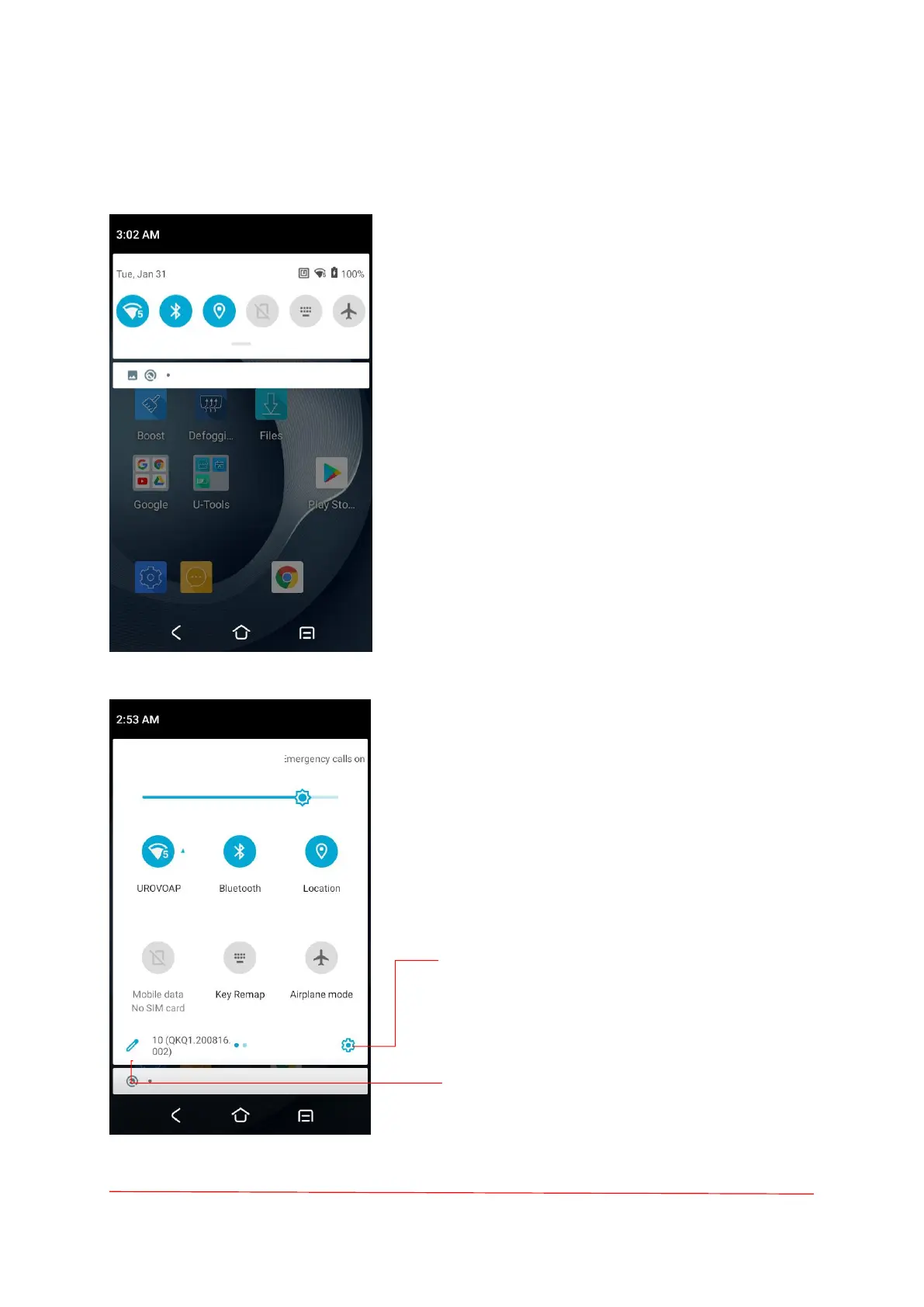
Quick Access Panel
Notification panel
When there is a notification from the Android
(system) or the App, you can check details by
dragging down the "Status Bar".
Quick setting panel
You can access the "Quick setting panel" by
dragging down the "Notification panel".
Device Settings
Touch to access device Settings.
Edit Quick settings panel
Touch the Edit icon to change the
order of icon in the Quick settings
panel.



 To Next Page