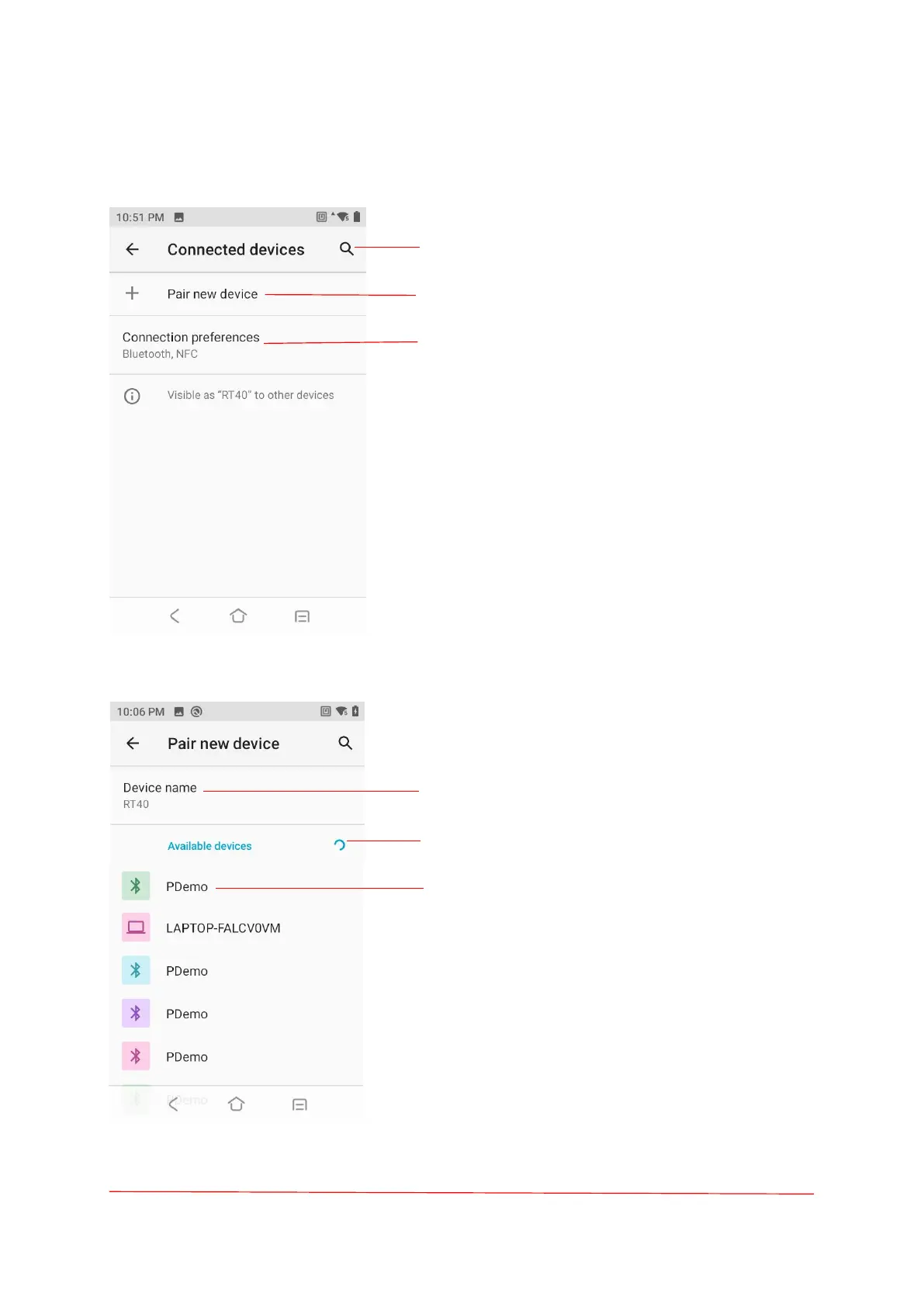
Search equipment.
Touch to rename Bluetooth name and connects
new devices.
Bluetooth, NFC, Cast, Printing, Chromebook.
Enabling /Disabling Bluetooth:
1. Swipe down from the Status bar to open the
Quick Access panel.
2. Touch to turn Bluetooth on/off.
The device supports Bluetooth Low Energy.
Bluetooth Low Energy is targeted at applications in
the healthcare, fitness, security, and home
entertainment industries. It provides reduced
power consumption and cost while maintaining a
standard Bluetooth range.
Touch to change the Device name.
Discovering Bluetooth Device.
Touch to connect Bluetooth device.



 To Next Page