Device Setting
Urovo Technology Co., Ltd. Tle:400 888 6989 Fax:+86 755 86186290 Website:www.urovo.com
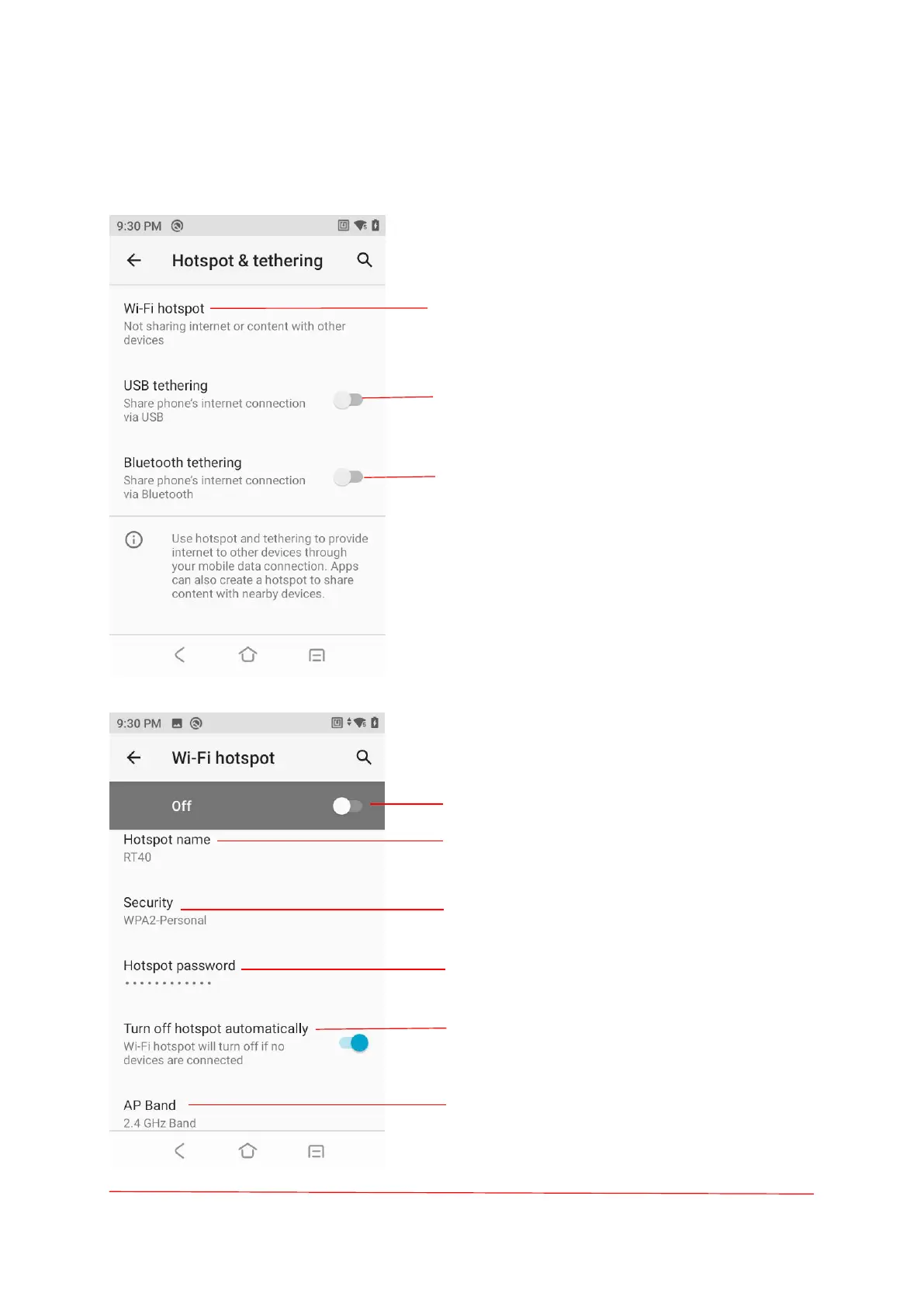
Hotspot & internet
Touch to turn on/off Wi-Fi hotspot and manage
hotspot Settings.
Share the device’s internet connection via USB.
Share the device’s internet connection via
Bluetooth.
Turn on/off the Wi-Fi hotspot.
Change hotspot name.
Security (WAP2 PSK, None).
Change the hotspot password.
Turn on/off the hotspot automatically.
Touch to change AP band (2.4GHz band, 5.0GHz
band).



 To Next Page