Using The Device
Urovo Technology Co., Ltd. Tle:400 888 6989 Fax:+86 755 86186290 Website:www.urovo.com
Remove The Application From The Home
Screen Or Create A Folder
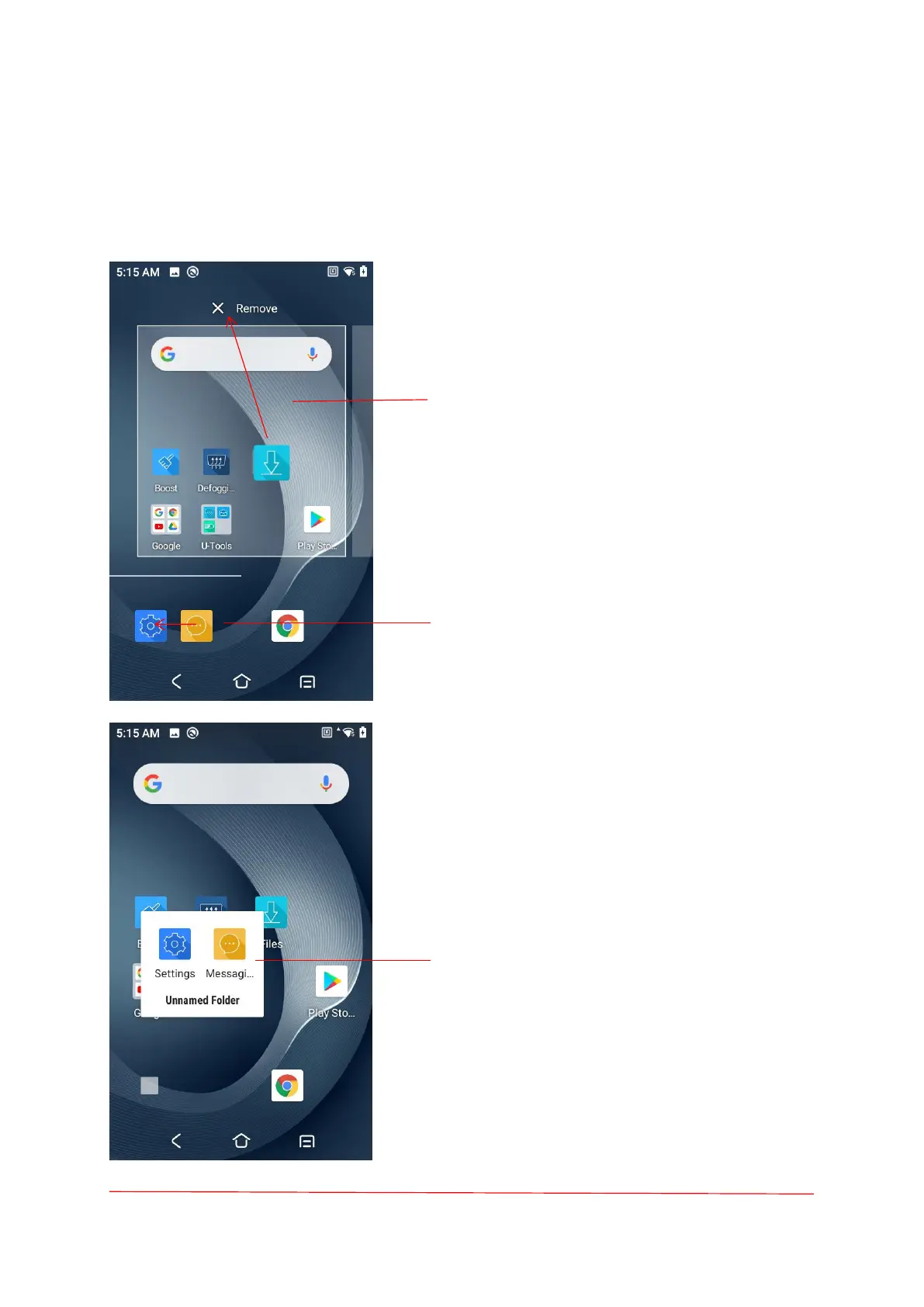
Remove the application from the home screen
Delete the application, drag its icon into the
"remove" area, and release.
Create A Folder
1. Touch and hold one app icon;
2. Drag the icon and stack it on top of another
icon;
3. Lift and release.
Unnamed Folder
1. Touch the folder;
2. Touch the title area and enter a folder name
using the keyboard;
3. Touch anywhere on the Home screen to
close the folder. The folder name appears
under the folder.



 To Next Page