Applications
Urovo Technology Co., Ltd. Tle:400 888 6989 Fax:+86 755 86186290 Website:www.urovo.com
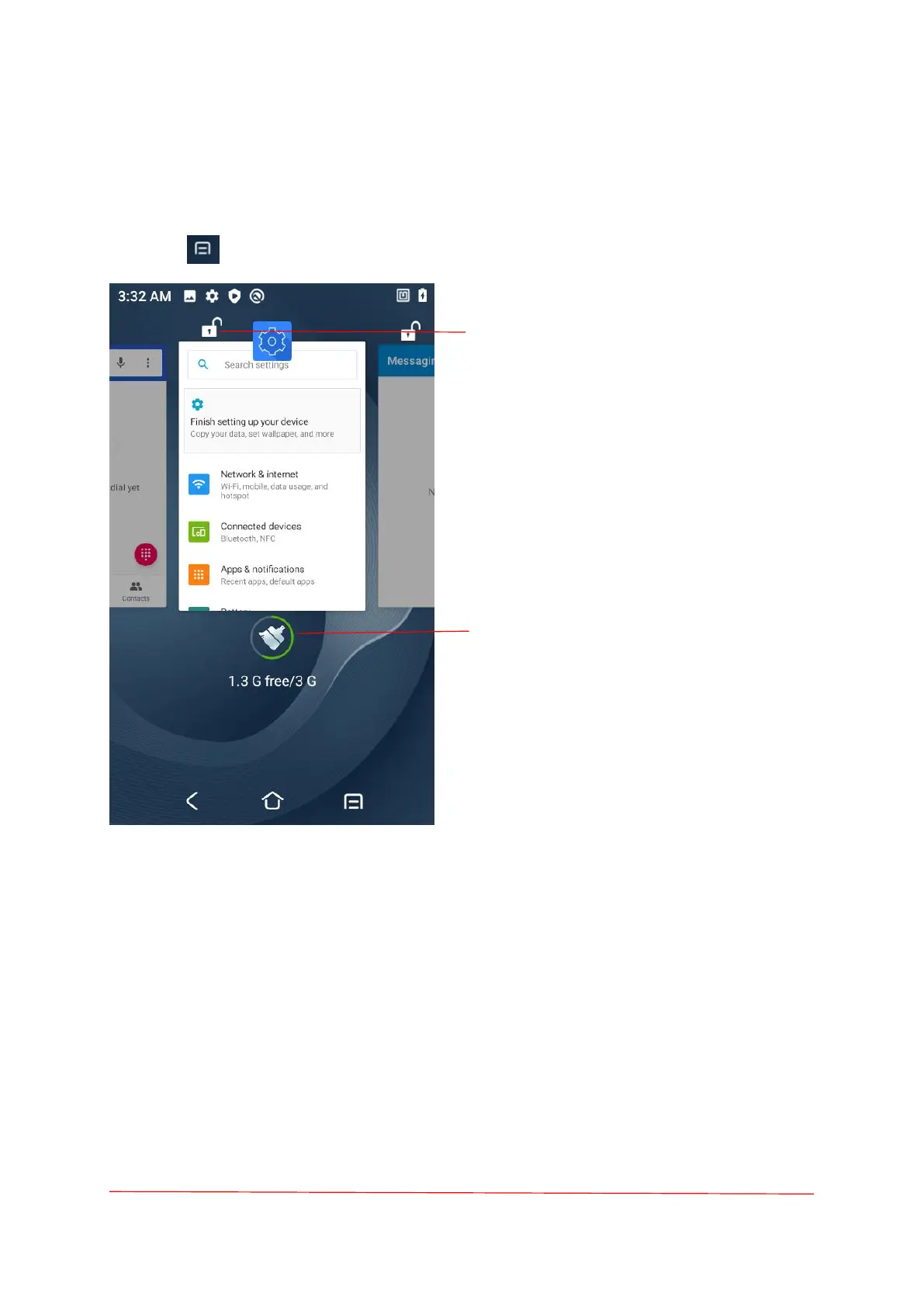
Switching Between Recent Apps
To switch between recent apps:
1. Touch . A window appears on the screen with icons of recently used apps.
2. Slide the apps displayed left and right to view all recently used apps.
3. Swipe up or down to remove app from the list and force close the app.
4. Touch the software page to open the application and touch the blank area to return to the
current screen.
Touch this icon to not close the software
when the lock is closed.
If you close all of the apps, then touch the
Brush icon. In this case, the locked app will
not be closed.



 To Next Page