Using The Device
Urovo Technology Co., Ltd. Tle:400 888 6989 Fax:+86 755 86186290 Website:www.urovo.com
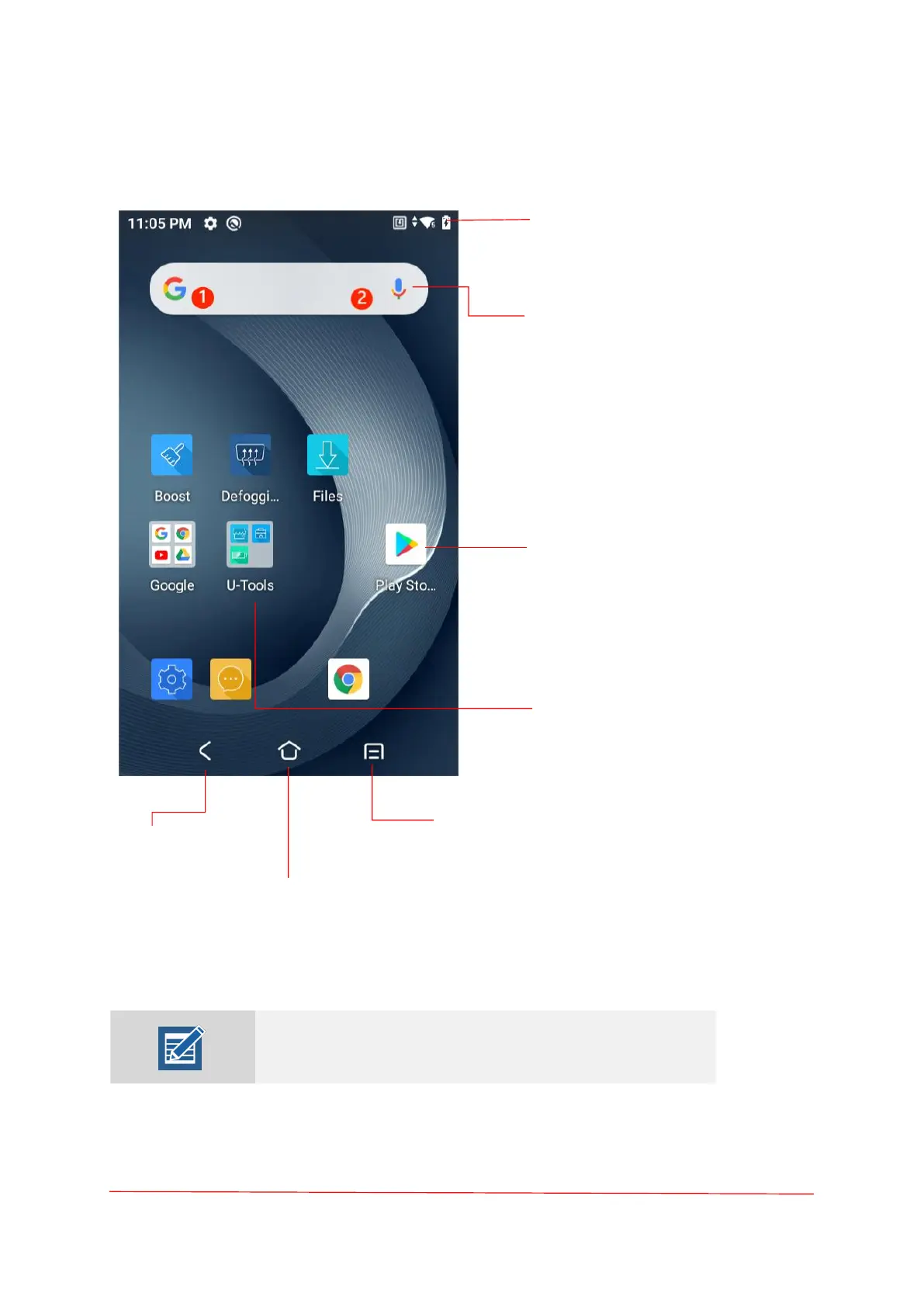
Home Screen
Some of the status icons are listed on the next page.
Note: Some Status icons may not appear in the Status bar if
there are too many icons to display.
Status Bar
Displays the time, status icons , and
notification icons.
Search Bar
Touch 1 to search by text.
Touch 2 to search by voice.
Application
Click on an icon to run an
application.
Back
Displays the previous screen.
Home
Displays the Home screen.
Recent Button
Displays recently used applications.



 To Next Page