Device Setting
Urovo Technology Co., Ltd. Tle:400 888 6989 Fax:+86 755 86186290 Website:www.urovo.com
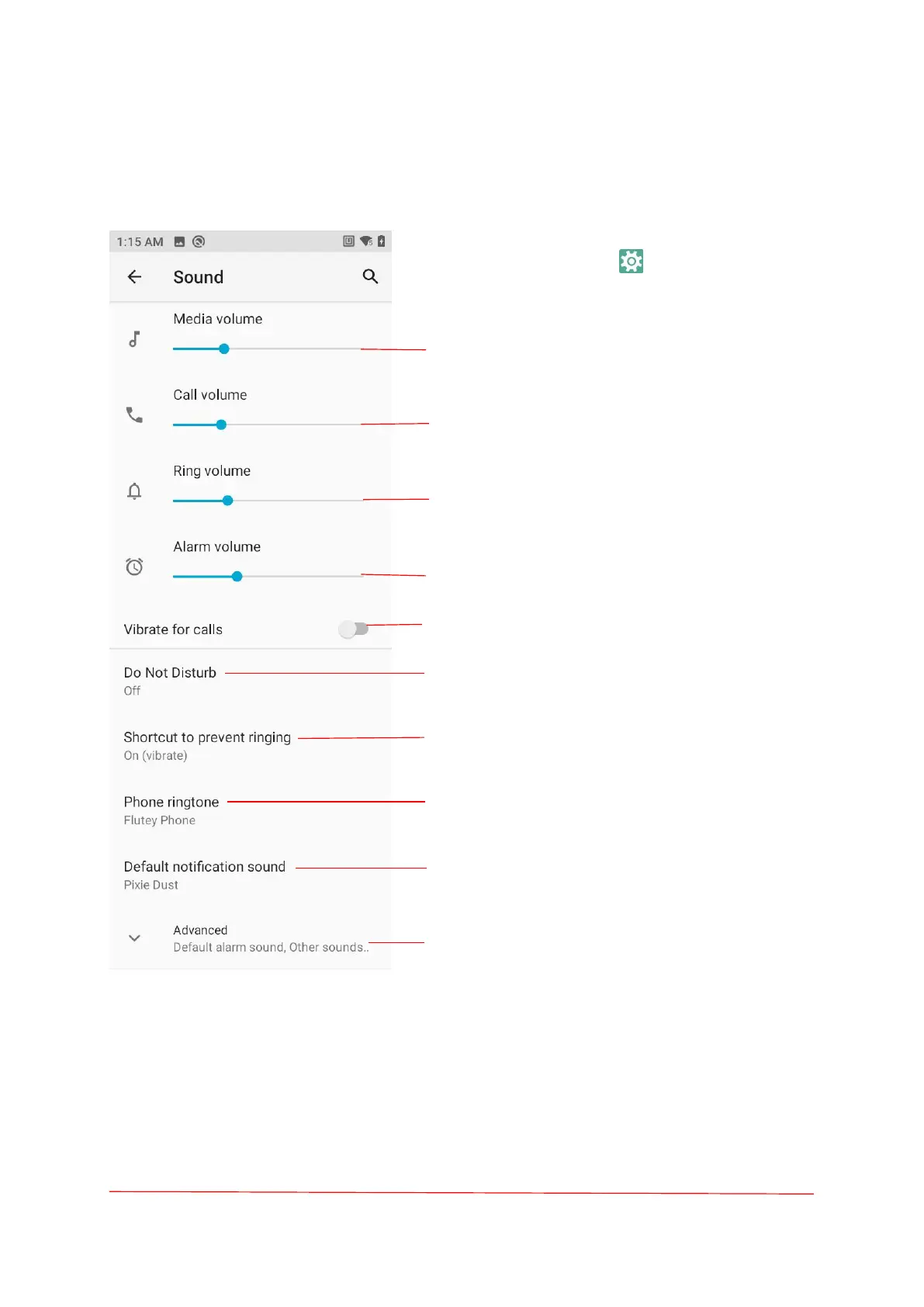
Sound
On the Home screen, swipe up from the bottom
of the screen and touch and choose Sound.
Slide the dots and set the music, games, and
media volume.
Slide the dot , set the call volume.
Slide the dot , set the ring volume.
Slide the dot , set the Alarm volume.
Slide the dot , Turn On/Off also vibrate for calls.
Touch set does not disturb.
Shortcut to prevent ringing - Vibrate, Mute, Do
nothing.
Touch to select the sound you want to play when
the phone rings.
Touch to select the sound of the notification
prompt.
Advanced-Default alarm sound, Dial pad tones,
Screen-locking sounds, Charging sounds, Touch
sounds, Touch vibration.



 To Next Page