VAMP Ltd Arc protection system
User manual
VAMP 220 / 220R
VM220.EN004 Vamp 24h support phone : +358 (0)40 573 6316
45
NOTE!
If arc sensors are added or removed later, a new system
configuration must be done. Otherwise, the system will
interpret the change as an internal fault.
6.5. Setting overcurrent values
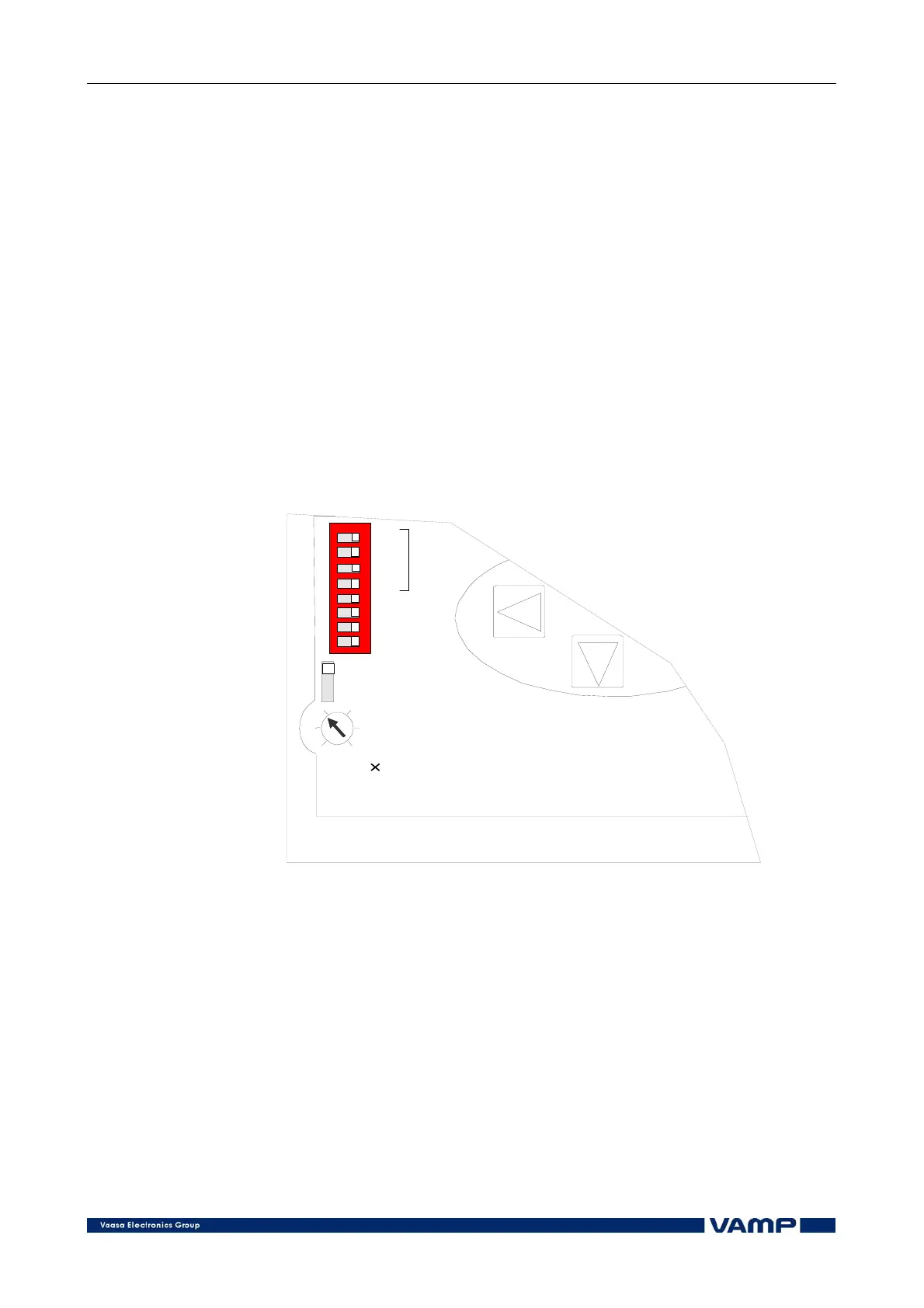
Select the rated current, 1 A or 5 A, with the selector switch on
the front panel of the master unit, see Figure 6.5-1.
Enter CURRENT mode using the up and down arrow buttons.
Set the start current value, 1...6 x In and the start E/F value
(220R), 0.01...0.1 x In, with the start current setting knob on
the control panel, see Figure 6.5-1a and b.
-> 1A
-> 5A
1...6 In
TR1
TR2
TR3
TR4
TR1 -> TR2
TR1 -> TR3
Temp / TR4
All / TR4
Latch
1
2
3
4
5
6
7
8
off on
Figure 6.5-1a Setting rated current and start current on VAMP 220.



 To Next Page