Description of the Service Mode
Conguration
Description
Attention! This function must only be
used with the agreement of the manufacturer or
his legal representative.
Thecongurationtool,asthenamesuggests,is
forreconguringtheunit.Thismayberequired
following:
●The simultaneous exchange of the SD card and
the A2 Main Board.
●The addition of options like a ceramic hob,
energy enhancer, frying mode, etc.
After conguration the unit must be
restarted and where appropriate be subject to
allocation and calibration.
Procedure
A. Get in touch with the manufacturer or his
legal representative making sure you have
the following information:
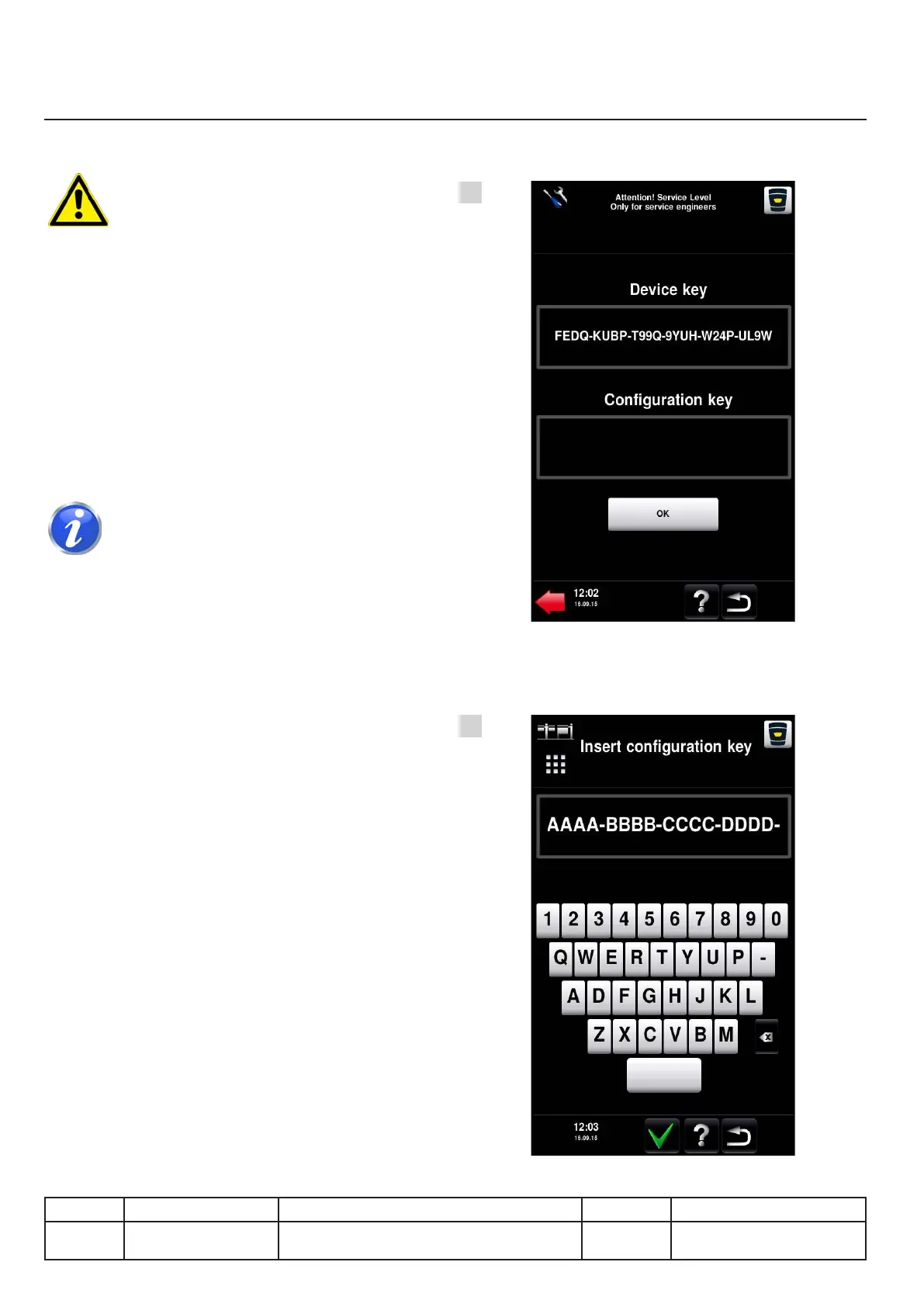
●Theunitkey.(Fig.1)
●Theunit'sserialnumber.
●Thelistofcurrentoraddedoptions.
B. You will be given a new conguration
key. To enter it into the unit press
thecongurationkeyzone.
A new screen appears with a suitable keyboard
(Fig. 2). Unused characters are not displayed!
Enter the key you were given. Don't
forget the hyphens between the blocks.
Conrmwiththegreentick!
v03 • July-2016 • Hen
IV.18
Service Mode Module
1
2
Line Units Serial number (starting from) Sw Revision
VCCM
VCCWE
All ExxXH1009xxxxxxx 01-00-08



 To Next Page