9. Installing Software
104 Green X / X18 (Model: PHT-75CHS) Installation Manual
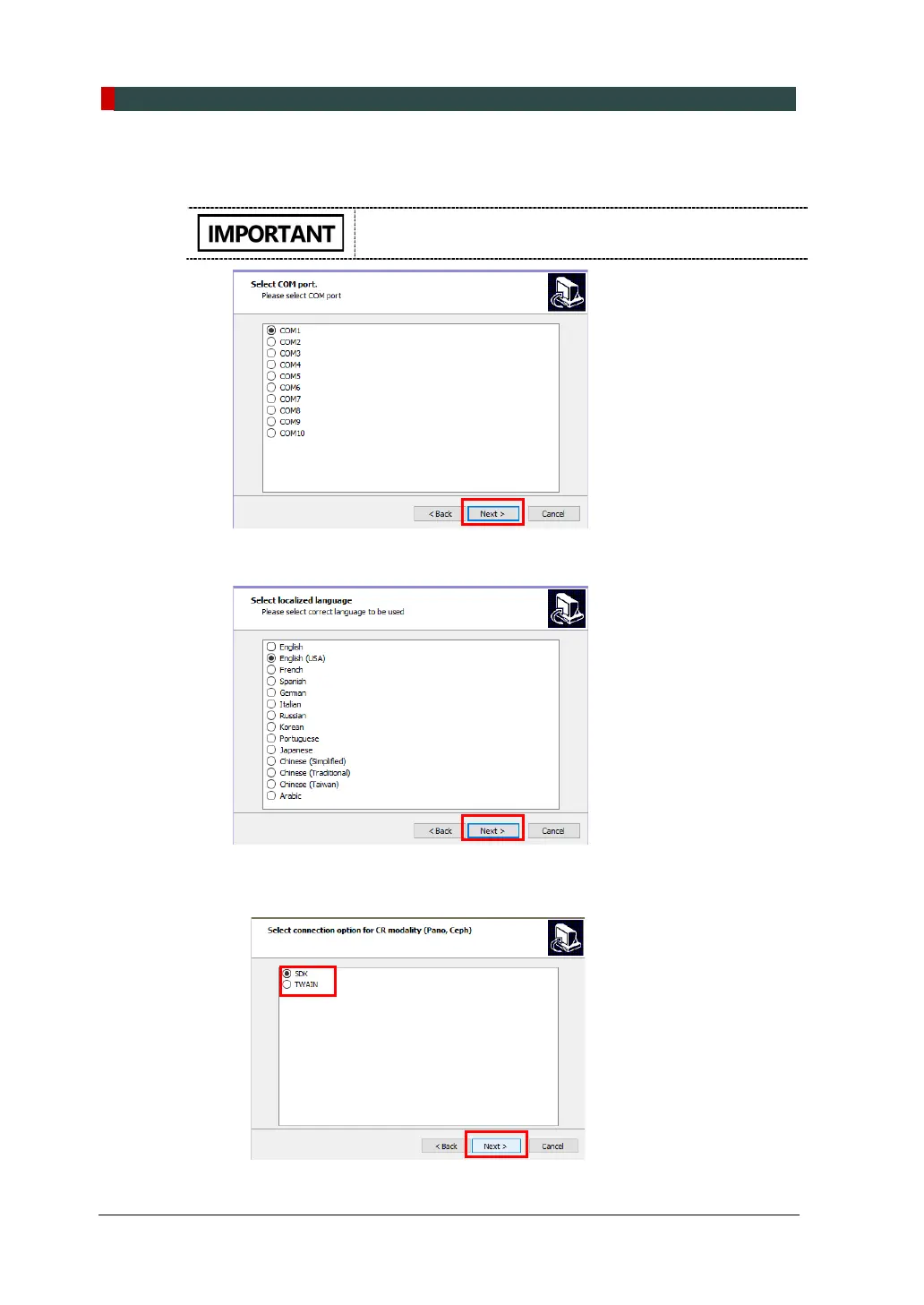
10. Select a COM port to link your PC to equipment. The same COM port must be
used for both PC and equipment.
COM port selection varies by equipment. Ensure that both
PC and equipment share the same COM port.
11. Select a language and click Next.
12. Select a connection option for CR modality (Pano, CEPH) and click Next.
If EzDent-i is installed, ensure to select SDK.



 To Next Page