ITNLPL FRES ENG DE
www.vdocyclecomputing.com MC 2.0 WL
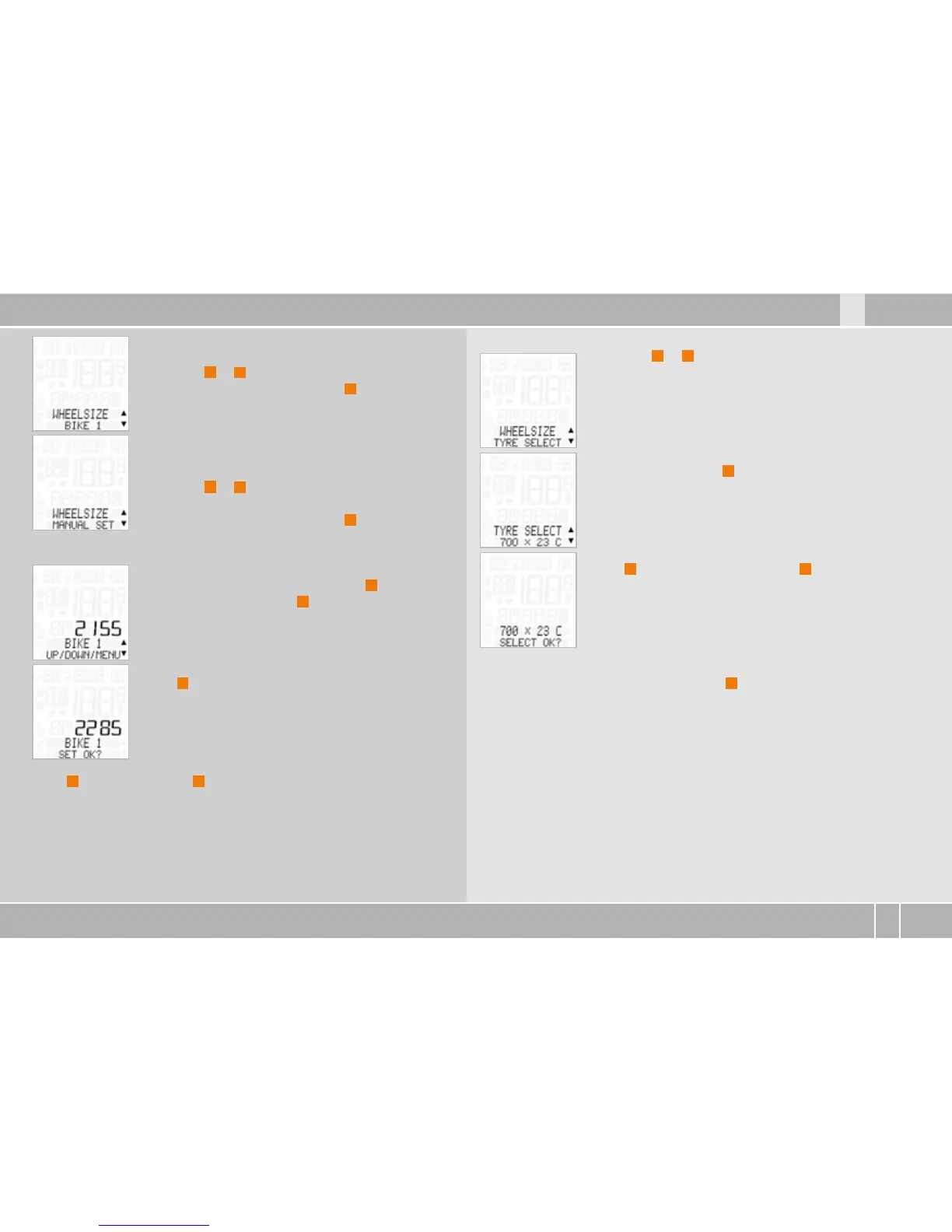
WHEEL SIZE--BIKE or BIKE is shown on the
display.
Press ALTI
A
or
P
to select BIKE or BIKE .
Confirm the selection by pressing
M
.
WHEEL SIZE--MANUAL SET or TYRE SELECT is
shown on the display.
Press ALTI
A
or
P
to select MANUAL SET or
TYRE SELECT list.
Confirm the selection by pressing
M
.
If MANUAL SET is selected:
The tyre size in mm flashes (if MPH is selected, the
size is displayed in inches). Press ALTI
A
to reduce
the tyre circumference or
P
to increase it.
Once you have set the correct tyre circumference,
press
M
to confirm your setting.
BIKE (or BIKE ) SET OK? is shown on the display.
Press
M
in confirmation or
C
to make a correction.
The MC . confirms by displaying WHEEL SIZE--SET DONE.
If TYRE SELECT is selected:
Press ALTI
A
or
P
to scroll through the tyre list.
Once your tyre type is displayed (e.g. x C)
confirm it by pressing
M
.
x C--SELECT OK? is shown on the display.
Press
M
to confirm the selection or
C
to change it.
The MC . confirms by displaying WHEEL SIZE--SET
DONE.
To exit settings mode, press and hold the
C
button for three seconds.
SETTINGS--CLOSE? flashes. The MC . switches back to function mode.
An overview of the tyre list can be found in the picture book >>> P07.



 To Next Page