ITNLPL FRES ENG DE
www.vdocyclecomputing.com MC 2.0 WL
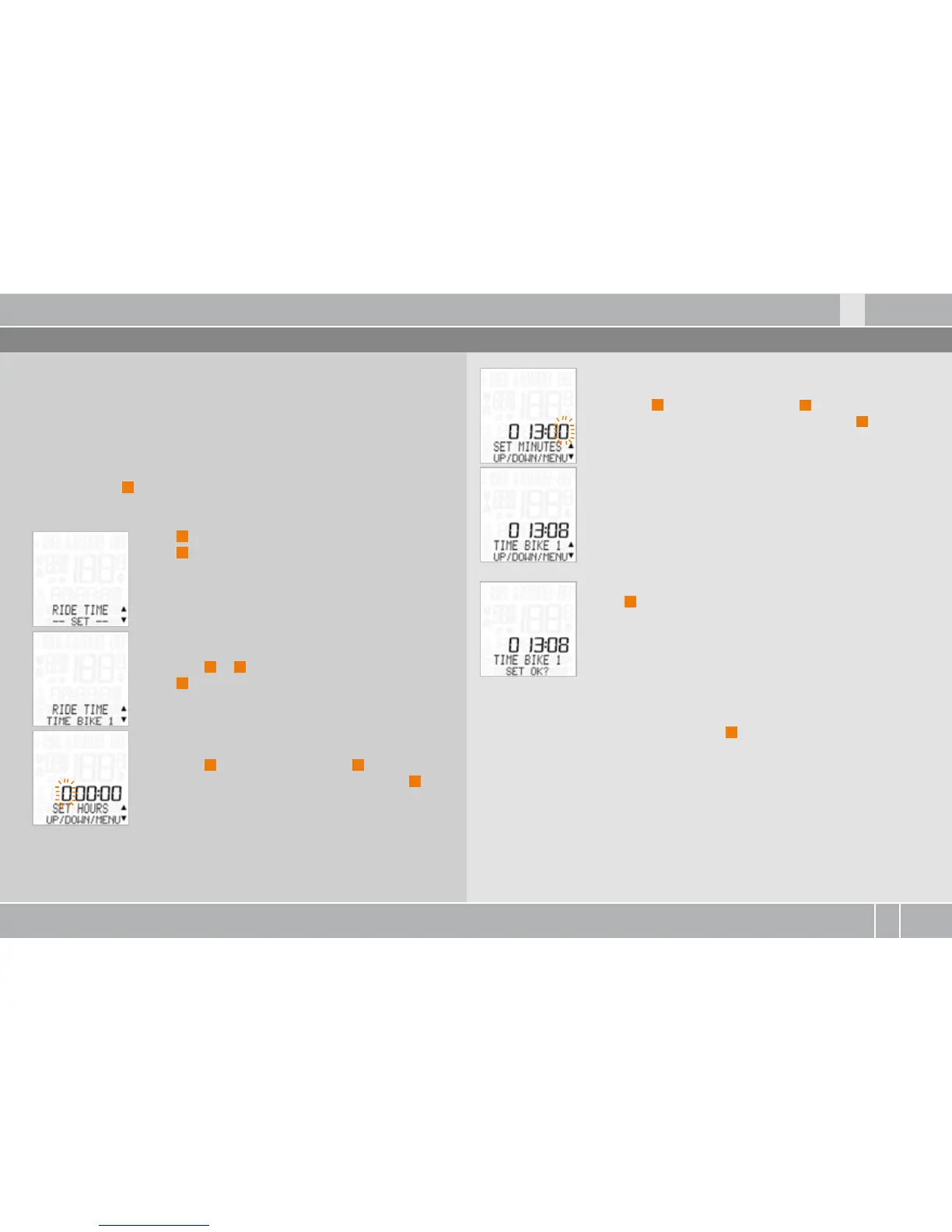
6.9 Setting the ride time
The total ride time can be separately set for bike and bike . Before
the start of the season, you can reset the total ride time to zero.
ATTENTION: the total ride time is SAVED when the battery is
changed. The data is not lost.
Process:
Press and hold
M
for three seconds. SETTINGS--OPEN? flashes.
LANGUAGE---SELECT---appears on the display.
Press
P
to scroll to RIDE TIME ---SET---.
Press
M
in confirmation.
RIDE TIME--TIME BIKE or TIME BIKE is shown on
the display.
Press ALTI
A
or
P
to make a selection.
Press
M
in confirmation.
TIME BIKE --SET HOURS appears on the display.
The hours flash.
Press ALTI
A
to reduce the value or
P
to increase
it. Once you have set the correct value, press
M
to
confirm your setting.
TIME BIKE --SET MINUTES appears on the display.
The minutes flash.
Press ALTI
A
to reduce the value or
P
to increase
it. Once you have set the correct value, press
M
to
confirm your setting.
TIME BIKE --SET OK?
Press
M
in confirmation.
The MC . confirms by displaying TIME BIKE --SET DONE.
To exit settings mode, press and hold the
C
button for three seconds.
SETTINGS--CLOSE? flashes. The MC . switches back to function mode.



 To Next Page