MC 2.0 WL VDO CYCLECOMPUTING
DE ENG FR ESIT NL PL
ODO BIKE (or BIKE )--SET OK? Press
M
to confirm
or
C
to make a correction.
The MC . confirms by displaying ODO BIKE
(or BIKE ) SET DONE.
To exit settings mode, press and hold the
C
button for three seconds.
SETTINGS--CLOSE? flashes. The MC . switches back to function mode.
6.8 Setting the navigator
The navigator is directly set from the function menu.
Process:
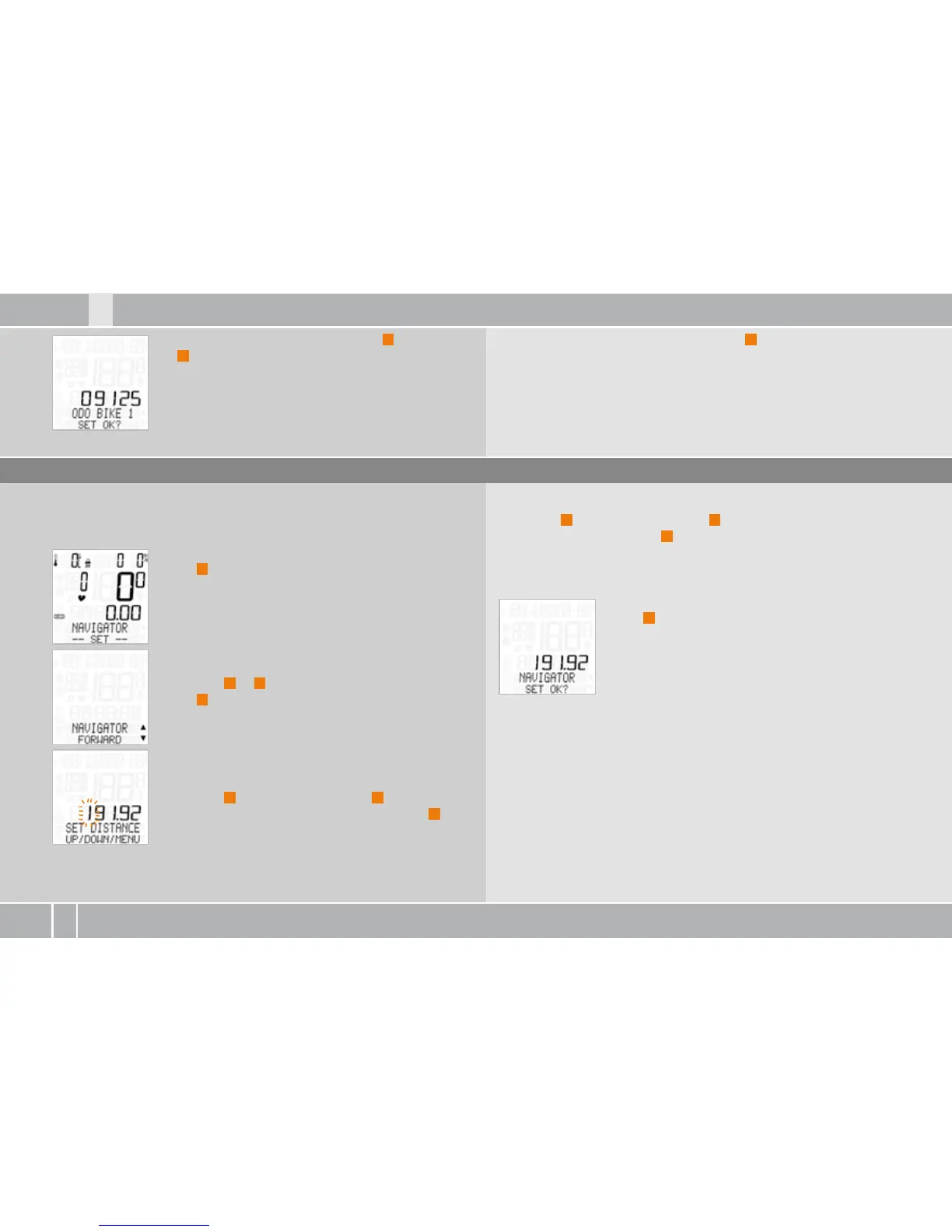
NAVIGATOR---SET--- is shown on the display.
Press
M
in confirmation.
NAVIGATOR––FORWARD or BACKWARD appears on
the display.
Press ALTI
A
or
P
to make a selection.
Press
M
in confirmation.
NAVIGATOR--SET DISTANCE appears on the display.
The distance in meters flashes.
The first digit flashes.
Press ALTI
A
to reduce the value or
P
to increase
it. Once you have set the correct value, press
M
to
confirm your setting.
The second digit now flashes.
Press ALTI
A
to reduce the value or
P
to increase it. Once you have
set the correct value, press
M
to confirm your setting.
Continue the setting process until all digits have been set.
NAVIGATOR––SET OK? query
Press
M
in confirmation.
The MC . confirms by displaying NAVIGATOR--SET DONE. Once the
setting is complete, the MC . automatically switches back to
function mode.



 To Next Page