MC 2.0 WL VDO CYCLECOMPUTING
DE ENG FR ESIT NL PL
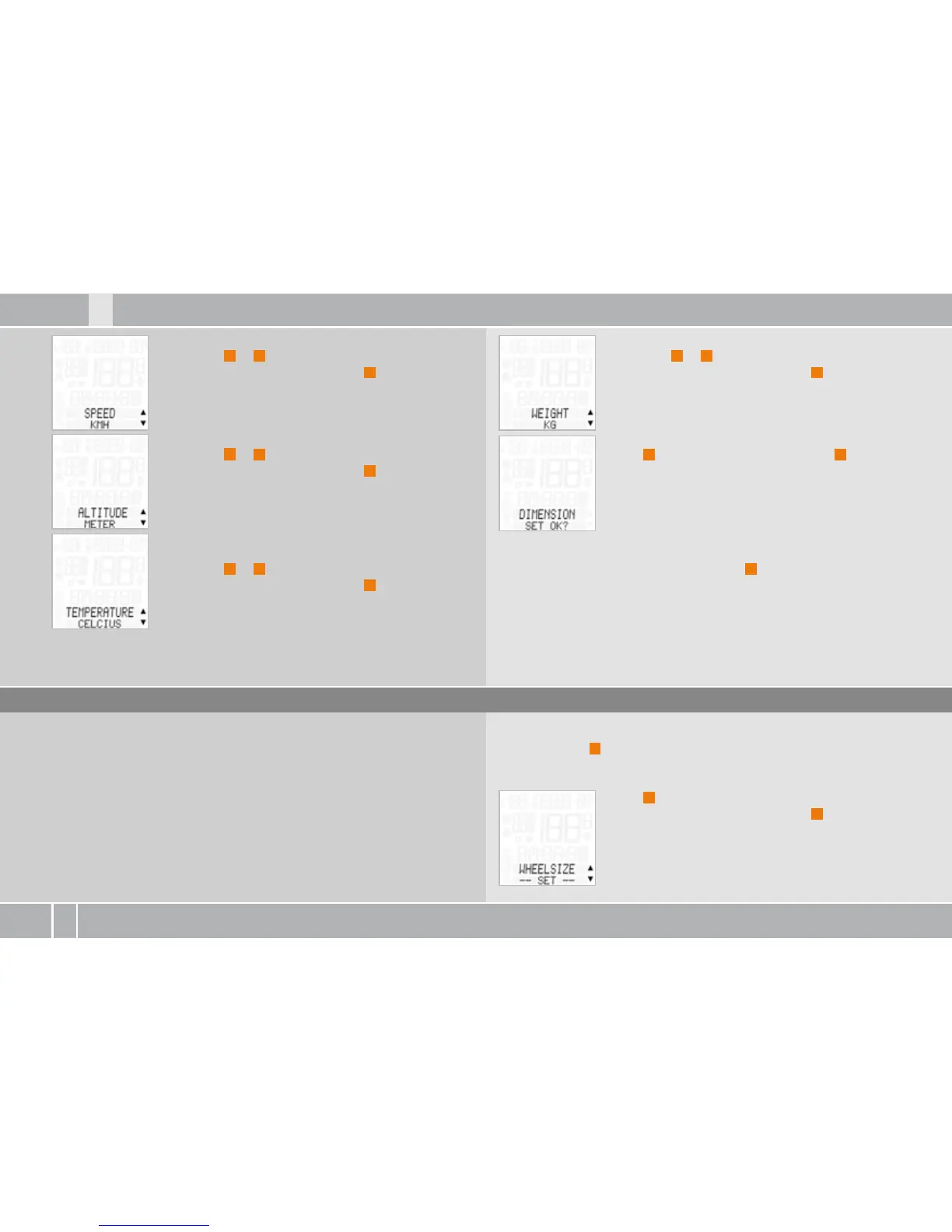
SPEED--KMH or MPH appears on the display.
Press ALTI
A
or
P
to select KMH or MPH.
Confirm the selection by pressing
M
.
ALTITUDE--METER or FEET is shown on the display.
Press ALTI
A
or
P
to select METER or FEET.
Confirm the selection by pressing
M
.
TEMPERATURE--CELSIUS or FAHRENHEIT is shown
on the display.
Press ALTI
A
or
P
to select CELSIUS or FAHRENHEIT.
Confirm the selection by pressing
M
.
WEIGHT--KG or LBS is shown on the display.
Press ALTI
A
or
P
to select KG or LBS.
Confirm the selection by pressing
M
.
Query, DIMENSION SET OK?
Press
M
to confirm the DIMENSION or
C
to go back
and change it.
The MC . confirms by displaying DIMENSION SET
DONE.
To exit settings mode, press and hold the
C
button for three seconds.
SETTINGS--CLOSE? flashes. The MC . switches back to function mode.
Process:
Press and hold
M
for three seconds. SETTINGS--OPEN? flashes.
LANGUAGE---SELECT---appears on the display.
Press
P
to scroll to WHEEL SIZE---SET---.
Confirm the selection by pressing
M
.
6.3 Setting the tyre size
This area is used to set the tyre circumference (tyre roll circumference).
The tyre circumference can be separately set for bike and bike . The
tyre circumference can be manually entered in mm or automatically
determined from a table with tyre sizes.



 To Next Page