The weight displayed at the time of pressing the key is saved into the file. Now remove the bird from the hook
and continue with the next bird.
5.2.3. Manual and sex selection saving
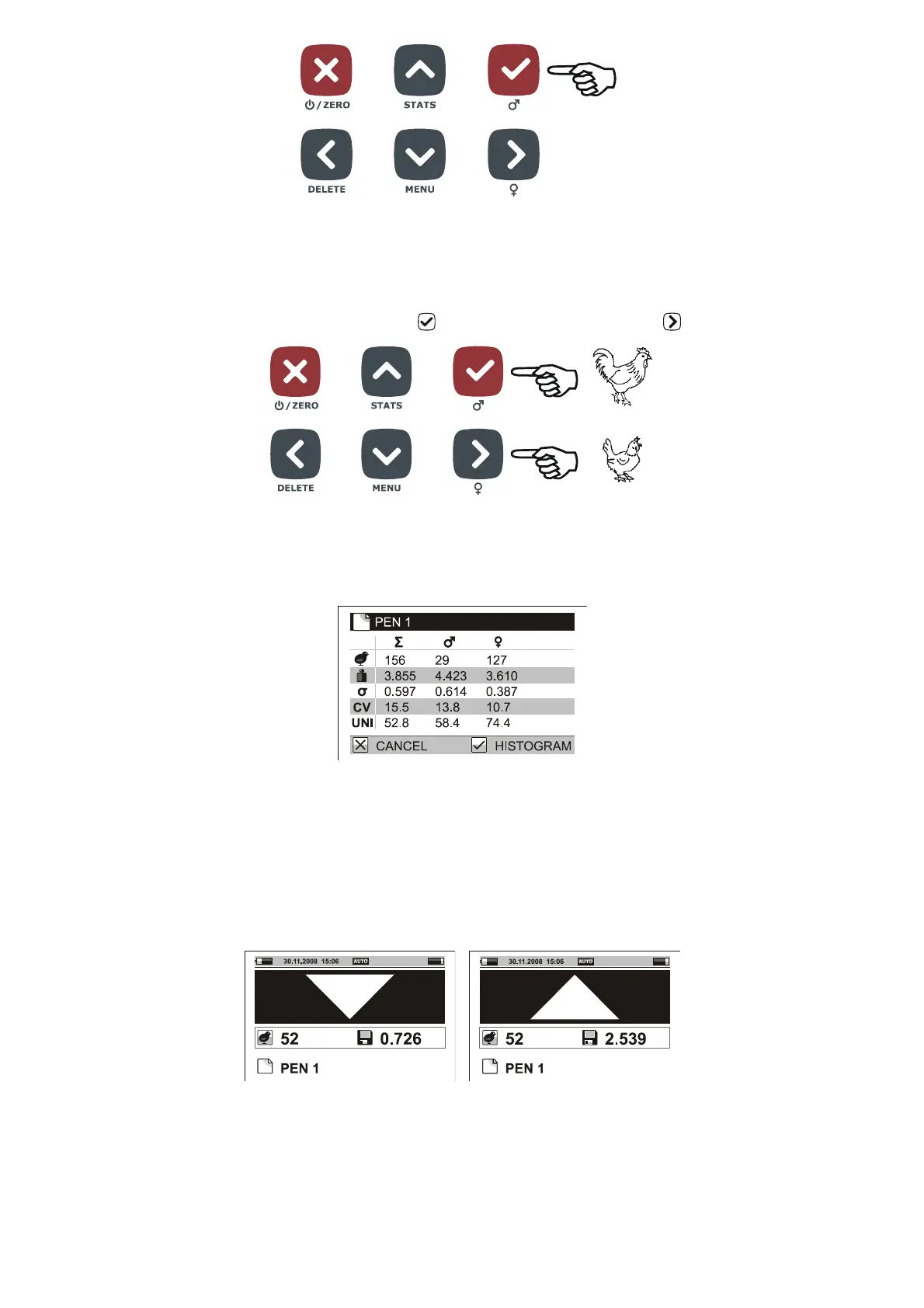
Set menu Configuration / Saving / Mode to Manual by sex. After the bird is hung on the hook watch the actual
weight on the display and after stabilization press if you are weighing a cock or if you are weighing a hen.
The weight displayed at the time of pressing the key is saved into the file, including the selected sex. Now
remove the bird from the hook and continue with next bird.
The display of statistics contains three columns – statistics for both cocks and hens, statistics for cocks and
statistics for hens.
When displaying histogram, three histograms are available – histogram for both cocks and hens, histogram for
cocks and histogram for hens.
5.2.4. Sorting into two groups: Light / Heavy weights
If you need to sort weighted birds into two groups – light birds and heavy birds, set the scale into the mode of
weighing with sorting into two groups. Set menu Configuration / Saving / Sorting to Light/Heavy. In menu
Weighing / Limit, set the weight according to which the sorting will be performed. After a bird is weighed the
scale will beep differently for light and heavy birds and a symbol for heavy or light bird is displayed.
The statistics contains three columns – one for summary, one for light and one for heavy birds.



 To Next Page