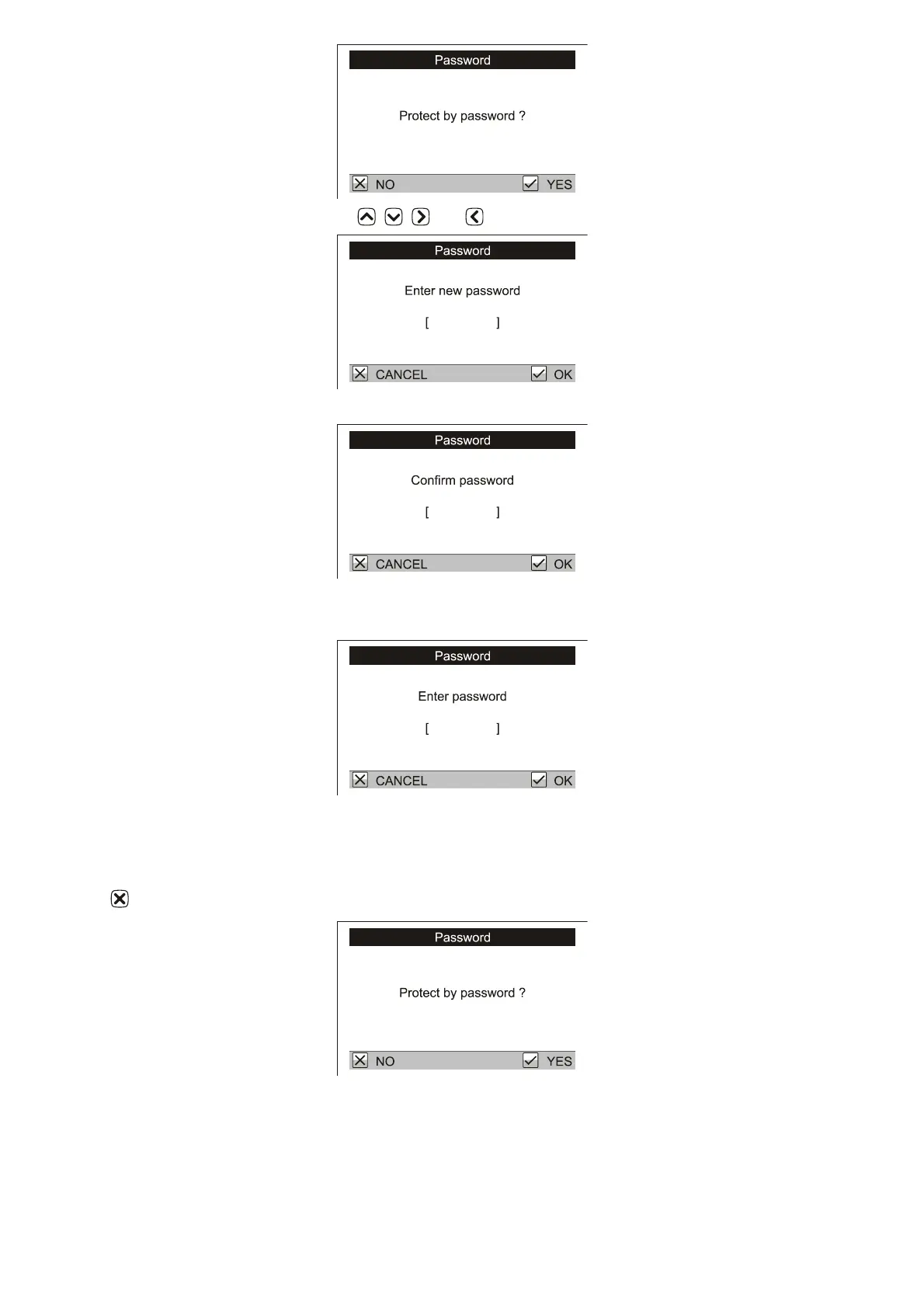
Set the password by using the arrow keys , , and in any combination.
In the next dialog repeat this key combination.
This sets a password, which will be used as protection against access to the menu Configuration and
Maintenance. When these menu items are selected, you will be asked to enter the password.
Press the selected combination of arrow keys in this dialog.
7.5.1. Disabling password protection
To remove the password protection, go to the menu Maintenance / Password. Close the following dialog by
pressing .
If you forgot the password, contact your agent.
8. Data processing on PC
The supplied PC software is designed to store and analyze data acquired from the scale. The weight data from
each flock can be plotted by age in the PC, forming a complete growth record and graph for any flock. In



 To Next Page