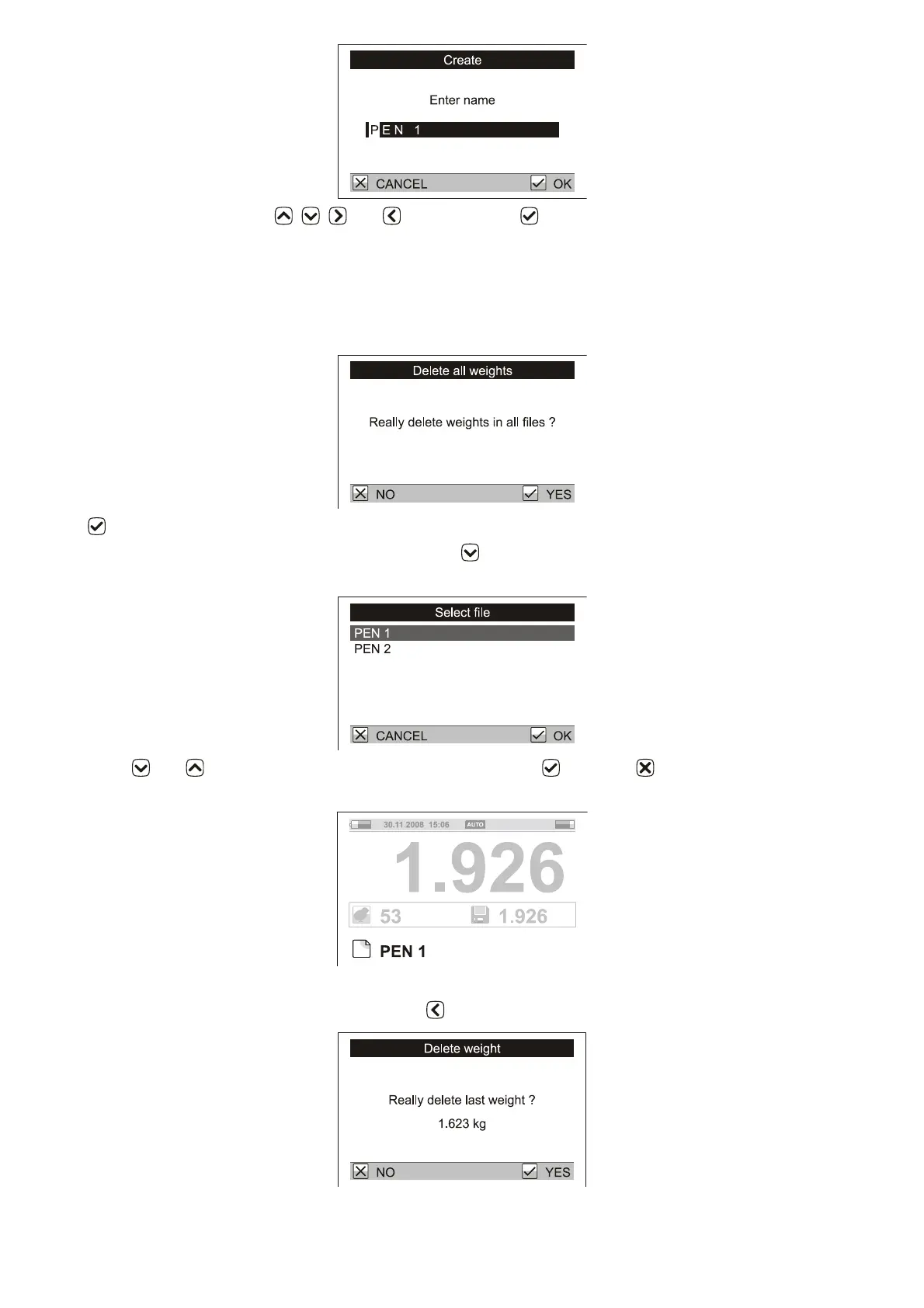
Enter the file name using keys , , and . After pressing , the file is stored.
5. Weighing course
Prior to a new weighing session all data should be deleted from the previous weighing. Be sure all data has
been viewed, printed or downloaded to a PC before deleting! Select menu Weighing / Delete all weights. A
dialog box is displayed.
Press . All stored weights will be deleted (not the file names).
To store weights in file PEN 1 from our example, press (MENU), Weighing / Active file. A file list will be
displayed.
Using keys and move the cursor to the desired file and press . Press 2x to return to the weighing
display. The file name will be displayed on the weighing screen.
Now you can weigh individual birds from Pen 1, as described in Chapter 3.
An incorrect weight can be deleted by pressing the (DELETE) key. A confirmation will be displayed.



 To Next Page