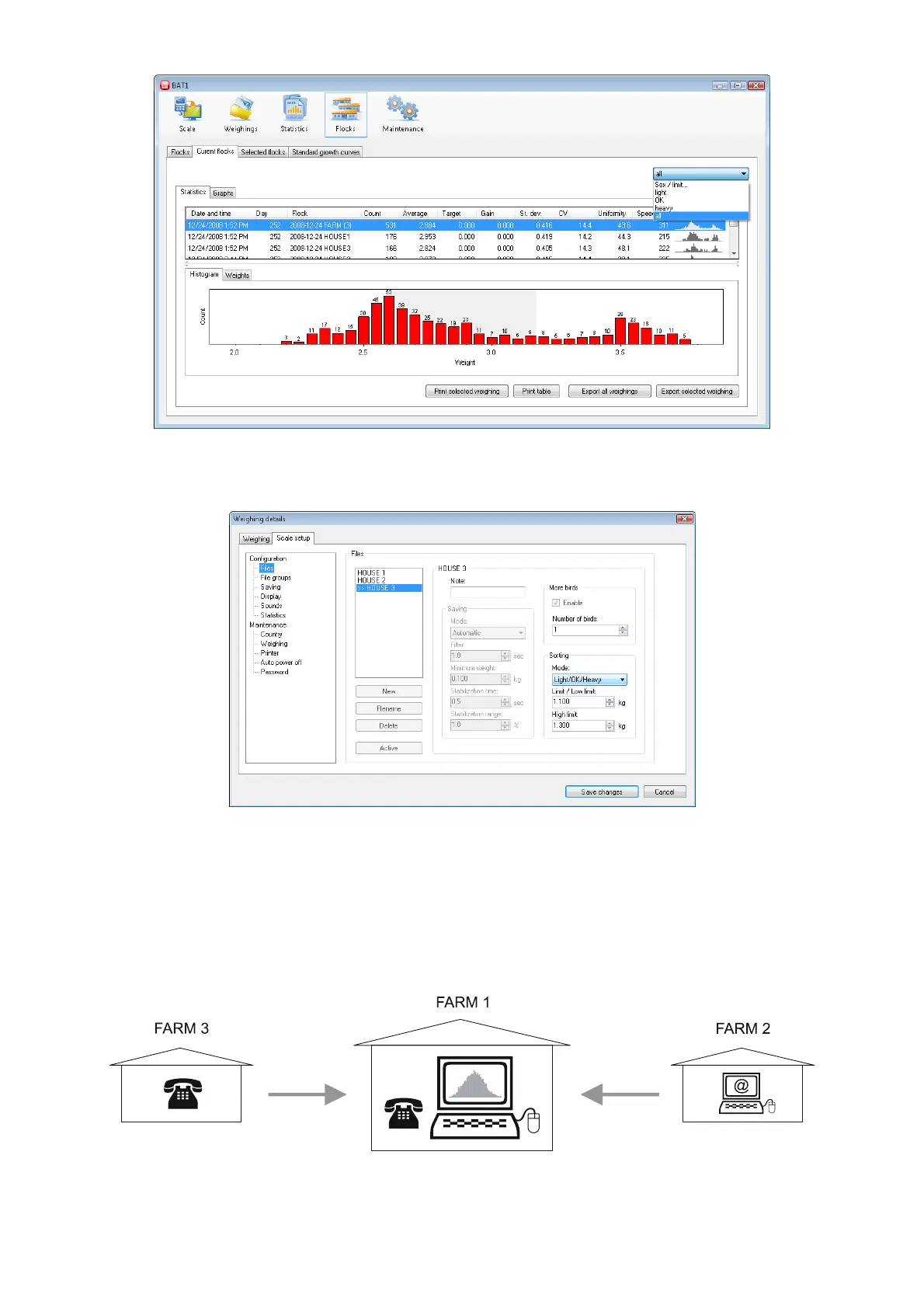
Using a similar method, you can display data in the panel Flocks, tabs Current flocks and Selected flocks.
The limits used during the weighing process can be found in the Weighings panel. Select a weighing in the
Available weighings table and click Edit. Select the Scale setup tab in the Weighing details dialog. Select the
file in the Files list. The Sorting panel will display the sorting limits for this file.
8.9.4. Exporting data
Data can be exported to another computer or location.
Example:
Your company includes three farms. The birds are weighed on each farm. Weighing results from all three farms
are processed centrally at FARM 1. FARM 2 data is downloaded to a PC and e-mailed to FARM 1. There is no
PC on the third farm, so the weighing results are faxed or reported via telephone to FARM 1.



 To Next Page